What Is a Mini UPS? What You Need to Know
A mini UPS, or Uninterruptible Power Supply, is a small battery backup device. It provides temporary power to your electronics during an outage. Think of it as a tiny power insurance policy for your gadgets.
These devices are handy for protecting your essential gear. They prevent data loss and keep things running briefly. Many people use them for computers, routers, and even important medical equipment. A mini UPS can be a lifesaver when the lights go out unexpectedly.
- A mini UPS is a compact battery backup.
- It gives your devices short-term power during outages.
- It protects against data loss and equipment damage.
- You can use it for computers, modems, and more.
- It’s a smart way to handle power interruptions.
Let’s dive into what a mini UPS is all about and what you should consider before getting one.
Understanding What a Mini UPS Is and Why You Need One
A mini UPS is essentially a small power backup device. It acts like a temporary battery for your electronics. When your regular power goes out, it instantly kicks in. This gives you a short window to save your work or shut down your devices safely. It’s like having a tiny emergency generator for your most important gadgets.
Think about what happens when the power flickers. Your computer might shut off suddenly. All that unsaved work disappears in an instant. Your internet modem might reset, cutting off your connection. A mini UPS prevents these annoying and potentially costly interruptions. It provides a stable, temporary power source.
What Exactly Is an Uninterruptible Power Supply?
An Uninterruptible Power Supply (UPS) is a device that provides backup power to connected equipment when utility power fails. It also offers protection against common power problems. These include power surges, brownouts, and blackouts. A mini UPS is simply a smaller, more compact version of this technology. It’s designed for personal electronics or small office setups.
How Does a Mini UPS Work?
At its core, a mini UPS contains a rechargeable battery. This battery is constantly being charged when the device is plugged into a wall outlet. When the power from the outlet stops, the UPS battery instantly takes over. It supplies power to whatever is plugged into the UPS unit. Most mini UPS units also condition the power. This means they can help smooth out power fluctuations before they reach your devices.
When the main power returns, the UPS stops supplying battery power. It then begins recharging its own battery. The whole process of switching from wall power to battery power is almost instantaneous. Your devices typically won’t even notice the interruption. This quick response is key to preventing data loss and hardware damage.
Why You Should Consider a Mini UPS for Your Home
Power outages are more common than you might think. They can happen due to storms, grid failures, or even just local issues. These outages can cause more than just inconvenience. They can lead to lost work, corrupted files, and damage to sensitive electronics. A mini UPS offers a practical solution to these problems.
Protecting Your Data and Devices
Imagine you’re in the middle of an important project on your computer. Suddenly, the lights go out. Without a mini UPS, your computer shuts down, and your work is gone. You might also risk corrupting your operating system or hard drive. A mini UPS gives you enough time to properly save your work and shut down your computer. This preserves your data and prevents costly repairs.
It’s not just computers that benefit. Your home network equipment, like your modem and router, is also vulnerable. When these devices lose power, your internet connection drops. This can be frustrating, especially if you’re in the middle of a video call or online gaming. A mini UPS can keep these devices running. This ensures your connection stays active.
Keeping Essential Services Online
For some, a mini UPS isn’t just about convenience; it’s about necessity. People who rely on medical equipment, like CPAP machines or oxygen concentrators, need continuous power. While a mini UPS isn’t a long-term backup, it can provide critical power during short outages. This can be life-saving in emergencies. Always check the power requirements of your specific medical device. Consult with your healthcare provider about appropriate backup power solutions.
Think about other essential home devices. Security cameras, smart home hubs, or even your home office phone system might depend on consistent power. A mini UPS can ensure these systems remain operational. This provides peace of mind. It keeps your home secure and connected even when the grid fails.
The Benefits of Power Conditioning
Besides backup power, many mini UPS units offer power conditioning. Power grids aren’t always perfect. They can send out power that fluctuates. This means voltage can be too high (surges) or too low (brownouts). These fluctuations can stress your electronic components. Over time, this can shorten the lifespan of your devices. A mini UPS can act as a buffer. It filters out these power irregularities. This provides cleaner, more stable power to your electronics.
Key Features to Look For in a Mini UPS
When shopping for a mini UPS, not all units are created equal. You’ll want to consider several key features. These will help you choose the right one for your needs. It’s not just about buying the cheapest option. You want a unit that offers reliable protection.
Capacity and Runtime
The capacity of a UPS is measured in volt-amperes (VA) and watts (W). A higher VA/W rating means the UPS can support more powerful devices or more devices. The runtime is how long the UPS can power your connected devices on battery. This is usually listed in minutes. This depends on the load (how much power your devices are drawing). For example, a UPS might state it can run a typical home router for 30 minutes.
Consider what you need to power. A device that only needs to keep your router online for 10 minutes is different from one that needs to power a desktop computer and monitor for 30 minutes. Check the power consumption of your devices. Look for a UPS that can provide enough runtime for your critical tasks. A common recommendation is to aim for at least 5-10 minutes of runtime for critical devices.
Number and Type of Outlets
Mini UPS units come with a set number of power outlets. Some of these outlets might be battery-backed. Others might only offer surge protection. Ensure the UPS has enough battery-backed outlets for all the devices you want to protect during an outage. You’ll also want to check if the outlets are spaced adequately. This allows you to plug in bulky power adapters without blocking other outlets.
We found that some units offer both battery-backed outlets and simple surge-protected outlets. The battery-backed ones are for your critical devices. The surge-protected ones are for less essential items that you still want to shield from power spikes. Make sure you understand which is which when you plug things in.
Form Factor and Size
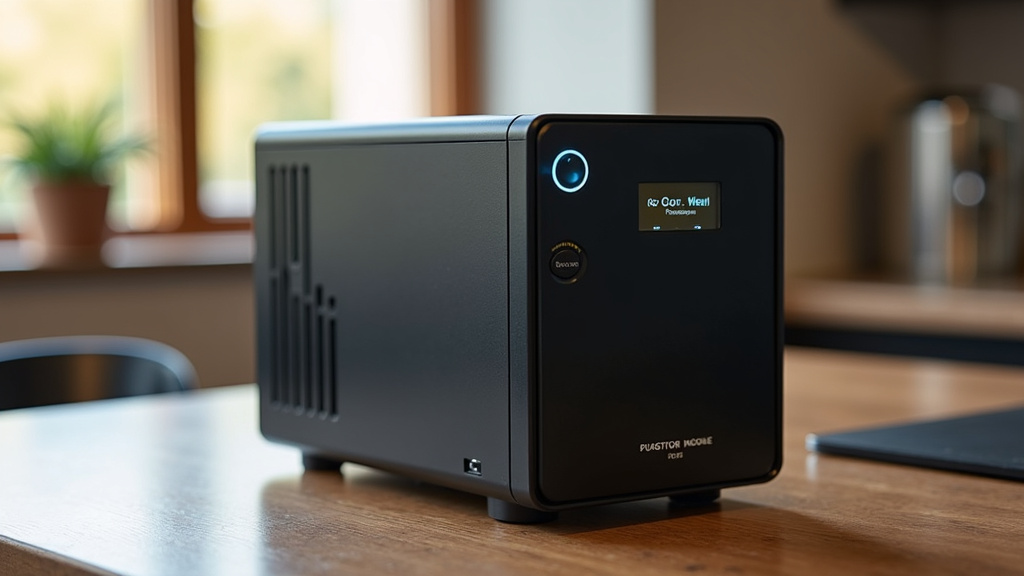
As the name suggests, mini UPS units are compact. However, they still vary in size. Some are small enough to sit discreetly behind a monitor. Others might be slightly larger. Think about where you plan to place the UPS. Do you have a tight space on your desk? Or will it be tucked away in a cabinet? You’ll also want to consider the weight and stability of the unit.
Software and Management Features
Many UPS units come with software that you can install on your computer. This software allows you to monitor the UPS status. It can also provide alerts about power events. Some advanced software can even automatically shut down your computer when the battery is low. This is an important feature for preventing data loss. Check if the software is compatible with your operating system.
Battery Type and Lifespan
Most mini UPS units use sealed lead-acid (SLA) batteries. These are common, reliable, and relatively inexpensive. SLA batteries have a limited lifespan. They typically need to be replaced every 3 to 5 years. Some higher-end units might use lithium-ion batteries, which can last longer. However, they are usually more expensive. For most home users, SLA batteries are perfectly adequate.
The battery is the heart of the UPS. When it starts to degrade, the unit won’t provide as much backup time. You’ll want to keep an eye on battery health. Many UPS management software tools can alert you when the battery needs replacing. This allows you to plan for the replacement ahead of time.
| Feature | What to Look For | Why It Matters |
|---|---|---|
| Capacity (VA/Watts) | Sufficient to power your essential devices | Ensures you can run everything needed |
| Runtime (Minutes) | Enough time for safe shutdown or brief operation | Prevents data loss and sudden shutdowns |
| Outlet Types | Adequate battery-backed and surge-only outlets | Protects critical devices and provides flexibility |
| Size and Form Factor | Fits your intended space | Practical for placement and aesthetics |
| Management Software | Compatible with your OS, offers alerts | Provides monitoring and automatic shutdown capabilities |
Installation and Maintenance
Installing a mini UPS is usually straightforward. You simply plug it into a wall outlet. Then, you plug your devices into the UPS outlets. Make sure to read the manufacturer’s instructions. They will guide you on the correct setup. Some units may require an initial charging period before use.
Maintenance is generally minimal. The main task is to replace the battery every few years. It’s also a good idea to test your UPS periodically. Many units have a self-test function. This helps ensure the battery is still working correctly. Some experts recommend testing it at least once a year. This gives you confidence that it will perform when you need it most.
Who Needs a Mini UPS?
So, who exactly stands to benefit the most from a mini UPS? The answer is quite broad. Anyone who relies on electronics and experiences occasional power interruptions could find one useful. Here’s a quick checklist:
- Home office users: To protect computers, monitors, and modems.
- Gamers: To prevent losing progress during intense gaming sessions.
- Anyone with a home network: To keep Wi-Fi and internet access running.
- Individuals using essential medical devices: For critical short-term backup power.
- Smart home enthusiasts: To maintain the function of hubs and security systems.
- Anyone who hates losing unsaved work!
If any of these sound like you, then a mini UPS is worth considering. It’s an investment in peace of mind and device longevity.
Conclusion
You’ve learned that a mini UPS is a compact battery backup that protects your electronics from sudden power loss. It’s your first line of defense against lost work, damaged files, and even hardware issues. By providing a few minutes of backup power, it gives you time to shut down properly or keep essential devices running.
Consider your specific needs, like the devices you want to protect and how long you need them to run. This will help you choose the right capacity and features. Investing in a mini UPS is a smart step for ensuring peace of mind and the longevity of your important gadgets. Take a look at your essential electronics and consider adding this protective layer to your setup.
Frequently Asked Questions
How long does a mini UPS typically run a device?
The runtime varies greatly depending on the UPS capacity and the power draw of the connected devices. Most mini UPS units offer anywhere from 5 to 30 minutes of backup power for typical home electronics like routers or modems. For more power-hungry devices like computers, runtime will be shorter.
Can I plug my whole home entertainment system into a mini UPS?
Generally, no. Mini UPS units are designed for smaller, less power-intensive electronics. Plugging in large devices like big-screen TVs, soundbars, or multiple gaming consoles could quickly drain the battery or even overload the UPS. It’s best to use them for critical items like your modem, router, or a computer.
Do I need to do any maintenance on a mini UPS?
The primary maintenance task is battery replacement, typically needed every 3 to 5 years as the battery degrades. Many UPS units have a self-test function you can run periodically to ensure the battery is still functional. It’s also wise to keep the unit clean and ensure its vents aren’t blocked.
What’s the difference between battery backup outlets and surge-only outlets on a mini UPS?
Battery backup outlets provide both surge protection and temporary power from the UPS battery during an outage. Surge-only outlets only protect against power spikes and surges; they do not provide backup power. You’ll want to plug your most critical devices into the battery backup outlets.
How do I know if my mini UPS needs a new battery?
Many mini UPS units will alert you when the battery is failing or needs replacement. This can be through an audible beep, an indicator light on the unit, or a notification from the management software on your computer. If you notice significantly reduced runtime during power outages, it’s also a strong sign the battery is aging.