What Is a Modular UPS System? The Real Answer
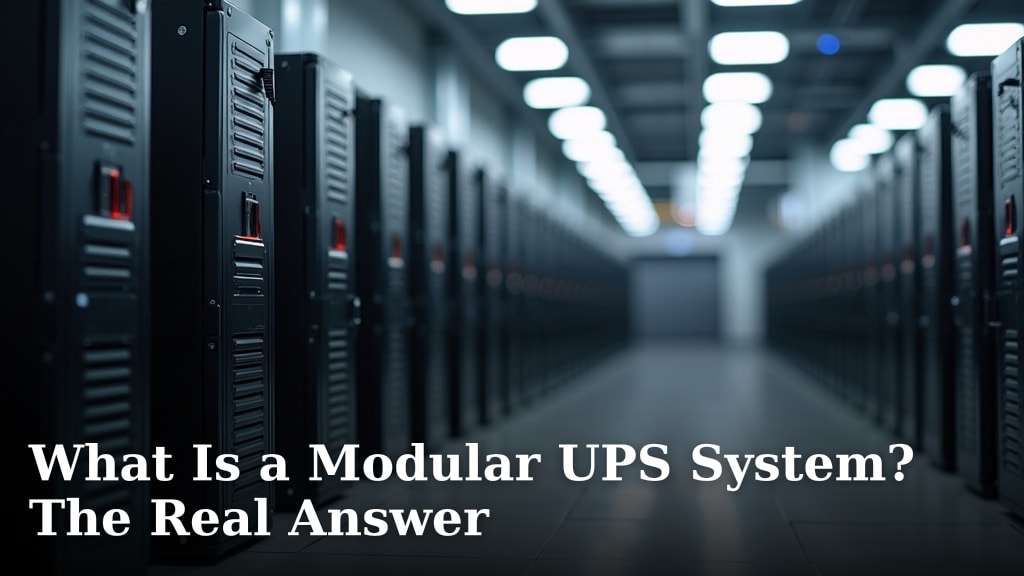
A modular UPS system is essentially a power backup solution built from smaller, independent units. You can add or remove these units as your power needs change. Think of it like building with LEGO bricks, but for keeping your electronics running during outages.
This flexibility makes it different from traditional, single-block UPS units. Modular systems offer scalability and easier maintenance. If one small unit needs attention, the whole system doesn’t have to go offline.
- A modular UPS is a flexible power backup system.
- It uses independent, swappable units.
- You can easily expand or shrink capacity.
- Maintenance is simpler and less disruptive.
- It’s a smart choice for businesses with changing power demands.
Let’s break down exactly what a modular UPS is and how it can work for you.
You’ve heard the term “modular UPS,” but what does it really mean for your power needs? Think of it as a customizable power protection system that grows with you. Instead of one big, fixed unit, it’s built from smaller, independent modules. This means you can adjust its power capacity easily. It’s a smart approach to keeping your sensitive equipment safe from outages.
Understanding the Core of a Modular UPS
A modular UPS system is designed for flexibility. It’s made up of several smaller power units, often called modules. These modules work together to provide your required backup power. You can add more modules to increase capacity or remove them if your needs decrease.
How Modular UPS Systems Differ from Traditional Units
Traditional Uninterruptible Power Supply (UPS) systems are usually built as a single, all-in-one box. If you need more power, you typically have to buy a completely new, larger unit. This can be expensive and wasteful.
Modular UPS systems, on the other hand, offer a different path. They are like building blocks for power. You start with a base frame or chassis. Then, you plug in power modules and battery modules as needed. This makes them far more adaptable.
Key Components of a Modular UPS
When you look at a modular UPS, you’ll typically see a few main parts. These are the building blocks that make the system work:
- Chassis or Frame: This is the main cabinet that holds all the other modules. It provides the structure and the connections between them.
- Power Modules: These are the brains and the muscle. They convert incoming AC power to DC for the batteries and then back to clean AC power for your equipment during an outage. You can add more power modules to increase the total wattage the UPS can supply.
- Battery Modules: These store the energy to power your devices when the main power fails. Like power modules, you can add more battery modules to extend the runtime.
- Management/Control Module: This module oversees the operation of all the other modules. It’s like the conductor of an orchestra, ensuring everything works in harmony. It also handles communication with your network or servers.
The Advantages of Choosing a Modular Approach
Why would you choose a modular UPS over a standard one? The reasons often come down to **cost savings, convenience, and future-proofing** your power protection.
Scalability: Grow Your Power Protection as Needed
This is perhaps the biggest draw. Imagine your business is growing. Your IT equipment needs are expanding. With a traditional UPS, you’d be facing a large, unplanned purchase of a bigger unit. A modular UPS lets you simply add another power or battery module.
You buy what you need today, and you can easily scale up tomorrow. This prevents you from overspending on capacity you don’t currently require. It’s an efficient way to manage your budget and your power demands.
Enhanced Uptime and Reduced Downtime
What happens when a component fails in a traditional UPS? The whole unit might need to be taken offline for repair or replacement. This means your protected equipment is exposed.
In a modular system, if one power module or battery module fails, the system can often continue to operate. The remaining modules pick up the slack. Many modular UPS units also support “hot-swapping.” This means you can replace a faulty module without turning off the main UPS. Your equipment stays protected throughout the process.
Simplified Maintenance and Serviceability
Maintenance is also made much easier. Instead of dealing with one large, heavy unit, you’re dealing with smaller, manageable modules. Technicians can quickly identify a faulty module.
They can then simply swap it out with a new one. This reduces the time and effort required for service. It also means less disruption to your operations. Many experts suggest this ease of maintenance is a key reason businesses are moving towards modular solutions (Gartner research).
Cost-Effectiveness Over Time
While the initial investment in a modular UPS might seem higher in some cases, the long-term cost-effectiveness is often superior. You avoid the need to replace entire units as your needs change.
You also save on potential downtime costs. Extended periods without power can lead to lost productivity and revenue. The ability to maintain uptime with modular systems offers a strong return on investment.
When is a Modular UPS the Right Choice for You?
So, how do you know if a modular UPS fits your situation? Consider these points:
Businesses with Evolving Power Needs
If your business is in a growth phase or has fluctuating power requirements, a modular UPS is an excellent fit. Think of startups, rapidly expanding companies, or even seasonal businesses.
You might add new servers, more workstations, or upgrade existing equipment. A modular system can easily accommodate these changes. You won’t be caught out with insufficient power capacity.
Organizations Prioritizing Uptime
For businesses where downtime is extremely costly, the high availability offered by modular UPS systems is critical. This includes data centers, financial institutions, and healthcare providers.
The ability to perform maintenance without interrupting power is a significant advantage. It ensures your critical operations continue uninterrupted. Many studies highlight that continuous operation is a top priority for these sectors (CompTIA reports).
Situations Requiring Flexible Deployment
Modular UPS units can sometimes offer more flexibility in terms of physical installation. The smaller modules might be easier to maneuver into tight spaces. The system can be configured to fit your specific layout.

Comparing Modular UPS to Other Options
Let’s quickly compare modular UPS systems to traditional line-interactive and double-conversion UPS units to see where they fit.
| Feature | Modular UPS | Traditional UPS (Line-Interactive/Double-Conversion) |
|---|---|---|
| Scalability | High – Add/remove modules | Low – Usually requires full replacement for more capacity |
| Maintenance | Easier – Hot-swappable modules, less disruptive | More disruptive – May require full shutdown for repair/replacement |
| Runtime | Flexible – Add more battery modules | Fixed – Limited by built-in battery capacity, though external battery packs exist |
| Initial Cost | Can be higher for a base unit | Often lower for basic capacity needs |
| Long-term Cost | Often lower due to flexibility and avoiding full replacements | Can be higher if needs change frequently, requiring replacements |
| Fault Tolerance | High – Redundant modules can compensate for failures | Lower – Single point of failure in many designs |
Making the Right Choice for Your Power Needs
Deciding on the right UPS is important. A modular system offers a modern, flexible solution. It’s designed to meet the challenges of today’s dynamic environments. Consider these quick checks:
- Does your power need change often?
- Is avoiding downtime a top priority?
- Do you want to avoid replacing entire units later?
- Is ease of maintenance important for your IT team?
- Are you looking for a cost-effective solution over the long haul?
- Do you anticipate adding more equipment in the next few years?
If you answered “yes” to several of these questions, a modular UPS system might be the perfect fit for your power protection strategy.
Conclusion
You’ve learned that a modular UPS system is a smart way to handle your power backup needs. It’s like having a power system that grows with you, piece by piece. Unlike older units, you can easily add capacity or swap out components without shutting everything down. This flexibility can save you money and prevent costly downtime.
If your power requirements change often or keeping your equipment running is critical, consider a modular UPS. It offers scalability, easier maintenance, and better uptime for your peace of mind. Ready to protect your systems? Your next step could be assessing your current and future power needs to see if a modular solution fits your budget and operational goals.
Frequently Asked Questions
Can I mix and match different brands of modules in a modular UPS?
Generally, you cannot mix modules from different brands. Modular UPS systems are designed to work with specific, proprietary modules from the same manufacturer. Always check the compatibility list provided by the UPS vendor.
How much longer can a modular UPS run compared to a traditional one?
The runtime of a modular UPS is very flexible. You can add more battery modules to extend how long your equipment stays powered. A traditional UPS has a fixed battery capacity, limiting its runtime unless you connect external battery packs.
Is a modular UPS system more expensive upfront?
The initial cost for the base chassis and a few modules might sometimes be higher than a basic traditional UPS. However, the ability to scale up gradually often makes modular systems more cost-effective over the long term as your needs grow.
What happens if one module fails in a modular UPS?
In many modular systems, if one power or battery module fails, the others can continue to supply power. The system can often keep running, and you can replace the faulty module without taking your protected equipment offline (hot-swapping).
Do I need a technician to add or replace modules in a modular UPS?
Often, you do not. Many modular UPS designs allow for “hot-swapping,” meaning you or your IT staff can safely remove and replace modules without needing to shut down the UPS or your connected equipment. Always consult your manual for specific procedures.