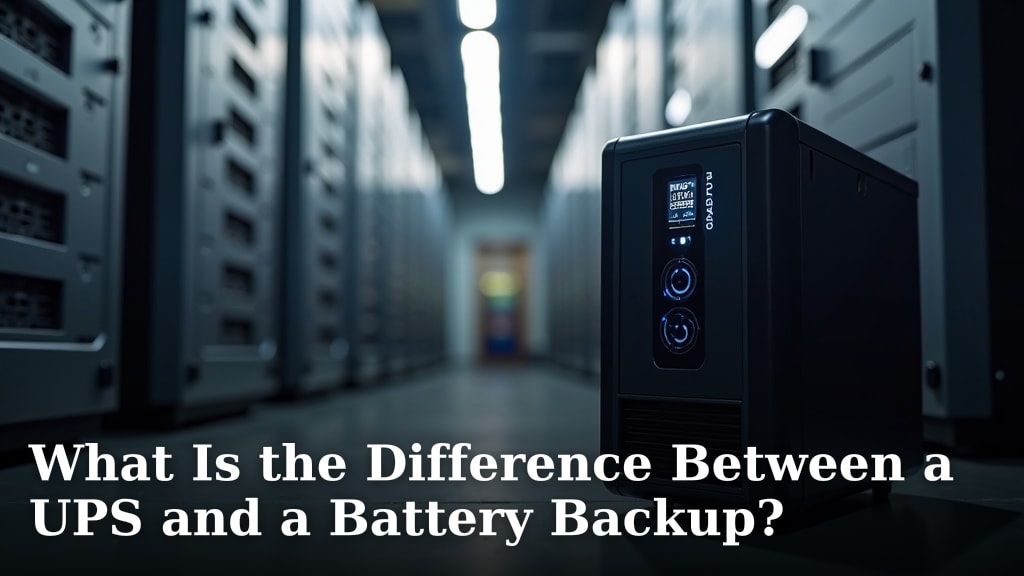
What Is the Difference Between a UPS and a Battery Backup?
A UPS and a battery backup are often used interchangeably, but they aren’t quite the same thing. A UPS (Uninterruptible Power Supply) provides instantaneous battery power during an outage, while a battery backup typically refers to a larger battery system that needs time to engage. Think of a UPS as a sprinter and a battery backup as a marathon runner – both are essential, but they perform different roles in protecting your electronics from power issues.
Understanding this difference is key to choosing the right protection for your devices. A UPS is designed for sensitive electronics like computers and servers that can’t tolerate even a momentary power loss. A battery backup, on the other hand, might be suitable for less critical systems or when you need longer runtimes after the power goes out. Both offer power surge protection, but their primary functions differ.
TL;DR:
- A UPS gives you immediate backup power when the lights go out.
- A battery backup might take a moment to switch on.
- UPS is best for electronics that can’t handle any power interruption.
- Battery backups are for longer power needs.
- Both offer surge protection.
Let’s break down what makes a UPS different from a standard battery backup and help you pick the right one for your needs.
“`htmlUnderstanding the Nuances: UPS vs. Battery Backup
It’s easy to get confused between a UPS and a battery backup. They both sound like they do the same thing: keep your electronics running when the power dies. While they share a common goal, their approach and best use cases differ quite a bit. Let’s clear up the confusion so you can make the best choice for your devices.
What Exactly is a UPS?
A UPS, or Uninterruptible Power Supply, is designed to provide immediate backup power. When your main power source suddenly cuts out, a UPS instantly switches over to its battery. There’s virtually no interruption for your connected equipment. Think of it as a lightning-fast superhero for your electronics.
The Instantaneous Switch
The key feature of a UPS is its speed. It detects the power loss and immediately starts supplying power from its internal battery. Many UPS systems can switch over in just a few milliseconds. For sensitive devices like computers, this instant transfer is critical. It prevents data loss or system crashes that could happen if the power flickered for even a moment.
What Kind of Protection Does a UPS Offer?
Beyond just backup power, a UPS also acts as a surge protector. Power surges are sudden spikes in voltage that can damage or destroy electronic components. A UPS filters these surges, protecting your connected devices from electrical stress. It also offers voltage regulation, ensuring a steady flow of power even when your home’s voltage fluctuates.
What is a Standard Battery Backup?
A battery backup, in its more general sense, is a device that stores electrical energy in a battery. It’s designed to provide power when the main source fails. However, unlike a UPS, a typical battery backup might have a slight delay in switching to battery power. It’s more like a reliable reserve that you tap into after a short pause.
The Switchover Time
The main difference here is the switchover time. While a UPS is almost instant, a general battery backup might take a second or two, or even longer, to engage. This delay is usually fine for less sensitive equipment. For instance, a lamp or a fan might not even notice a brief interruption. But for a running computer, this delay could be problematic.
Purpose and Applications
Battery backups are often used for applications where a brief power interruption isn’t catastrophic. This could include emergency lighting systems, some home appliances, or even larger industrial equipment. They are also the core component of many solar power systems, storing energy for later use.
Key Differences at a Glance
Let’s put the differences side-by-side so you can see them clearly. Understanding these distinctions will help you choose the right device for your specific needs.
Speed of Power Transfer
This is arguably the most significant difference. A UPS offers near-instantaneous power transfer. This is vital for electronics that require a constant, uninterrupted power supply. A standard battery backup might have a noticeable delay, which could cause issues for sensitive equipment.
Intended Use and Sensitivity
UPS units are typically designed for computers, servers, networking equipment, and other sensitive electronics. These devices are prone to data corruption or hardware damage if they lose power unexpectedly. Battery backups can be used for a broader range of applications, including those that can tolerate a brief power interruption.
Features and Functionality
While both provide backup power, UPS systems often come with more advanced features. These can include sophisticated surge protection, voltage regulation, battery monitoring, and software that allows for graceful shutdowns of connected computers. Many battery backups focus primarily on providing raw power storage and may lack these advanced protections.
Cost and Complexity
Generally, UPS units tend to be more expensive than basic battery backup systems. This is due to the more complex circuitry required for their rapid switchover and advanced features. Battery backups can range in price, with simpler models being more affordable.
Here’s a quick table to summarize:
| Feature | UPS (Uninterruptible Power Supply) | Battery Backup (General) |
|---|---|---|
| Power Switchover Speed | Instantaneous (milliseconds) | Noticeable delay (seconds or more) |
| Primary Use Case | Sensitive electronics (computers, servers) | Less sensitive devices, longer runtime needs |
| Additional Protections | Surge protection, voltage regulation | Primarily power storage; may vary |
| Complexity & Cost | Higher complexity, generally more expensive | Simpler, often more affordable |
When Do You Need Which?
Deciding between a UPS and a general battery backup comes down to what you need to protect and for how long. Think about the devices you’ll connect and how critical uninterrupted power is for them.
Choosing a UPS: For Your Most Important Gear
You’ll want a UPS for any electronic device that can’t afford even a moment without power. This includes:
- Computers (desktops and laptops if you want to protect against sudden power loss)
- Routers and modems (to keep your internet running during short outages)
- Gaming consoles
- Home servers or Network Attached Storage (NAS) devices
- External hard drives connected to computers
Research and findings suggest that unexpected shutdowns can lead to data corruption for these devices (Microsoft Support). A UPS ensures your work is saved and your systems remain stable.
Considering a Battery Backup: For Extended Power or Less Sensitive Needs
A more general battery backup might be suitable for situations where a brief delay is acceptable or when you need power for a longer duration, perhaps from a larger system like solar panels. Consider these for:
- Less critical appliances that can handle a brief power interruption.
- Backup power for homes during extended outages, often integrated with solar or generator systems.
- Keeping basic lighting on when the power goes out.
- Powering tools or equipment that don’t require instant power.
Many experts explain that the primary goal here is usually longer runtime rather than immediate switchover (National Renewable Energy Laboratory).
Making the Right Choice for Your Home or Office
To help you finalize your decision, ask yourself these questions:
- What devices need protection? Are they sensitive to power fluctuations or sudden loss?
- How long do I need backup power? A few minutes to shut down a computer, or hours for essential home systems?
- What’s my budget? UPS units typically cost more than basic battery packs.
- Do I need surge protection and voltage regulation? UPS units offer these integrated features.
By considering these points, you can confidently select the power protection solution that best fits your setup.
“`
Conclusion
You’ve learned that while both a UPS and a battery backup guard against power loss, they do it differently. A UPS provides instantaneous power, essential for sensitive gear like computers to avoid data loss. A general battery backup might have a slight delay but is great for longer power needs or less sensitive devices. Think about what you need to protect and for how long to make the right choice. Visit your local electronics store or search online for UPS systems if immediate protection is your priority.
Frequently Asked Questions
Can I use a regular battery backup for my computer?
Generally, it’s not recommended. Computers need immediate power during an outage to prevent data corruption or system crashes. A standard battery backup might have a delay that’s too long for your computer’s sensitive components.
Do UPS systems really protect against power surges?
Yes, most UPS units include built-in surge protection. They act like a filter, absorbing sudden voltage spikes before they can damage your connected electronics. This dual function makes them a great choice for protecting your valuable equipment.
How long will a UPS keep my computer running?
The runtime varies greatly depending on the UPS model and the power draw of your devices. Most UPS units are designed to provide enough time for you to save your work and shut down your computer properly, usually anywhere from 5 to 20 minutes.
Is a UPS more expensive than a battery backup?
Typically, yes. UPS units are generally more expensive because they contain more complex circuitry for their rapid, instantaneous switchover and often include advanced features like voltage regulation. Basic battery backups focus more on sheer power storage.
What’s the best way to choose between a UPS and a battery backup?
Consider what you’re protecting and how critical a moment’s interruption is. For computers, servers, and other sensitive electronics, a UPS is the better choice. For less sensitive items or when you need power for extended periods, a general battery backup might suffice.