What Is a Residential UPS? The Honest Answer
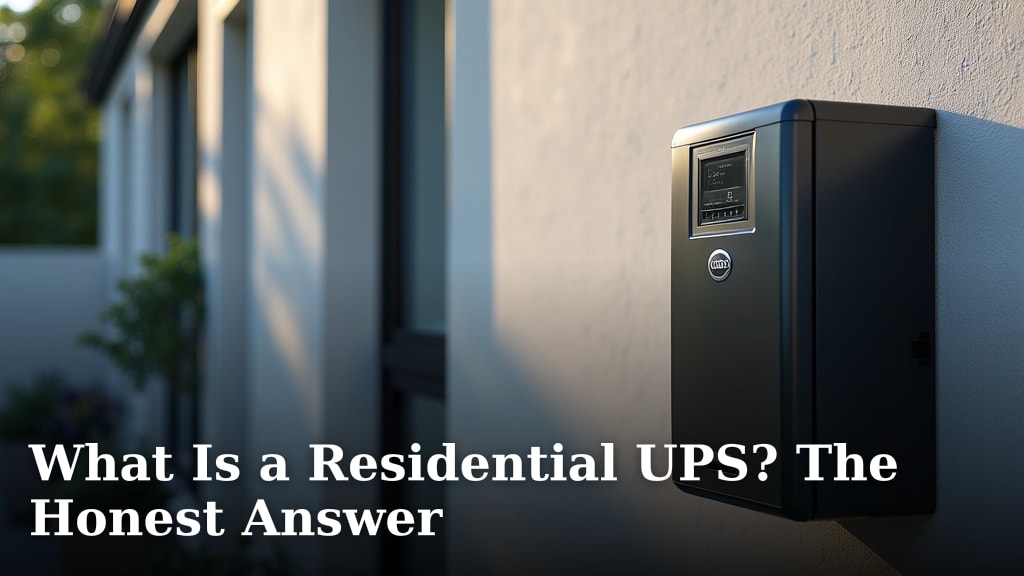
A residential UPS is a battery backup device that keeps your electronics running when the power goes out. It acts as an emergency power source for your home’s devices. Think of it as a superhero for your computer and other important gadgets during a blackout.
This device also cleans up messy power from your wall outlet. It can protect against power surges and brownouts. Many people use them to keep their internet running. This means you won’t miss important calls or online meetings.
- A residential UPS provides battery power during outages.
- It also protects against power surges and fluctuations.
- This keeps your electronics safe and operational.
- It’s like a mini backup generator for your home.
Let’s break down what a residential UPS really is and what it can do for you.
Understanding Your Home’s Power Backup: The Residential UPS
A residential UPS is essentially a battery backup system. It’s designed to keep your electronic devices running when the main power supply fails. Think of it as a portable, silent generator. It sits quietly until it’s needed. Then, it springs into action. This ensures your important gadgets don’t suddenly shut down.
What Exactly Does a Residential UPS Do?
At its core, a UPS does two main things. First, it provides temporary battery power. This happens during an outage or significant power dip. Second, it acts as a power conditioner. It cleans up the electricity coming from your wall outlet. This protects your equipment from electrical “noise.”
Battery Backup Functionality
When the power flickers or goes out, the UPS instantly switches to its internal battery. This transition is usually so fast you won’t even notice. The battery provides enough juice for your connected devices to keep working. This gives you time to save your work. It also lets you safely shut down your equipment. Some UPS units can power devices for several minutes. Others can last for hours, depending on their size and what’s connected.
Power Conditioning Protection
Your home’s electricity isn’t always perfect. It can experience surges, brownouts, and spikes. A UPS acts as a buffer against these issues. It filters out unwanted electrical fluctuations. This clean power protects sensitive electronics. It helps prevent damage from faulty power from your utility company.
Why Would You Need a Residential UPS?
You might be wondering if a UPS is really necessary for your home. Let’s look at some common scenarios. Many people find them incredibly useful for maintaining connectivity. Imagine a sudden power outage during an important video conference. Or perhaps you’re in the middle of online learning. A UPS can keep your internet modem and router powered up. This ensures you don’t lose your connection.
Protecting Your Valuable Electronics
Computers, gaming consoles, home servers, and even smart home hubs are often expensive. Unexpected power loss can corrupt data or damage internal components. A UPS acts as a protective shield. It ensures these devices receive stable power. This extends their lifespan and prevents costly repairs.
Keeping Essential Services Running
For some, a UPS is about more than just convenience. It’s about maintaining essential functions. This could include medical equipment that requires continuous power. It might also be about keeping security systems or communication devices operational during an outage. The peace of mind knowing these critical items will stay on is a major benefit.
Saving Your Work and Preventing Data Loss
You’ve probably experienced the frustration of losing unsaved work. A UPS gives you the time to save your progress. If you’re working on a document or a creative project, a sudden shutdown can mean hours of lost effort. The UPS buys you those crucial minutes to hit “save.”
How a Residential UPS Works Under the Hood
Understanding the basic components can demystify how these devices function. A typical UPS has a few key parts that work together. These parts ensure you get clean, consistent power.
The Battery: The Heart of the System
The rechargeable battery is the most vital component. When AC power is available, the UPS charges this battery. It also keeps it topped off and ready. When the power fails, the battery becomes the immediate power source. The type and capacity of the battery determine how long the UPS can supply power.
The Inverter: DC to AC Conversion
Batteries store power as Direct Current (DC). However, most of your home electronics run on Alternating Current (AC). The inverter inside the UPS converts the DC power from the battery into usable AC power. The quality of this conversion can vary between UPS models. Some produce a cleaner sine wave than others.
The Charger: Keeping the Battery Ready
A built-in battery charger continuously monitors and maintains the battery’s charge level. It ensures the battery is always ready to take over when needed. This charger draws power from the wall outlet when the grid is functioning normally.
The Transfer Switch: The Instant Switch-Over
This is the component responsible for the quick transition from grid power to battery power. When the UPS detects a power failure or fluctuation, the transfer switch activates. It disconnects the devices from the unreliable mains power and connects them to the inverter. This switch needs to be fast to prevent your electronics from restarting.
Different Types of Residential UPS Systems
Not all UPS units are created equal. They offer different levels of protection and features. Choosing the right type depends on your specific needs and budget. Research and found that the three main types are standby, line-interactive, and online.
Standby UPS (Offline)
This is the most basic and affordable type. A standby UPS operates in two modes: normal and battery. In normal mode, it passes utility power directly to connected devices. It only switches to battery power when it detects an outage. These are good for protecting against surges and short outages. They are less effective at dealing with constant brownouts or voltage fluctuations. Many experts say they offer basic protection (Consumer Reports).
Line-Interactive UPS
These offer a step up in protection. A line-interactive UPS includes an automatic voltage regulator (AVR). This AVR can correct minor voltage fluctuations without using the battery. It can boost low voltage (brownouts) or reduce high voltage (surges). The battery is still used for complete power outages. They are a popular choice for home users due to their balance of cost and protection. We found these to be a solid middle ground for most households.
Online UPS (Double Conversion)
This type offers the highest level of protection. An online UPS constantly converts incoming AC power to DC, then back to AC. This means your devices are always running off the UPS’s inverter. The utility power is only used to keep the battery charged. If the utility power fails, the battery simply takes over the DC-to-AC conversion without any interruption. These are ideal for very sensitive equipment or areas with extremely unstable power. They are generally more expensive.
What Can You Power with a Residential UPS?
The capacity of a UPS is measured in Volt-Amperes (VA) and Watts. This tells you how much power it can supply. You need to match the UPS capacity to the power needs of your devices. Overloading a UPS can cause it to shut down. It can also damage the UPS itself.
Commonly Protected Devices
- Computers and Laptops: A UPS can keep your computer running. This allows you to save your work and shut down properly.
- Modems and Routers: Essential for maintaining internet connectivity during an outage.
- External Hard Drives and NAS Devices: Protects your stored data from sudden power loss.
- Gaming Consoles: Prevents interruptions during intense gaming sessions.
- Monitors: Ensures you can see what you’re doing on your computer.
- Routers and Switches: Keeps your network active.
What NOT to Power with a Typical Residential UPS
It’s important to know the limits of your UPS. High-power devices can quickly drain the battery. They can also overload the unit. Avoid plugging in things like:
- Space heaters
- Hair dryers
- Toasters and microwaves
- Vacuum cleaners
- Laser printers (they have high startup power demands)
Many UPS units come with a list of recommended maximum loads. Always check your UPS manual for specific guidelines.
Making the Right Choice: Key Features to Consider
Selecting a UPS involves looking at several factors. These features will help you find a unit that fits your home’s needs. We recommend considering these points before you buy.
Capacity (VA and Watts)
This is your starting point. Calculate the total wattage of the devices you want to protect. Add them up. Then, choose a UPS with a higher wattage rating than your total. For example, if your devices add up to 300 watts, a 500-watt UPS might be suitable.
Runtime
How long do you need your devices to stay powered? UPS units specify their runtime at certain load levels. Longer runtime usually means a larger, more expensive UPS with a bigger battery.
Number of Outlets
Check how many outlets are available on the UPS. Some outlets may be battery-backed, while others are only surge-protected. Make sure there are enough for all your critical devices.
Surge Protection Type
Most UPS units offer surge protection. However, the quality and effectiveness can vary. Look for units with good Joule ratings. This indicates how much energy the surge protector can absorb.
Software and Monitoring
Some UPS units come with software. This software can monitor power conditions. It can also allow for automatic shutdown of your computer when the battery is low. This is a handy feature for unattended computers.
A Quick UPS Checklist for Your Home
Thinking about getting a UPS? Here’s a simple checklist to guide you:
- Identify your critical devices: What absolutely needs power during an outage?
- Calculate total wattage: Sum up the power needs of those devices.
- Determine desired runtime: How long do you want them to run on battery?
- Choose the UPS type: Standby, line-interactive, or online?
- Check outlet count: Ensure it has enough ports.
- Consider warranty and brand reputation: Look for reliable manufacturers.
Conclusion
A residential UPS is a smart investment for anyone who relies on electronics. You’ve learned it’s not just a battery backup, but also a power conditioner. It shields your valuable devices from surges and brownouts. By keeping your internet running, it ensures you stay connected during outages. Understanding your needs and choosing the right type is key. Taking this step protects your data, your work, and your peace of mind. We recommend making a list of your critical devices and their power needs. Then, find a UPS that matches those requirements to keep your essential technology safe.
Frequently Asked Questions
How long does a typical residential UPS battery last?
The battery life of a UPS can vary greatly. It depends on the battery’s capacity and how much power your connected devices are drawing. Generally, most standard UPS units will provide 5 to 15 minutes of backup power for a computer and monitor. Larger units or those with fewer devices can last longer.
Can I use a UPS for my refrigerator or other large appliances?
No, a typical residential UPS is not designed for large appliances like refrigerators, microwaves, or space heaters. These items draw too much power and can overload the UPS, causing it to shut down or be damaged. Always check the UPS manual for its maximum load capacity.
Do I need to worry about the “sine wave” type of power a UPS provides?
The type of sine wave matters for sensitive electronics. Standby and line-interactive UPS units often produce a “simulated” or “stepped” sine wave. This is fine for most computers and routers. More expensive online UPS units provide a pure sine wave, which is best for devices like audio equipment or certain power supplies.
How often do I need to replace a UPS battery?
UPS batteries have a limited lifespan, typically lasting 3 to 5 years. They degrade over time and will eventually need replacement to maintain their backup power capability. Many UPS units will alert you when the battery is failing or needs to be replaced.
What’s the difference between a UPS and a surge protector?
A surge protector only guards against sudden voltage spikes or surges. It offers no battery backup. A UPS provides both surge protection and temporary battery power during an outage. This allows you to save your work and shut down devices properly, which a simple surge protector cannot do.