How Does a Battery Backup Protect Electronics? What It Means
On this page (6 sections)
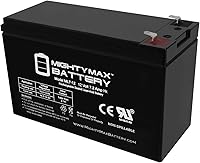
A battery backup, also known as a UPS (Uninterruptible Power Supply), protects electronics by providing instant emergency power during an outage and filtering harmful electrical surges. It acts like a personal power station for your devices, keeping them running safely when the main power fails or fluctuates.
Most people think of blackouts, but power issues are more subtle. We found that even brief sags or spikes in electricity can harm sensitive gadgets over time. A battery backup solves this by giving you a few minutes to save work and shut down properly, or by stabilizing the incoming power to protect your investment.
- A battery backup provides temporary power during a blackout, giving you time to save work.
- It protects against dangerous power surges that can fry internal components.
- It conditions “dirty” power, filtering out electrical noise that can degrade devices.
- It prevents abrupt shutdowns that can cause data loss or corruption.
- It is essential for desktops, gaming consoles, networking gear, and home offices.
Below, we break down exactly what happens when you plug your devices into a battery backup and walk through the key features to look for when choosing the right one for your home.
How a Battery Backup Safeguards Your Electronics
Think of a battery backup as a vigilant bodyguard for your devices. It sits between your wall outlet and your valuable electronics, constantly monitoring the power. Its main job is to ensure your gear gets clean, steady electricity and to step in the instant something goes wrong with the main supply. For a broader overview, read our guide to backup power for electronics.
Protection isn’t just about one thing. It’s a combination of solutions for different problems. We found that most household power issues fall into three main categories. A good battery backup addresses all of them.
Instant Power During an Outage
This is the feature most people know. When the lights go out, the backup instantly switches to its internal battery. Your computer doesn’t just turn off. You get a warning and a few critical minutes to save your work and shut down properly. Without this, you risk losing hours of progress or corrupting important files.
Imagine you’re writing a report during a storm. The power flickers and dies. Without a backup, your screen goes black. All that unsaved work is gone. With a battery backup, you hear a beep, see a message on your screen, and calmly save your document. That peace of mind is worth everything.
Shielding from Dangerous Power Surges
A power surge is a sudden, massive spike in voltage. They can be caused by lightning strikes (even miles away), utility grid switching, or large appliances turning on and off in your home. These spikes are powerful enough to instantly fry the delicate circuits inside your laptop, router, or gaming console.
A battery backup contains special components called surge protectors. They act like a pressure-relief valve. When they detect a dangerous surge, they divert the excess energy away from your equipment. It’s a critical first line of defense that many cheaper power strips don’t handle well.
Is Every Surge the Same?
No. Researchers distinguish between large “transient” surges (like lightning) and small, frequent “spikes” that happen daily. While one small spike might not break your device, daily exposure can wear down components over time, shortening their lifespan. A good backup filters these out consistently.
Cleaning “Dirty” Power for Daily Protection
Maybe the most underappreciated job is power conditioning. The electricity from your wall isn’t perfect. It’s often “dirty,” meaning it has minor fluctuations, sags, and high-frequency noise. Think of it like water with a lot of grit and sediment.
Your sensitive electronics, especially computers and audio equipment, don’t like this dirty power. It can cause strange errors, reduced performance, or even gradual damage. A battery backup, particularly a “line-interactive” model, constantly regulates and cleans this incoming power, providing a steady, pure stream to your devices. It’s like having a high-quality water filter on your home’s electrical line.
Understanding the Different Types of Battery Backups
Not all battery backups are created equal. They are generally categorized by how they protect your equipment. Knowing the difference helps you choose the right level of protection for your needs and budget.
| Type | How It Works | Best For | Protection Level |
|---|---|---|---|
| Standby (Offline) | Monitors the line. Switches to battery power if it detects a major problem (like an outage). Basic surge protection. | Entry-level use. Non-critical devices like a lamp or basic router. | Good (Surge & Outage only) |
| Line-Interactive | Actively regulates voltage. Automatically “boosts” low voltage and “bucks” high voltage without using the battery. Better battery life. | Most home offices, computers, gaming consoles, and network gear. | Better (Surge, Outage, & Dirty Power) |
| Online (Double-Conversion) | Continuously runs power through the battery and inverter. Your equipment runs entirely on the backup’s clean power at all times. | Critical servers, medical equipment, ultra-sensitive audio/video gear. | Best (Zero transfer time, perfect power) |
For the vast majority of everyday shoppers, a line-interactive UPS offers the best balance of comprehensive protection and value. It handles the common problems of sags, surges, and outages effectively.
Key Features to Look For When Choosing Your Backup
Shopping for a battery backup can feel technical. Let’s simplify it. Focus on these four essential features to make a smart decision. They determine how well it will actually protect your specific devices.
1. Capacity and Outlets
Capacity is measured in VA (Volt-Amps) and Watts. Think of VA as the total “appetite” and Watts as the “real power” the backup can deliver. A simple rule: make sure the backup’s Watt rating is higher than the combined wattage of everything you plug into it.
You can find the wattage of your electronics on their labels or in their manuals. Always add a 20-30% buffer for safety. Also, count the outlets. Do you have enough for your computer, monitor, router, and maybe a desk lamp? Some models even have outlets specifically for less-critical devices like a printer.
2. Runtime
Runtime is how long the battery will keep your devices running during an outage. This varies wildly. A small backup might give a desktop PC only 5-10 minutes. A larger unit could provide 30-60 minutes for a home network.
Remember, the goal isn’t to work through a blackout all night. It’s to have enough time to save everything and shut down gracefully. For a home office, 15-30 minutes is often a practical target.
3. Software and Connectivity
Many quality backups connect to your computer via USB. They come with software that can do two helpful things. First, it can monitor your power usage in real time. Second, and more importantly, it can initiate an automatic, safe shutdown of your computer when the battery gets low. This is a huge benefit if you’re away from your desk when the outage occurs.
4. The Warranty and Connected Equipment Policy
This is a sign of a manufacturer’s confidence. Look for a warranty that lasts at least 3 years. Also, check for a “connected equipment policy” or guarantee. This means the company promises to repair or replace any of your equipment that gets damaged while plugged into their backup, up to a certain dollar amount. It’s an extra layer of financial protection.
Your Battery Backup Shopping Checklist
Ready to choose? Use this quick checklist to compare models and find the right fit.
- Calculate Your Wattage: Add up the watts of all devices you’ll plug in. Choose a backup with a wattage rating at least 20% higher.
- Pick the Right Type: For most home electronics, select a line-interactive UPS for superior protection.
- Check the Outlets: Ensure it has enough outlets, and note if any are “battery-backed” vs. “surge-only.”
- Consider Runtime: Look for a model that offers 15-30 minutes of runtime for your equipment.
- Verify Software: For a computer, ensure it includes USB connectivity and shutdown software.
- Review the Warranty: Look for at least a 3-year warranty and a solid connected equipment guarantee.
Investing in the right battery backup is less about avoiding inconvenience and more about protecting the data and expensive devices you rely on every day. It’s a small, smart measure that provides consistent, quiet defense against the unpredictable nature of your home’s electrical grid.
Conclusion
You now understand that a battery backup does much more than just keep your computer on during a blackout. It’s a silent guardian for your electronics, defending against destructive power surges, filtering daily electrical “noise,” and providing clean, stable power. This protection helps prevent data loss and extends the life of your valuable devices. Remember the key points: surge protection is essential, power conditioning matters daily, and choosing a line-interactive type offers the best balance for home use.
Don’t wait for the next storm or unexpected outage. Use the shopping checklist from this guide to find the right backup for your setup. A few minutes now can save you from hours of frustration, lost work, or expensive replacements later.
Frequently Asked Questions
Do I still need a separate surge protector?
A quality battery backup, especially a line-interactive model, includes robust surge protection. For most setups, a separate plug-in surge protector is redundant. You can plug your backup directly into the wall for both battery backup and surge protection.
How long does a battery backup typically last?
The runtime depends on the model and the power draw of your devices. A small backup might run a desktop PC for 5-10 minutes, while a larger unit could keep a home network alive for over 30 minutes. The goal is always enough time to save work and shut down properly.
Will a battery backup protect my equipment from lightning?
It provides a strong first line of defense by diverting a large portion of a surge. However, a direct, massive lightning strike to your home’s wiring can overwhelm any consumer-grade protector. For the best safety during a severe storm, it’s wise to unplug sensitive electronics altogether.
How do I know what size battery backup to buy?
Add up the wattage of every device you’ll plug into it (computer, monitor, router, etc.). Choose a backup with a watt rating at least 20-30% higher than that total. This gives you a safe buffer for peak power draws and future devices.
Can I plug a laser printer into my battery backup?
Generally, no. Printers (especially laser models) use a large surge of power when they start up. Plugging one in can overload the backup’s battery and circuits. Use a dedicated outlet or a basic surge protector for your printer instead.