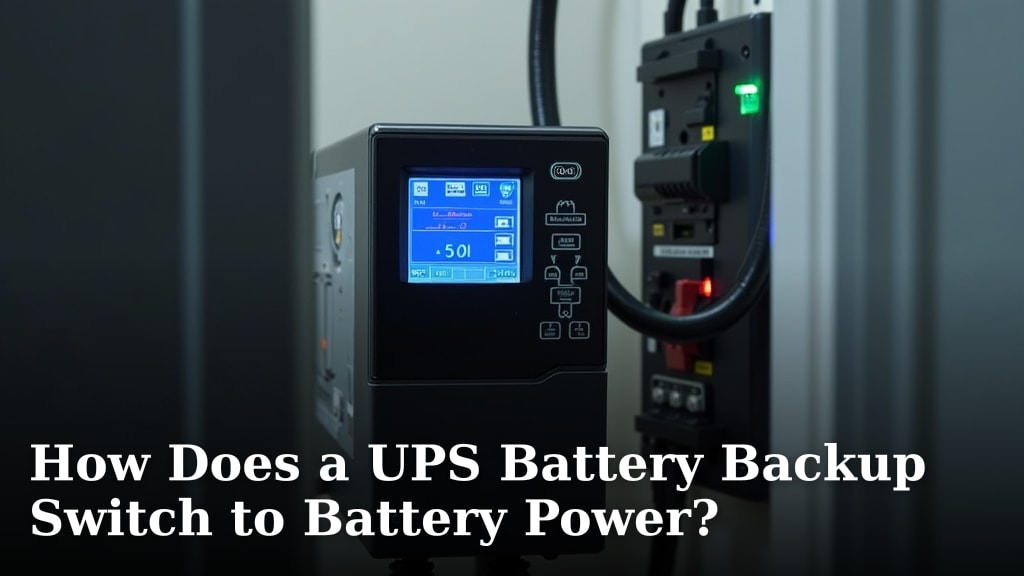
How Does a UPS Battery Backup Switch to Battery Power?
A UPS battery backup switches to battery power automatically and almost instantly when it detects a loss of utility power. This is thanks to its built-in automatic transfer switch. It’s designed to keep your electronics running without interruption.
This critical feature means your computer, modem, or other plugged-in devices won’t suddenly shut down during a blackout. The UPS monitors your power source constantly. When that power source fails, the battery kicks in to provide immediate backup.
- UPS stands for Uninterruptible Power Supply.
- It automatically switches to battery power during an outage.
- This switch happens very quickly, usually within milliseconds.
- The goal is to prevent data loss and equipment damage.
- It keeps your devices running until utility power returns or you shut them down safely.
Let’s walk through exactly how your UPS battery backup makes this switch, so you’ll know your gear is protected.
How Your UPS Kicks In During a Power Outage
You might be wondering what happens inside your UPS battery backup when the power goes out. It’s a You might be wondering what happens inside your UPS battery backup when the power goes out; our guide explains the process.clever system designed to protect your electronics. When the electricity from the wall suddenly stops, your UPS battery doesn’t hesitate. It switches over to using its own battery power almost instantly. This ensures your connected devices keep running without a hitch.
The Role of the Automatic Transfer Switch (ATS)
The magic behind this rapid switch is the automatic transfer switch, or ATS. Think of it like a super-fast traffic controller for your electricity. Your UPS constantly monitors the incoming power from your wall outlet. This is called the utility power. The ATS is always watching this power source. It checks for voltage, frequency, and waveform stability.
When the utility power drops below a certain safe level or disappears completely, the ATS detects the change immediately. It then disconnects your connected devices from the failed utility power. At the same time, it connects them to the UPS’s internal battery. This entire process happens incredibly quickly. For most UPS units, it takes mere milliseconds.
Understanding the Switching Time
Why is speed so important here? Many electronic devices need a consistent power supply. Even a brief interruption can cause problems. For computers, this can mean losing unsaved work or even corrupting data. For sensitive equipment like servers or medical devices, an interruption can be catastrophic. The goal is to prevent data loss and equipment damage, which a battery backup is designed to do.
The switching time of a UPS is a key specification. Most modern UPS units offer what’s called “line-interactive” or “online” topology. These are designed for near-instantaneous switching. You often won’t even notice the power flicker. The faster the switch, the less likely your equipment is to experience a disruption.
Line-Interactive vs. Online UPS
There are two main types of UPS systems that handle power switching differently:
- Line-Interactive UPS: This is the most common type for home and small office use. It monitors incoming power and uses a transformer to regulate voltage fluctuations. When utility power fails, the ATS switches to battery power, typically within 2-10 milliseconds. This is fast enough for most standard electronics.
- Online (or Double-Conversion) UPS: These are more advanced and offer the highest level of protection. They constantly convert incoming AC power to DC to charge the battery, and then convert it back to AC to power your devices. This means your devices are *always* running on battery power, even when utility power is present. When utility power fails, there is zero transfer time because the devices are already powered by the battery. These are often used for critical servers or medical equipment where even a millisecond of interruption is unacceptable.
The Inner Workings: How the Switch Actually Happens
Let’s break down what’s happening inside your UPS when the lights go out. It’s a combination of smart electronics and a charged battery.
Power Monitoring and Detection
Your UPS has built-in circuitry dedicated to monitoring the incoming AC power. This circuitry looks for specific parameters, including voltage levels and frequency. The standard AC power we use is typically around 120 volts and 60 Hertz in North America, or 230 volts and 50 Hertz in Europe.
When the incoming voltage drops too low, rises too high, or the frequency deviates significantly from the norm, the monitoring circuit flags this as an anomaly. This is the signal that utility power is unstable or gone. Some UPS units also monitor the waveform quality. A clean, steady sine wave is ideal. If the waveform becomes distorted, the UPS can also interpret this as a power problem.
The Role of the Inverter and Battery
Your UPS battery stores direct current (DC) power. However, your electronic devices run on alternating current (AC) power. This is where the inverter comes in. The inverter’s job is to convert the DC power from the battery into usable AC power for your connected equipment.
When the UPS is running on utility power, the AC power from the wall is usually passed through the UPS to your devices, often with some level of voltage regulation (in line-interactive models). The battery is also being kept fully charged. When the ATS detects a power issue, it tells the inverter to immediately start supplying AC power from the battery.
A Table of Power States
Here’s a simple way to visualize the different states your UPS operates in:
| UPS Power Source | Utility Power Status | Device Power Source | ATS Action |
|---|---|---|---|
| Utility Power | Stable | Utility Power (via UPS) | Connected |
| Battery Power | Unstable/Outage | Battery (via Inverter) | Switched |
| Utility Power | Restored | Utility Power (via UPS) | Switched Back |
The “Switch Back” Process
Once utility power is restored and stable, the UPS doesn’t just stay on battery forever. The ATS detects the return of good quality power. It then initiates a switch back. This means it disconnects the battery power and reconnects your devices to the stable utility power. During this time, the UPS also begins recharging its battery so it’s ready for the next potential outage.
Why This Quick Switching is So Important
We’ve touched on this, but it bears repeating: speed matters. Power interruptions, even brief ones, can have real consequences for your electronics and your data.
Preventing Data Loss
Imagine you’re in the middle of writing an important document or finishing a complex design. If the power suddenly cuts out, your computer shuts down abruptly. Any unsaved work is gone. This is a common frustration. A UPS battery backup gives you the time needed to save your work and shut down your computer properly. It buys you those critical minutes.
Protecting Your Hardware
Sudden power surges or complete blackouts can also damage sensitive electronic components. Think of your computer’s motherboard, hard drive, or even your expensive television. A power surge is like a sudden, forceful burst of electricity. A blackout is a complete loss of that protective buffer.
Research from organizations like the Electrical Safety Foundation International (ESFI) highlights the dangers of electrical issues to home appliances. While a UPS isn’t a surge protector in the traditional sense (though many UPS units include surge protection), its ability to provide clean, stable power during an outage prevents the abrupt power loss that can stress hardware. It ensures a gradual shutdown if needed, which is much kinder to your equipment.
Maintaining Network Connectivity
If you rely on your internet for work, communication, or entertainment, losing power means losing your connection. Your modem and router need power to function. A UPS can keep these essential networking devices running during a short outage. This ensures your internet connection remains active, allowing you to continue tasks or check for updates on power restoration.

What You Can Do to Ensure Your UPS is Ready
Your UPS is a guardian for your electronics, but it needs a little care. Ensuring it’s ready to switch over means checking a few simple things.
Regular Testing and Maintenance
Most UPS manufacturers recommend performing a self-test periodically. Many units have a button for this, or it can be done through accompanying software. This test simulates a power outage and checks if the battery can provide power.
Some UPS units have batteries that last 3-5 years. When the battery ages, its capacity to hold a charge diminishes. You’ll often see an indicator light or get a notification through the software when the battery needs replacing. Replacing it promptly ensures your UPS can perform its primary function when you need it most. It’s a small investment for significant protection.
Understanding Battery Backup Time
It’s important to know that a UPS battery doesn’t power your devices forever. The runtime depends on the battery’s capacity and the power draw of your connected equipment. A UPS designed for a single computer might only provide 5-15 minutes of backup. A larger unit powering multiple devices will offer more time.
Check the specifications for your UPS and the power consumption of your devices. This helps you understand how much time you realistically have to save your work and shut down. For longer runtimes, you might need a larger UPS or an additional battery pack.
Connecting the Right Devices
Only connect essential equipment to your UPS. Plugging in high-draw items like laser printers, space heaters, or vacuum cleaners will quickly drain the battery and can even overload the UPS. Focus on your computer, monitor, modem, and router for critical protection.
A Quick Checklist for Your UPS
- Ensure the UPS is plugged into a working wall outlet.
- Confirm that your devices are plugged into the battery backup outlets on the UPS.
- Check the status lights or software for any error or battery replacement indicators.
- Perform a self-test every few months, following your UPS manual’s instructions.
- Know the approximate runtime of your UPS for your connected devices.
- Replace the UPS battery when it reaches the end of its lifespan.
Conclusion
You now understand that your UPS battery backup is a smart guardian for your electronics. Its automatic transfer switch works incredibly fast to keep things running when utility power fails. This quick switch prevents data loss, protects your hardware from sudden shocks, and keeps your network connected. By performing simple checks like regular self-tests and knowing when to replace the battery, you ensure your UPS is always ready. Take a moment today to confirm your UPS is plugged in correctly and any essential devices are connected to the battery backup outlets. This small step offers peace of mind during unexpected outages.
Frequently Asked Questions
How can I tell if my UPS is actually switching to battery power?
Most UPS units have indicator lights that change color or turn off when they switch to battery power. You might also hear a distinct beeping sound. Check your UPS manual to understand what these alerts mean for your specific model.
Will my computer turn off if the UPS battery dies?
Yes, if the UPS battery completely runs out of power, it can no longer supply electricity to your connected devices. This will cause them to shut down abruptly, similar to a power outage without a UPS. That’s why knowing your UPS’s runtime is important.
Can I plug anything I want into my UPS?
No, it’s best to only connect essential electronics like computers, monitors, modems, and routers. High-power devices like laser printers, copiers, or space heaters can drain the UPS battery very quickly and may even overload the unit.
How often do I need to replace the UPS battery?
UPS batteries typically last between 3 to 5 years, depending on usage and environmental conditions. Many UPS units have indicators or software alerts to let you know when the battery is aging and needs replacement.
What’s the difference between a UPS and a surge protector?
A surge protector guards against sudden voltage spikes, but it doesn’t provide backup power. A UPS not only offers surge protection but also switches to its internal battery to keep your devices running during a power outage, preventing shutdowns.