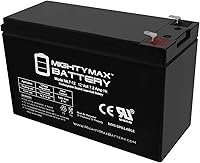
How to Check LiFePO4 Battery Compatibility with an APC UPS
A LiFePO4 battery is compatible with an APC UPS only when APC approves that battery type for your exact model and its voltage, charger, and battery controls match. Check the manual or ask APC support before replacing a lead-acid battery.
On this page (9 sections)
- Can you use a LiFePO4 battery in an APC UPS?
- What should you check on your APC UPS?
- How do LiFePO4 charging requirements affect compatibility?
- Do the UPS voltage and battery controls match?
- When should you keep the lead-acid replacement?
- What products help with UPS battery replacement?
- How do you verify an APC LiFePO4 replacement before installing it?
- Can an incompatible battery affect backup performance?
- How should you decide about an APC LiFePO4 UPS battery?
A LiFePO4 battery is compatible with an APC UPS only when APC approves that chemistry for the exact model and the battery matches its voltage, charging, and control requirements. Do not treat a connector that fits as proof that an APC UPS can safely charge and use a LiFePO4 battery.
Start with the UPS model number and its manual. Check the battery type and approved replacement part, then compare those instructions with the battery maker's charging limits; if either side is unclear, ask APC support before changing chemistry.
Can you use a LiFePO4 battery in an APC UPS?
You can use a LiFePO4 battery in an APC UPS only if the UPS manufacturer approves it for that model. Many UPS units are designed around sealed lead-acid batteries, whose charging behavior and operating limits differ from LiFePO4.
A battery swap changes more than the cells. The UPS charger, low-voltage cutoff, battery monitoring and alarm logic all affect whether the replacement works as intended.
For a broader explanation of the chemistry trade-offs, see whether you can use LiFePO4 batteries in a UPS. That general guidance cannot confirm compatibility with a specific APC model.
What should you check on your APC UPS?
Check the exact UPS model and its battery instructions first. APC's guidance for that model is the controlling source for approved replacements.
Record the full model number from the UPS label, including any suffix. Then find the manual or battery replacement instructions and note the battery chemistry, part number, voltage, connector and any installation or maintenance steps.
| Check | What to confirm |
|---|---|
| Model approval | Does APC approve LiFePO4 for this exact model? |
| Voltage | Does the replacement match the UPS battery system voltage? |
| Charging | Are the UPS charger's limits allowed by the battery maker? |
| Wiring | Do connector, polarity and battery configuration match? |
| Controls | Can the UPS monitor and protect this battery as designed? |
| Installation | Does APC permit the battery's size, mounting and setup? |
A replacement that matches the voltage and plug may still differ in how it charges or signals its state. If the manual names a specific battery type or cartridge, follow that guidance unless APC confirms another option.
How do LiFePO4 charging requirements affect compatibility?
LiFePO4 compatibility depends on whether the APC charger's voltage, current and charging behavior fall within the battery maker's approved limits. Chemistry alone does not tell you whether those conditions match.
Check the battery documentation for its charging voltage range, maximum charging current, temperature limits and any required battery management system. Compare these with APC's specifications or written guidance for the UPS model.
The UPS may keep a battery on charge while connected to utility power. That means a mismatch can matter even when the battery appears to work during a brief outage.
Do not guess at settings, bypass alarms or modify the UPS to make a battery fit. If the two manufacturers' instructions do not clearly agree, contact APC or choose the approved replacement type.
Do the UPS voltage and battery controls match?
Confirm that the battery's nominal voltage, number of cells, wiring and protection controls match what the UPS expects. A similar label or physical size does not guarantee an electrical match.
Some batteries include a battery management system that can disconnect the cells under certain conditions. If that disconnect happens while the UPS is charging or supporting a load, the UPS may report a fault or lose backup unexpectedly.
Also check whether the APC UPS relies on battery-specific monitoring, temperature sensing or cartridge electronics. Do not assume those features are present or absent; verify the requirements in the manual or with APC support.
When should you keep the lead-acid replacement?
Use the APC-approved lead-acid battery when the manual calls for it and APC has not confirmed a LiFePO4 alternative. The battery chemistry and part number in the model's replacement instructions provide the safest starting point.
For example, CyberPower's RB1280X2A is a replacement cartridge with two 12 V sealed lead-acid batteries, and its compatibility information names particular CyberPower models. That is a reminder to match a cartridge to the UPS brand and model, not evidence that it fits an APC unit.
If you want a UPS designed for battery replacement, compare the options in our guide to UPS systems with replaceable batteries. Check each model's approved battery type before planning a chemistry change.
What products help with UPS battery replacement?
Choose products based on their stated battery type and compatibility information, rather than assuming they support a LiFePO4 conversion. The examples here illustrate replaceable-battery options and manufacturer-specific replacement parts.
The AVR550U provides 550 VA / 300 W capacity, automatic voltage regulation and 8 outlets, with 4 outlets providing battery backup. Its battery is user-replaceable with the RBC51 model, so check that part number and the instructions for this Tripp Lite unit.
The CP1500PFCLCD has 1500 VA / 1000 W capacity, sine wave output and a color LCD panel. Its battery details describe two 12 V batteries; confirm replacement chemistry and part compatibility with CyberPower before buying a battery for this model.
For brand-specific options, compare CyberPower UPS replacement batteries and Tripp Lite UPS replacement batteries. Their model guidance can help you identify a suitable replacement, but it does not guarantee APC compatibility.
How do you verify an APC LiFePO4 replacement before installing it?
Verify compatibility with the UPS manual, APC support and the battery maker's instructions before opening the UPS. Keep the exact model and battery documents together so each requirement can be checked directly.
- Write down the full APC UPS model and current battery part number.
- Check APC's manual or support guidance for approved chemistry and replacement parts.
- Compare the replacement's voltage, configuration, connector and polarity.
- Compare the UPS charging details with the battery's allowed charging range and current.
- Check required battery management, temperature sensing and installation limits.
- Get confirmation from APC if any requirement is missing or unclear.
Do not proceed based on a seller's compatibility claim alone. Ask APC support to confirm the proposed battery for the exact UPS model, and keep that answer with the product documentation.
Can an incompatible battery affect backup performance?
Yes. An incompatible battery can charge incorrectly, trigger fault warnings, disconnect under load or fail to provide backup when needed.
A UPS also needs time to detect a power loss and transfer the connected equipment to battery power. Learn how fast a UPS switches to battery power and how a UPS battery backup switches to battery power before relying on it for equipment that cannot tolerate an interruption.
After a battery replacement approved for your model, follow APC's setup and charging instructions. Confirm that the UPS reports normal battery status and perform only the checks APC recommends.
How should you decide about an APC LiFePO4 UPS battery?
Choose a LiFePO4 replacement only when APC confirms it is compatible with your exact UPS model and its charging limits match the battery's requirements. If that approval is unavailable, use the specified replacement battery type and part number.
When comparing APC UPS batteries, verify chemistry, voltage, charging, controls and installation details in that order. The guide to choosing a UPS with a replaceable battery can help you compare models with battery replacement in mind.
Frequently asked questions
Can I put a LiFePO4 battery in an APC UPS?
Only if APC approves LiFePO4 for your exact UPS model and the battery matches its voltage, charging limits, wiring, and battery monitoring requirements. A connector that fits does not prove compatibility.
Check the model manual or contact APC support before installing a different chemistry.
Can an APC UPS charger charge a LiFePO4 battery?
Do not assume it can. LiFePO4 batteries have charging limits that may differ from the lead-acid battery a UPS was designed to charge.
Compare the battery maker's charging requirements with APC's guidance for your exact UPS, and do not install it if those requirements are unclear or conflict.
Will a LiFePO4 battery make an APC UPS runtime longer?
Runtime depends on the UPS, battery capacity, connected load, and how the UPS manages charging and discharge. A chemistry change alone does not guarantee longer runtime, and an unapproved battery can make operation unpredictable.
Use a battery APC approves for your model and stay within its stated limits.
What should I check before replacing an APC UPS battery?
Find the exact UPS model and battery part number, then check APC's approved replacement type, battery voltage, connector and wiring, charging requirements, and installation guidance. If any detail is uncertain, contact APC support.
Never choose a replacement based only on a matching connector or claimed capacity.