
UPS Features and Protection
APC UPS USB Ports: Which Connection Do You Need?
APC UPS USB ports can mean a data connection, a network management accessory, or a charging output. Learn which connection fits your setup and what to check.
Explore voltage control, sine wave output, transfer speed, and other features that help protect electronics.
APC UPS USB ports can mean a data connection, a network management accessory, or a charging output. Learn which connection fits your setup and what to check.

Check whether a LiFePO4 battery can work with an APC UPS by matching voltage, charger limits, battery controls, and model-specific compatibility guidance.

Compare mini UPS systems with USB ports for routers, phones and other small devices. Check output types, power limits and connector fit before choosing backup.
Compare UPS systems with replaceable batteries for home offices, networks and small electronics. See battery access, outlet layouts and key features.
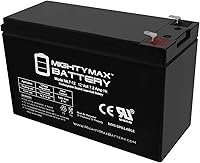
Compare Tripp Lite UPS replacement batteries by model fit, voltage, capacity and terminal type, then check your UPS model before choosing a battery.

Compare the best pure sine wave UPS battery backups by watt capacity, outlet layout and useful features to find a fit for your computer, network or server.
Compare long lasting UPS battery backup options by runtime at a 100W load, battery type, and outlet layout to choose backup power for your essential equipment.
Compare UPS systems for expandable backup runtime, battery replacement and power protection. Find the right setup for computers, networks and other gear.

Find the best CyberPower UPS replacement battery for your model. Compare cartridge options, compatible UPS systems, battery types and fit checks before you buy.
Compare the best UPS battery backup with AVR for unstable voltage, from compact setups to higher-wattage systems, with outlet and battery backup details.

Compare APC pure sine wave UPS systems for computers, gaming setups and network equipment. Match watt capacity, outlets and monitoring features to your needs.
Learn how to replace a CyberPower CP1500PFCRM2U battery safely, confirm the correct cartridge, handle the old battery, and check the UPS after installation.
Compare APC UPS systems with AVR by power capacity, outlet layout and use. Find a line interactive UPS for a computer, gaming setup or network equipment.
Learn how to replace a CyberPower CP1500PFCLCD battery, check cartridge fit, work safely, recycle old batteries, and confirm your UPS returns to normal operation.
Can you use LiFePO4 batteries in a UPS? Check the charger, battery protection, voltage, and manufacturer guidance before changing battery chemistry.
An APC UPS with a long cord can help when your outlet is farther away. Measure the route, check the factory cord length, and place equipment safely.
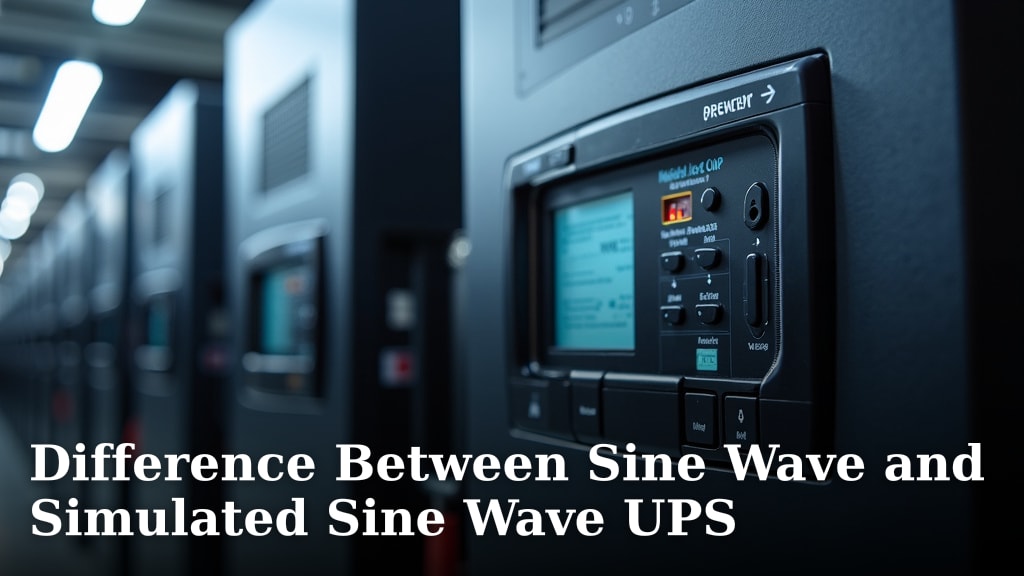
Understand the difference between sine wave and simulated sine wave UPS to choose the right power protection for your devices and ensure optimal performance.

Discover what a UPS with pure sine wave output is and why it's essential for sensitive electronics. Learn how to protect your valuable equipment.

What is a UPS with AVR? Learn how automatic voltage regulation manages voltage changes, when battery power is used, and what it means for connected equipment.
Discover the key facts about simulated sine wave UPS systems. Learn how they work and if they're the right power backup for your needs.
Learn how fast a UPS switches to battery power during an outage. Understand the critical seconds that protect your devices.

Understand your UPS's power inverter: learn its function and key features to ensure reliable backup power and protect your devices.
Conclusion An automatic voltage regulator (AVR) in a UPS is a crucial part that keeps your power steady. It adjusts voltage to protect devices from spikes or
Learn how a battery backup safeguards electronics from power surges, data loss, and forced shutdowns, and what it means for your device safety.