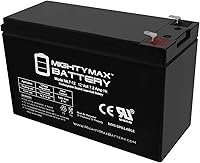
How to Replace a CyberPower CP1500PFCRM2U Battery
To replace a CyberPower CP1500PFCRM2U battery, check the UPS manual for the correct cartridge and shutdown steps, then disconnect power before opening the battery compartment. Install only a compatible replacement and recycle the old battery properly.
On this page (8 sections)
- How do you replace a CyberPower CP1500PFCRM2U battery?
- How do you confirm the replacement battery fits?
- What safety steps matter during battery replacement?
- How should you handle the rack-mounted UPS?
- What should you check after installation?
- Where can you recycle the old battery?
- Which CyberPower UPS battery guidance should you use?
- How do you choose the next step for CP1500PFCRM2U battery replacement?
To replace a CyberPower CP1500PFCRM2U battery, identify the exact compatible replacement, shut down and disconnect the UPS as directed in its manual, then install the cartridge without stressing its wires or terminals. Reconnect it only after the battery compartment is secure, and recycle the old battery through an approved collection point.
The CP1500PFCRM2U is a rack-mounted model, so allow room to access its front battery panel and support the UPS or battery tray as you work. The manual for your unit is the authority for its specific steps and replacement part.
How do you replace a CyberPower CP1500PFCRM2U battery?
Use the CP1500PFCRM2U manual to confirm the replacement cartridge and removal sequence before opening the battery compartment. Shut down attached equipment, turn off the UPS, and disconnect it from utility power as the manual directs.
- Clear access to the UPS front panel and make sure the unit is stable in its rack.
- Remove the battery access cover or tray only as instructed in the manual.
- Note the original connector positions and how the battery pack sits before disconnecting anything.
- Remove the old pack carefully, keeping metal tools and loose hardware away from battery terminals.
- Connect the replacement as directed, check that connectors are fully seated, and return the pack and cover to their original positions.
- Reconnect and start the UPS according to the manual, then check its status indicators.
If the battery pack is heavy, stuck, swollen, leaking, or has damaged wiring, stop and contact CyberPower support or a qualified service provider. Don't force a tray or improvise a connection.
How do you confirm the replacement battery fits?
Match the part to the CP1500PFCRM2U itself, not just to another CyberPower UPS. Model families can use different cartridge shapes, connectors, battery counts, and installation steps.
Check the unit label and manual for the full model name, serial number, and the replacement part CyberPower specifies. If those details don't clearly identify a cartridge, contact CyberPower before ordering.
The CyberPower RB1280X2A is a preassembled replacement cartridge with two 12V/9Ah sealed lead-acid batteries. Its stated compatible models are CP1350AVRLCD with serial numbers beginning CPK, CP1500AVRT with serial numbers beginning CPE or BHH, CP1500AVRLCD with serial numbers beginning CPA, LX1500G, and CST1400G; the CP1500PFCRM2U is not among those models.
That compatibility information does not confirm a fit for the CP1500PFCRM2U. Compare the exact model and serial number against CyberPower's current guidance before buying any cartridge.
For a related desktop model, see our guide to CyberPower CP1500PFCLCD battery replacement. It covers a different UPS model, so use its steps only when they match your own manual.
Can you use a different battery chemistry?
Use only a battery type CyberPower approves for your exact UPS. A different chemistry can have different charging and protection needs even if its voltage or shape looks similar.
Read whether you can use LiFePO4 batteries in a UPS before considering that chemistry. For APC models, see APC UPS LiFePO4 compatibility.
If the manufacturer doesn't confirm compatibility for the CP1500PFCRM2U, stick with the specified replacement.
What safety steps matter during battery replacement?
Disconnect power as directed and keep the battery terminals clear of metal. UPS batteries can deliver high current, so a short circuit can cause burns, sparks, or equipment damage.
Remove jewelry and avoid placing tools or screws on the battery pack. Don't pull on wires to disconnect a plug, and don't bridge exposed terminals with a tool.
Never open or modify a sealed battery. If you see swelling, fluid, heat, unusual odor, or damaged insulation, stop work and seek service advice.
How should you handle the rack-mounted UPS?
Keep the unit stable and preserve access to its front panel while replacing the battery. Don't pull a rack-mounted UPS out farther than its rails and support allow.
Follow the rack and UPS instructions if the unit must slide forward. If the battery tray or UPS is too awkward to handle alone, get help rather than letting it hang from rails or wires.
Keep connected equipment protected from an unexpected shutdown. Save open work, shut down sensitive devices, and follow the manual's guidance about any outlets that may remain powered during battery service.
What should you check after installation?
Secure the cover and battery tray before reconnecting the UPS. Start the unit as directed, then check its display or indicators for battery warnings.
Allow the battery to charge for the period specified in the manual before relying on it for backup. Don't test runtime by unplugging critical equipment unless the UPS instructions and your backup plan support that test.
If the warning remains, the unit won't start, or it reports a battery fault, switch off attached equipment and contact CyberPower support. Recheck that the replacement part and connectors match the manual, but don't keep reseating parts if the pack appears damaged.
Where can you recycle the old battery?
Use an approved battery recycling or household hazardous waste program. Keep the battery upright and protect its terminals from contact with tools or other metal while transporting it.
The RB1280X2A comes in reusable packaging intended for delivering expired batteries to recycling centers. For any other battery, check the recycling instructions from its manufacturer and your local collection program.
Which CyberPower UPS battery guidance should you use?
For a CP1500PFCRM2U, follow that model's manual and verify the replacement part with CyberPower. A cartridge documented for another model is not proof of compatibility.
The best CyberPower UPS replacement battery guide can help you compare options across CyberPower systems, but confirm the exact model before choosing. If you maintain a different brand, our guide to Tripp Lite UPS replacement batteries covers that separate product family.
For readers comparing other battery-backed equipment, the Coleman lantern battery replacement guide explains how to match a battery to a different device. Always use the instructions for the model you're servicing.
The CP1500PFCLCD is a desktop UPS, not the rack-mounted CP1500PFCRM2U, so its features don't guarantee battery compatibility with your unit.
How do you choose the next step for CP1500PFCRM2U battery replacement?
If the manual names a replacement cartridge, use that part and follow its removal and installation sequence. If you can't confirm the part or the UPS shows a fault after replacement, contact CyberPower before putting the unit back into service.
For a CyberPower CP1500PFCRM2U battery replacement, model-specific compatibility and careful handling are the deciding rules. Keep the exact manual with the UPS, and recycle the old battery through an approved collection program.
Frequently asked questions
What battery does a CyberPower CP1500PFCRM2U use?
Check the CP1500PFCRM2U manual or ask CyberPower support for the exact replacement cartridge. Don't assume a cartridge fits because it works in another CyberPower model; compatibility can vary by UPS model and serial number.
Can I replace a CyberPower UPS battery while it is plugged in?
Follow the CP1500PFCRM2U manual's shutdown and battery replacement steps, and disconnect the UPS from utility power before opening the battery compartment unless CyberPower explicitly instructs otherwise. Avoid touching exposed battery terminals or wiring, and stop if a battery is swollen, leaking, or damaged.
How do I dispose of an old UPS battery?
Take the old battery to an approved battery recycling or household hazardous waste collection point. Keep it upright, protect its terminals from contact with metal, and follow local rules for transport; don't put a lead-acid battery in household trash.
Can I use a LiFePO4 battery in a CyberPower UPS?
Don't substitute a LiFePO4 battery unless CyberPower approves it for the specific UPS model. Charging controls, voltage, protection circuits, and physical fit must all match; read our guide to using LiFePO4 batteries in a UPS before considering a different battery chemistry.