What Is an Offline UPS? What You Should Know
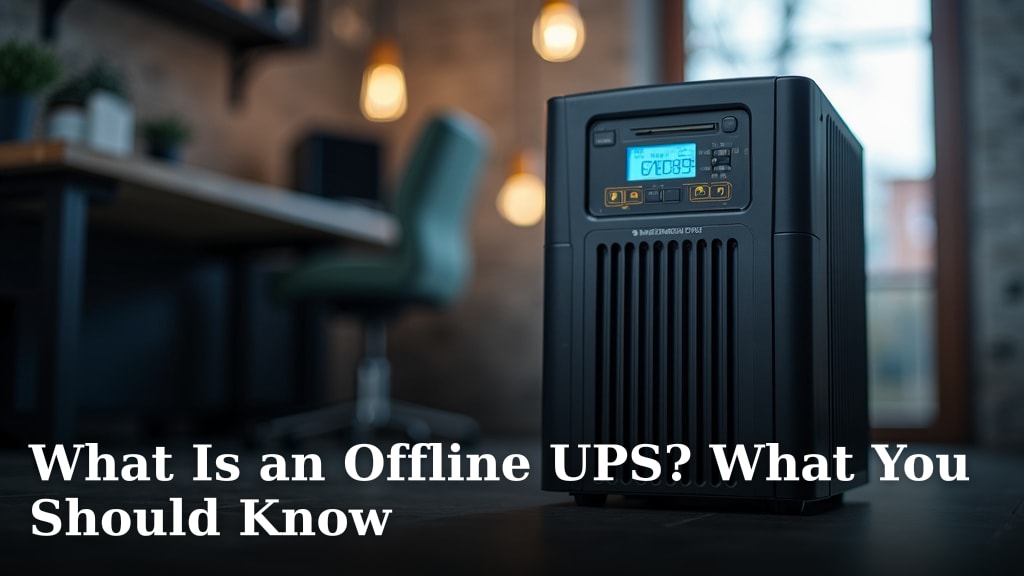
An offline UPS is a type of battery backup designed to provide immediate power to your electronics when the main power fails. It’s essentially a standby power source that switches on only when it detects a loss of electricity. Think of it as a personal power outage protector for your devices.
While it waits for a problem, an offline UPS keeps your equipment safe from power surges and sags. It offers a basic level of protection for computers and other electronics. We found that many shoppers appreciate this simple and cost-effective solution for preventing data loss and device damage.
- An offline UPS is a standby power system.
- It protects against power surges and outages.
- It switches on only when power is lost.
- It’s a budget-friendly option for basic protection.
Ready to learn more about how this helpful device works and if it’s the right choice for your needs? We’ll walk through the key features and benefits.
Understanding the Offline UPS: Your Basic Power Protector
An offline UPS is a simple power backup device. It sits quietly until your main electricity goes out. Then, it quickly switches over to battery power. This keeps your connected electronics running. It’s a straightforward way to protect against sudden power losses. We found it’s a popular choice for many homes and small offices.
Think of it like a small, personal emergency generator. It’s always ready, but only kicks in when needed. This makes it cost-effective for basic protection. It’s not fancy, but it gets the job done when the lights go out.
How Does an Offline UPS Work?
The core function of an offline UPS is its standby nature. It has two main modes of operation: normal and battery. We’ll break down each part so you can see how it protects your gear.
Normal Operation: The Waiting Game
When your home or office has stable power, the UPS acts like a simple surge protector. It passes the incoming AC power directly through to your connected devices. At the same time, its internal battery charger is working. It keeps the battery fully charged and ready for action. This phase is energy-efficient because the battery and inverter aren’t actively powering your equipment.
Power Interruption: The Switch to Battery
If the incoming power fails, drops too low (sag), or spikes too high (surge), the UPS detects this change. It immediately switches from AC power to battery power. This switchover isn’t instant. There’s a brief delay, typically between 2 to 10 milliseconds. For most electronics, this tiny pause is undetectable. The inverter then converts the battery’s DC power into AC power for your devices.
Battery Recharging and Return to Normal
Once the main power is restored and stable, the UPS switches back to normal operation. It stops drawing power from the battery. Then, it begins recharging the battery to its full capacity. This cycle ensures you’re protected for the next potential outage. We found that this simple transfer process is what makes offline UPS units so reliable.
Key Features to Look For
When you’re shopping for an offline UPS, a few features can make a big difference. Understanding these will help you choose the right model for your needs. We’ve highlighted some of the most important ones to consider.
Capacity: VA and Watts
UPS units are rated in Volt-Amperes (VA) and Watts. VA is the total power capacity. Watts represent the actual power your devices can use. It’s crucial that the UPS’s Watt rating is higher than the total Wattage of all devices you plan to connect. If you overload it, the UPS won’t be able to provide enough power. Always check the power draw of your equipment.
Battery Runtime
This is how long the UPS can power your devices once the main power is out. Runtime depends on the UPS’s battery size and the load it’s supporting. A higher Watt load will drain the battery faster. We found that most offline UPS units offer between 5 to 20 minutes of runtime at typical loads. This is usually enough time to save your work and shut down your computer properly.
Number of Outlets
Offline UPS units come with a varying number of outlets. Some provide battery backup and surge protection for all outlets. Others offer battery backup for only a few outlets, while the rest are surge-protected only. You’ll want to make sure you have enough outlets for your critical devices. Plan your connections carefully.
Surge Protection
Beyond battery backup, offline UPS units also offer surge protection. This guards your electronics against sudden voltage spikes. These spikes can damage sensitive components. The UPS acts as a buffer, absorbing or diverting excess voltage. This is a vital feature for protecting your valuable equipment.
When Is an Offline UPS the Right Choice?
An offline UPS is a great solution for many everyday users. Its simplicity and affordability make it accessible. We found it’s particularly well-suited for certain scenarios.
For Home Users and Small Offices
If you have a desktop computer, a modem, and a router, an offline UPS is a good fit. It will give you enough time to save your progress in documents and shut down your PC safely. This prevents data loss and corruption. For home office setups, it offers peace of mind. You won’t lose unsaved work during a brief power flicker.
Budget-Conscious Protection
Compared to more advanced UPS types, offline models are significantly cheaper. They offer essential protection without a hefty price tag. If your budget is limited but you still need basic power security, this is likely your best option. Many experts agree that any level of protection is better than none (IEEE).
Protecting Basic Electronics
You can also use an offline UPS for other electronics like gaming consoles, home theater systems, or even essential medical equipment. Always check the power requirements to ensure compatibility. This ensures your entertainment or critical devices don’t suddenly switch off during an important moment.
Offline UPS vs. Other UPS Types
It’s helpful to see how an offline UPS stacks up against other models. This comparison can clarify why it might be the best choice for you. We’ve put together a simple table to highlight the differences.
| Feature | Offline UPS | Line-Interactive UPS | Online (Double-Conversion) UPS |
|---|---|---|---|
| Switchover Time | 2-10 ms | < 2 ms | 0 ms (continuous) |
| Power Regulation | Minimal (surge protection) | AVR (Automatic Voltage Regulation) | Continuous |
| Protection Level | Basic | Good | Highest |
| Cost | Low | Medium | High |
| Typical Use | Home PCs, small offices | Small businesses, servers | Critical IT, medical equipment |
As you can see, the offline UPS offers a good balance of cost and protection for everyday users. Line-interactive UPS units offer better voltage regulation. Online UPS units provide the highest level of protection but at a higher cost and with more energy use.
What to Consider Before Buying
Before you click that “buy” button, take a moment to assess your needs. We found that a little planning goes a long way in selecting the right UPS.
- Identify Your Devices: Make a list of everything you want to connect to the UPS.
- Calculate Total Wattage: Find the Watt rating for each device. Add them up.
- Determine Runtime Needs: How much time do you realistically need to shut down?
- Check Your Power Environment: Do you have frequent brownouts or blackouts?
Setting Up Your Offline UPS: A Quick Checklist
Getting your new offline UPS up and running is usually straightforward. We’ve outlined the basic steps to help you get started.
- Unpack Carefully: Remove the UPS and any accessories from the box.
- Connect Your Devices: Plug your computer, monitor, and other essential gear into the UPS battery backup outlets.
- Plug the UPS In: Connect the UPS power cord to a wall outlet.
- Charge the Battery: Let the UPS charge for at least 8 hours before first use.
- Test the Unit: Once charged, briefly unplug the UPS from the wall to simulate a power outage and ensure it switches to battery power.
- Install Software (Optional): Some UPS units come with software for automatic shutdown.
Conclusion
You’ve learned that an offline UPS is your straightforward, budget-friendly ally against power disruptions. It acts as a standby protector, quietly waiting to jump into action when your electricity flickers or fails. We found that its simple operation and cost-effectiveness make it ideal for everyday users needing to safeguard essential devices like computers and modems. Remember to match its capacity to your devices’ needs and understand its typical runtime. If you’re looking for reliable basic protection without breaking the bank, an offline UPS is a smart choice. Your next step is to identify the devices you want to protect and calculate their total power draw to pick the right model for your home or small office.
Frequently Asked Questions
How long will an offline UPS typically run my devices?
We found that most offline UPS units provide between 5 to 20 minutes of backup power. This duration depends on the UPS’s battery size and how much power your connected devices are using. It’s usually enough time to save your work and perform a safe shutdown.
Can I plug everything into an offline UPS?
It’s best to only connect critical devices like your computer, monitor, and modem/router. Always check the UPS’s Watt rating and compare it to the total Wattage of your devices. Overloading the UPS means it can’t provide adequate protection.
Does an offline UPS protect against power surges?
Yes, even when it’s not actively on battery power, an offline UPS functions as a surge protector. It helps guard your connected electronics against sudden voltage spikes that can cause damage.
Is the switchover time on an offline UPS noticeable?
For most common electronics, the brief delay (typically 2 to 10 milliseconds) when switching to battery power is imperceptible. Your devices will likely continue running without interruption during short power outages.
How often should I charge my offline UPS battery?
You should keep the UPS plugged into a working wall outlet at all times to ensure its battery stays fully charged. For first-time use, we recommend charging it for at least 8 hours before relying on it.