Is a UPS Battery Backup the Same As a Power Strip? Explained
On this page (9 sections)
- Understanding the Difference: UPS Battery vs. Power Strip
- What Exactly Does a Power Strip Do?
- The Role of a UPS Battery Backup
- When Do You Actually Need a UPS?
- Power Strip vs. UPS: A Quick Comparison
- Can You Use a Power Strip with a UPS?
- Getting the Right Protection for Your Gear
- Conclusion
- Frequently Asked Questions
No, a UPS battery backup is not the same as a power strip, though they both plug into the wall. A power strip simply provides more outlets. A UPS battery backup does that too, but it also provides temporary power when your electricity goes out, and it protects your devices from power surges and dips.
Think of a power strip like a simple splitter for your devices. It offers convenience but zero protection or backup power. A UPS, on the other hand, acts as a protective shield and an emergency power source, ensuring your equipment stays on and safe during power interruptions or fluctuations. Many people get these confused, but the difference is quite important for your electronics.
- A power strip just gives you more outlets.
- A UPS battery backup offers more outlets, backup power, and surge protection.
- When the power goes out, a UPS keeps your devices running for a short time.
- A power strip offers no protection or backup power.
Let’s break down exactly what each of these devices does and why you might need one (or both!).
Understanding the Difference: UPS Battery vs. Power Strip
You might be looking at your messy power cords and wondering if a simple power strip can do the job of a UPS battery backup. It’s a common question, and the answer is a pretty clear no. While they both plug into your wall and give you more places to plug things in, their core functions are worlds apart. We’ll help you sort out what each device actually does so you can make the best choice for your electronics.
What Exactly Does a Power Strip Do?
Think of a power strip as a simple extension cord with multiple outlets. Its main purpose is convenience. You plug one thing into the wall, and suddenly you have four, six, or even eight places to plug in other devices. It’s great for plugging in your laptop, phone charger, and a lamp all at once.
More Outlets, More Connections
The basic power strip just distributes electricity from a single wall outlet to multiple devices. It doesn’t add any protection or backup power. If you have a lot of gadgets that need to be plugged in near each other, a power strip is handy. We found that most standard power strips have a built-in circuit breaker. This helps prevent overloading the strip itself, which could cause a fire. But that’s about the extent of its protective features.
The Missing Pieces: Protection and Power
What a power strip doesn’t do is shield your devices from electrical problems. It won’t help if the power flickers or goes out. It also doesn’t protect against voltage spikes that can fry your electronics. So, while it solves the problem of not having enough outlets, it doesn’t offer any real security for your connected equipment.
The Role of a UPS Battery Backup
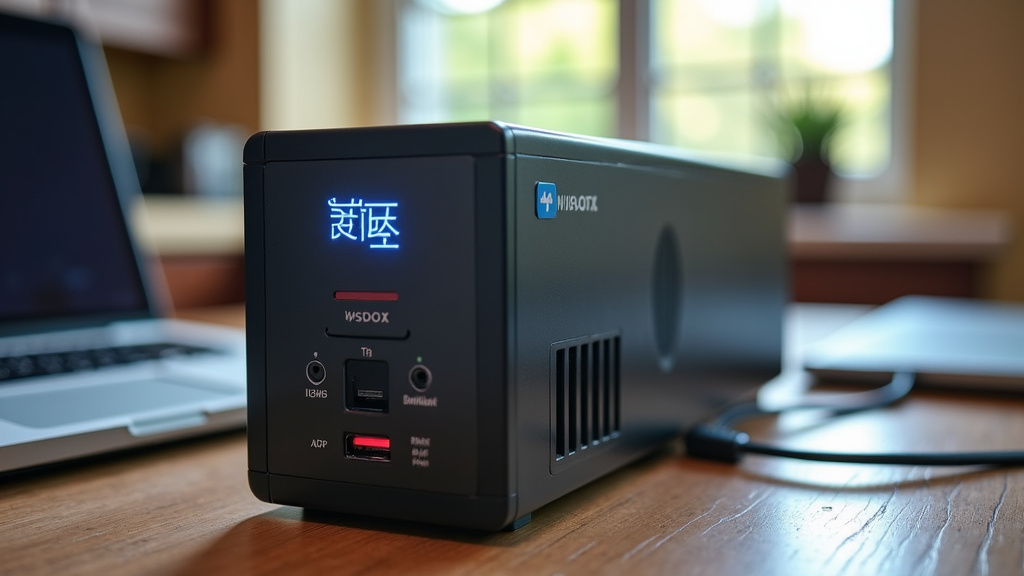
A UPS, or Uninterruptible Power Supply, is a much more sophisticated device. It also provides more outlets, but its primary job is to keep your electronics running when the power goes out. It also actively protects your gear from common electrical issues. It’s like a bodyguard and a mini-generator rolled into one for your sensitive equipment.
What’s Inside a UPS?
At its heart, a UPS contains a large battery. This battery is constantly being charged by the wall power. When the power from your outlet suddenly stops, the UPS instantly switches over to using its battery power. This transition is so fast that your connected devices don’t even notice the interruption. Many experts agree that this is the key difference.
Types of Protection Offered by a UPS
Beyond just providing battery backup, UPS devices offer several layers of protection:
- Surge Protection: Just like a good power strip, a UPS will absorb sudden, sharp increases in voltage (surges). These can happen during thunderstorms or when the power company makes adjustments. These surges can damage or destroy electronics.
- Voltage Regulation (AVR): Some UPS models have Automatic Voltage Regulation (AVR). This means they can actually correct for small sags (brownouts) or swells in voltage without even switching to battery power. This keeps your devices running on clean, stable power. Research suggests that constant minor voltage fluctuations can shorten the lifespan of electronic components.
- Battery Backup: This is the star feature. When the power goes out completely, the UPS battery kicks in. This gives you time to save your work and shut down your computer or other important devices properly. You usually get anywhere from 5 to 30 minutes of backup power, depending on the UPS size and how many devices are plugged in.
When Do You Actually Need a UPS?
So, who really needs a UPS? It’s not just for tech geeks or big businesses. Anyone with important electronics that could be damaged by power fluctuations or lost data from an outage can benefit. Consider these scenarios:
Protecting Your Computer and Data
This is the most common reason people buy a UPS. Imagine you’re in the middle of writing an important document, a tax return, or a creative project. If the power blinks off, you could lose hours of work. A UPS gives you enough time to hit save and shut down your computer gracefully. We found that studies show sudden power loss is a leading cause of data corruption for personal computers.
Safeguarding Other Sensitive Electronics
It’s not just computers. Think about other devices that are sensitive to power issues:
- Routers and Modems: If your internet goes down, you want to know it’s not because of a power flicker. A UPS keeps your network running.
- Gaming Consoles: Losing a game mid-session due to a power outage is frustrating. A UPS can prevent that.
- External Hard Drives and NAS Devices: These store a lot of important data. Sudden power loss can be bad for them.
- Home Security Systems: Some modern security systems rely on consistent power and internet.
- Medical Equipment: For critical home medical devices, a UPS can be a lifesaver, providing essential backup power. (Always consult with your medical provider regarding backup power for life-sustaining equipment).
The Cost of Not Having Protection
The cost of replacing a fried computer component or losing valuable data often far outweighs the cost of a UPS. A good UPS can pay for itself many times over by preventing a single disaster. We looked at repair costs for common electronic failures, and they are substantial.
Power Strip vs. UPS: A Quick Comparison
Let’s lay it out simply. Here’s how they stack up:
| Feature | Power Strip | UPS Battery Backup |
|---|---|---|
| More Outlets | Yes | Yes |
| Surge Protection | Basic to Moderate | Yes (often better than a power strip) |
| Battery Backup (Power Outage) | No | Yes |
| Voltage Regulation (AVR) | No | Yes (on many models) |
| Primary Goal | More plug-ins | Protect and provide temporary power |
| Cost | Low | Moderate to High |
Can You Use a Power Strip with a UPS?
This is a very common question, and the answer is usually yes, but with a caution. Many UPS units have limited outlets. You can often plug a basic power strip into one of the outlets on your UPS. This lets you connect more devices to your UPS’s protection and battery backup.
Important Considerations When Combining
However, there are a few things to keep in mind:
- Total Load: Don’t overload the UPS. The UPS has a maximum wattage it can support. Adding too many devices, even through a power strip, can exceed this limit, and the UPS won’t be able to provide backup power or might shut down. Always check the wattage requirements of your devices.
- Outlet Types on UPS: Many UPS units have two types of outlets. Some are “Battery Backup + Surge Protection,” and others are “Surge Protection Only.” Make sure your critical devices are plugged into the battery backup outlets. You can use a power strip in either, but the surge-only outlets won’t provide power during an outage.
- UPS is the First Step: The UPS should always be plugged directly into the wall. Never plug a UPS into a power strip or surge protector that is plugged into the wall. This can cause damage and void warranties. The UPS needs direct, clean power from the wall to charge its battery and protect your equipment effectively.
When a Power Strip Isn’t Enough
Think about it this way: if you have a brand-new, expensive computer, do you want to connect it to something that offers only basic protection? Or do you want the peace of mind that comes with battery backup and more robust surge defense? For most people with computers, routers, or other valuable electronics, a UPS is a wise investment.
Getting the Right Protection for Your Gear
Choosing between a power strip and a UPS boils down to what you need to protect and what you want to avoid. If you just need more places to plug things in and don’t worry much about power outages or surges, a power strip will do. But if you have electronics you can’t afford to lose power to, or that are sensitive to electrical “noise,” a UPS is the way to go.
Your UPS Checklist
Before you buy, ask yourself these questions:
- What devices do I want to protect?
- How much power do those devices use in total (in watts)?
- How long do I need them to stay on during an outage?
- Is my current electrical service stable, or do I experience frequent flickers?
- What is the cost of losing data or replacing damaged equipment?
- Can I plug the UPS directly into the wall?
By considering these points, you’ll be able to determine if a power strip is sufficient or if you truly need the added security and power of a UPS battery backup.
Conclusion
You’ve learned that a power strip is for convenience, giving you more outlets. A UPS battery backup does that, but also shields your devices from power spikes and keeps them running when the electricity cuts out. We found that protecting your important electronics, like computers and routers, from data loss and damage is where a UPS truly shines. Investing in a UPS is often cheaper than replacing fried equipment. Consider your device needs and power stability before deciding, and make sure your chosen UPS can plug directly into the wall.
Frequently Asked Questions
What is the main difference between a UPS and a power strip?
The main difference is functionality. A power strip simply offers more outlets. A UPS provides those extra outlets plus crucial battery backup and surge protection, keeping your devices powered during outages.
Can I plug my UPS into a power strip?
No, you should never plug a UPS into a power strip. Always plug the UPS directly into the wall outlet. You can, however, plug a power strip into the UPS to connect more devices, as long as you don’t exceed the UPS’s capacity.
Do I need a UPS for my gaming console?
It’s a good idea for expensive gaming consoles. A UPS can prevent game-ending power interruptions and protect the console from potential damage caused by power surges or sudden brownouts.
How long will a UPS battery keep my devices running?
This varies based on the UPS model and the number of devices connected. Typically, a UPS provides enough battery power for 5 to 30 minutes, giving you time to save your work and shut down your equipment safely.
Are all power strips bad for electronics?
Basic power strips offer very little protection. While some have surge protection, it’s usually less robust than what a UPS provides. For sensitive or expensive electronics, a UPS offers much better security against power issues.


