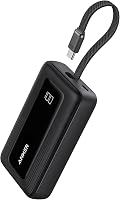
Best 65W 20000mAh Power Banks: Top 7 Picks (November 2026)
The best 65w power bank 20000mah include the Anker Power Bank for built-in cable convenience, the INIU Laptop Power Bank for compact pocket carry, and the UGREEN Nexode 25000mAh 145W 3-Port USB-C Power for larger laptops and longer trips.
On this page (8 sections)
- The best 65W 20000mAh power banks for laptops and phones
- How these 65W 20000mAh power banks compare
- How we compared these picks
- Is 65W enough for your laptop?
- How many charges will a 20000mAh bank really give you?
- Which ports and cables matter most?
- How fast does the bank recharge, and how do you care for it?
- Verdict: which 65W 20000mAh power bank should you buy?
The best 65w power bank 20000mah for most people is the Anker Power Bank (B0CXDXP8VR), because it gives up to 65W to a single device, 87W across three devices, and a built-in USB-C cable.
Our score weighs specs, features and buyer feedback against what you're shopping for.
Choose the INIU if pocket size matters most, and choose a 100W or 145W pick if your laptop asks for more power.
A 20000mAh, 65W bank sits in the middle of the range.
It is strong enough for many laptops, tablets and phones, yet small enough for a bag or jacket pocket.
It also avoids the extra bulk of 25000mAh models, which helps when you carry it daily.
For background on what to look for in any bank, our power bank battery guide explains capacity, output and ports in plain terms.
For laptop focused picks, see best power bank for laptop.
Our picks at a glance
-
1

-
2

-
3
 Best for larger laptops and longer trips
UGREEN Nexode 25000mAh 145W 3-Port USB-C Power
9.3/10 our score
See it on Amazon
- 4
 Best for built-in cables and multi-device chargingCheck it
- 5
 Check it
UGREEN Nexode 100W 20000mAh Power Bank
Best 20000mAh pick for 100W laptops - 6
 Check it
Belkin 20000mAh 65W 3-Port Power Bank
Best for a clear digital display - 7
 Check it
UGREEN Nexode 20000mAh 67W Built-in USB-C Power
Best for travel light with a built-in cable
The best 65W 20000mAh power banks for laptops and phones
A true 65W 20000mAh pick gives 65W to one device and keeps total output honest when you share ports.
The larger 25000mAh and 100W picks below are included because many shoppers comparing this category will prefer the extra headroom.
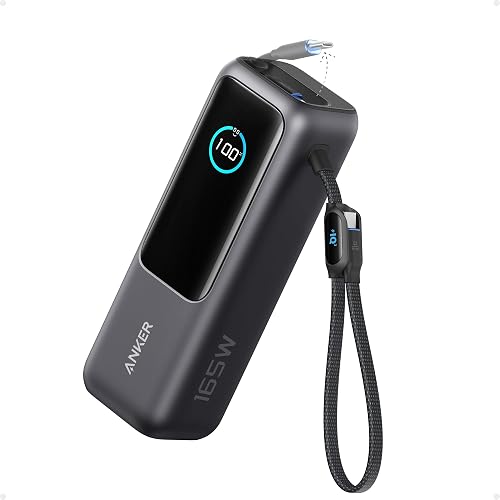
Anker Power Bank: Best for built-in cable convenience
- 20000mAh capacity
- Up to 65W to a single device
- 87W total across three devices
- Built-in USB-C cable
- 3 ports
A 20000mAh Anker with a built-in USB-C cable and up to 65W to one device, suited to travelers who want one cable ready.
Pros
- Built-in USB-C cable
- Up to 65W to a single device
- Charges three devices at once
Cons
- Longer body than the smallest picks here
- Shared output drops when several devices charge together
This Anker suits travelers and commuters who hate carrying a loose cable.
The built-in USB-C cable is ready to use, and the bank can also use extra ports for other devices.
Anker says a single device can receive up to 65W, while three devices can share 87W in total.
That split matters in daily use.
Charge a laptop on its own and you get the fastest laptop speed.
Add a phone and a second device, and the total is shared, so each device charges more slowly.
Anker says it can charge a 14 inch MacBook Pro to 50 percent in under 40 minutes, and an iPhone 15 Pro to 58 percent in 30 minutes with the built-in cable.
At 20000mAh, it is approved for airline travel, according to Anker.
The body measures 6.2 x 2.9 x 1.0 in and weighs 15.5 oz, so it fits a bag better than a jacket pocket.
The cable is rated for over 10000 bends, which helps long term use.
Self recharge with a 65W charger takes about 1.5 hours in Anker figures, which suits an overnight top up before travel.
Choose it if one ready cable and strong single device speed matter most.
Skip it if you want the smallest body here, since the INIU is shorter.
INIU Laptop Power Bank: Best for compact pocket carry
- 20000mAh capacity
- 65W triple-port output
- 4.3 x 2.8 x 1.1 in body
- Detachable 4.7 in USB-C cable
- 3 ports
The smallest 20000mAh 65W pick here, with triple-port charging and a detachable short USB-C cable that doubles as a carry handle.
Pros
- Smallest body in this group
- 65W triple-port charging
- Detachable cable can be replaced
Cons
- Short cable suits close charging, not desk setups
- Warranty terms need checking before travel use
This INIU suits people who carry a power bank in a pocket or small bag.
At 4.3 x 2.8 x 1.1 in, it is the shortest body in this group, yet it still holds 20000mAh and gives 65W triple port charging.
INIU says it can revive MacBooks, HP, Lenovo and Dell laptops to over 50 percent in 30 minutes.
The detachable 4.7 in USB-C cable is a key trade off.
It doubles as a carry handle and can be replaced, but its short length means your laptop needs to sit close to the bank.
That works well on a train tray or coffee shop table, and less well on a large desk.
With three ports, you can charge a laptop, a phone and a watch or earbuds at the same time.
Total output is shared, so use the full 65W for a laptop when you need speed.
INIU says 20000mAh can give one full MacBook Air charge or over three charges for flagship phones.
Its advanced high density stacking claim explains the small volume, shrinking it by 38 percent in INIU terms.
Choose it for compact carry and a replaceable cable.
Skip it if you want a long built-in cable for desk use.
UGREEN Nexode 25000mAh 145W 3-Port USB-C Power: Best for larger laptops and longer trips
- 25000mAh capacity
- 145W total, up to 140W on one USB-C port
- 3 ports
- Digital display
- Recharges in about 2 hours with a 65W charger
A larger 25000mAh, 145W option for laptops that want more headroom than a 65W bank gives, with a digital display.
Pros
- Higher 145W total output
- Larger 25000mAh capacity
- Digital display for remaining charge
Cons
- Larger and heavier than 20000mAh picks
- Above the 65W and 20000mAh brief of this guide
This UGREEN suits laptop users whose machines ask for more than 65W.
It is not a 20000mAh model, since it holds 25000mAh, and it gives 145W in total, with up to 140W from a single USB-C port.
That extra headroom helps larger laptops charge at full speed rather than at a reduced rate.
UGREEN says a 16 inch MacBook Pro can go from 0 to 56 percent in 30 minutes.
In daily use, that means less time tethered to the bank during a work session.
The 25000mAh capacity also means more usable energy for a full laptop charge plus phone top ups.
UGREEN rates that at up to 1.3 laptop charges and up to 5.2 mobile charges in its own figures.
The trade off is size.
At 6.3 x 3.18 x 1.05 in, it is longer than the INIU and Belkin picks.
It still fits a backpack or briefcase, but it is not a slim pocket pick.
A digital display helps you check remaining charge at a glance.
Choose it for high power laptops and long trips.
Skip it if you specifically want a lighter 20000mAh bank.
Anker Laptop Power Bank: Best for built-in cables and multi-device charging
- 25000mAh capacity
- 165W total output
- Three 100W USB-C ports
- Two built-in USB-C cables
- 4 ports
A 25000mAh Anker with 165W total output, three 100W USB-C ports and two built-in cables for charging four devices at once.
Pros
- 165W total with three 100W USB-C ports
- Two built-in cables reduce cable clutter
- Charges four devices at once
Cons
- 25000mAh size is bulkier than 20000mAh picks
- Trickle charging and output behavior need reading before low-power use
This Anker suits remote workers who charge four devices at once.
It holds 25000mAh and gives 165W in total, with three 100W USB-C ports.
Two built-in USB-C cables help cut cable clutter, and one extends up to 2.3 ft for easier reach.
In daily use, the extra ports matter more than the headline wattage.
You can charge a laptop, a tablet and two phones without swapping cables.
Anker says it complies with 100Wh airline restrictions and is carry on friendly, which helps on long trips.
The trade off is bulk.
At 6.18 x 2.13 x 1.93 in, it is thicker than the 20000mAh picks.
It is a bag based bank, not a pocket bank.
Anker also notes trickle charging mode for low power devices such as watches or earbuds, turned on by double pressing the button.
Its usable energy note is useful for planning, since Anker puts usable energy at about 63 to 70Wh from the nominal 90Wh.
Choose it for multi device teams and long haul travel.
Skip it if daily weight matters more than extra ports.
UGREEN Nexode 100W 20000mAh Power Bank: Best 20000mAh pick for 100W laptops
- 20000mAh capacity
- 100W total output
- 65W self charging, full in about 1.6 hours
- 2 USB-C ports and 1 USB-A port
- Charges 3 devices at once
A 20000mAh UGREEN with 100W total output and 65W self charging, for MacBook and laptop users who want more than 65W headroom.
Pros
- 100W total output at 20000mAh
- Fast 65W self charging
- Charges three devices at once
Cons
- Needs a 5A, 100W USB-C cable for full laptop speed
- Shared output limits multi-device charging speed
This UGREEN suits MacBook and laptop users who want 20000mAh with more than 65W available.
It gives 100W in total from 2 USB-C ports and one USB-A port, and it can charge three devices at once.
UGREEN says a MacBook Pro 16 inch can reach 42 percent in 30 minutes.
Self charging is fast too.
The bank takes 65W for its own recharge and fills in about 1.6 hours.
That helps when you top it up before a trip instead of waiting all evening.
UGREEN says 20000mAh can charge an iPhone 15 Pro up to 4.5 times and a MacBook Air 15 inch up to 1.1 times.
One important limit is cable choice.
UGREEN says to use the included USB-C to USB-C cable for high power laptops, or a 5A, 100W cable of your own.
Many regular cables only support 60W, which can make a laptop charge slowly.
At 5.47 x 3.23 x 1.02 in, it sits between the compact INIU and the longer Anker in depth and width.
Choose it if 100W headroom at 20000mAh is your goal.
For a direct 65W focus, see our best 65w power bank for laptop picks.
Belkin 20000mAh 65W 3-Port Power Bank: Best for a clear digital display
- 20000mAh capacity
- 65W from a single USB-C port
- 2 USB-C ports and 1 USB-A port
- Full color digital display
- Built-in cables
A 20000mAh Belkin with 65W Power Delivery on one USB-C port, three ports in total and a full color digital display.
Pros
- 65W Power Delivery on a single USB-C port
- Full color digital display
- Charges three devices at once
Cons
- Output falls when ports are shared
- Cable and port limits need checking for larger laptops
This Belkin suits buyers who want a clear readout and familiar brand support.
It holds 20000mAh and gives up to 65W Power Delivery from a single USB-C port.
Belkin says a MacBook Pro 14 inch M3 can go from 0 to 50 percent in 42 minutes.
The full color digital display is the stand out detail.
It helps you manage remaining charge before a meeting or flight, instead of guessing from a row of lights.
With 2 USB-C ports and 1 USB-A port, it can charge a laptop and two other devices at once, though total power is shared.
Belkin states the bank is made with post consumer recycled content and packaging that is 100 percent plastic free.
It also gives a 2 year warranty and a connected equipment warranty.
Those terms can matter if you use it with a work laptop.
Its port splits are detailed in the specs, with 45W from a main port when several ports are in use, so check that split for multi device days.
Choose it for the display and brand warranty.
Skip it if you need 100W for a larger laptop, since output is capped at 65W per port.
UGREEN Nexode 20000mAh 67W Built-in USB-C Power: Best for travel light with a built-in cable
- 20000mAh capacity
- 67W max output
- 65W self charging in about 2 hours
- Built-in braided USB-C cable
- 3 ports
A 20000mAh UGREEN with 67W max output, 65W self charging and a built-in braided USB-C cable tested for 10000 bends.
Pros
- 67W max for laptops and phones
- Built-in braided cable reduces clutter
- 65W self charging in about 2 hours
Cons
- Body shape is less pocket friendly than smaller picks
- 67W is close to 65W, so laptop fit depends on your laptop
This UGREEN suits professionals who travel light and want a built-in cable.
It holds 20000mAh and gives 67W max output, which is close to the 65W target of this guide.
UGREEN says it can reach 70 percent in 35 minutes for a Samsung S25 Ultra, and it gives up to 17.4 hours of extra MacBook Air use in its stated figures.
The built-in braided USB-C cable is tested for 10000 bends and plug cycles.
That durability, plus a carry strap that doubles as a cable organizer, helps keep a bag tidy.
Self charging at 65W refills the bank in about 2 hours.
The trade off is shape.
At 7.09 x 3.94 x 1.26 in in the stated size, it is long and wide for tight pockets.
It also has trickle charge mode for sensitive devices such as iPads or iPhones, which helps with low power gadgets.
Its multi protection system for overcharging, overheating and short circuits is aimed at high speed charging safety.
Choose it for a built-in cable and travel friendly design.
If you want a 100W version instead, compare our best power bank 20000mah 100w roundup.
How these 65W 20000mAh power banks compare
The Anker and INIU lead on the exact 65W, 20000mAh brief, while the 25000mAh and 100W picks win on headroom.
Belkin and the second UGREEN trade a little speed for display, warranty or cable design.
| Product | Best for | Capacity | Output | Size | Our score |
|---|---|---|---|---|---|
| Anker Power Bank | built-in cable convenience | 20000mAh | Up to 65W single device | 6.2 x 2.9 x 1.0 in | 9.6 |
| INIU Laptop Power Bank | compact pocket carry | 20000mAh | 65W | 4.3 x 2.8 x 1.1 in | 9.5 |
| UGREEN Nexode 25000mAh 145W 3-Port USB-C Power | larger laptops and longer trips | 25000mAh | 145W total | 6.3 x 3.18 x 1.05 in | 9.3 |
| Anker Laptop Power Bank | built-in cables and multi-device charging | 25000mAh | 165W total | 6.18 x 2.13 x 1.93 in | 9.3 |
| UGREEN Nexode 100W 20000mAh Power Bank | 20000mAh pick for 100W laptops | 20000mAh | 100W total | 5.47 x 3.23 x 1.02 in | 9.2 |
| Belkin 20000mAh 65W 3-Port Power Bank | a clear digital display | 20000mAh | 65W single port | 5.2 x 3.4 x 1 in | 8.7 |
| UGREEN Nexode 20000mAh 67W Built-in USB-C Power | travel light with a built-in cable | 20000mAh | 67W max | 7.09 x 3.94 x 1.26 in | 8.6 |
How we compared these picks
We compared specs, features and buyer feedback against what shoppers want from a 65w power bank 20000mah.
We checked capacity, single device output, total shared output, port count, cable type, size, weight, self charging speed and travel rules.
We also checked which models state laptop charging in their own specs.
Some banks give 65W to one device but much less when three devices share power, so we noted that split for each pick.
We did not test units hands on, and we label maker claims with the brand name.
For a wider view of 20000mAh options, our best 20000mah power bank for laptop guide covers models chosen mainly for capacity.
Our best compact power bank 20000mah guide covers smaller bodies.
What specs alone cannot tell you
Specs can show port splits, but they cannot show how a bank behaves as a battery fills.
Output often falls near the end of a charge, since a device asks for less power as it nears full.
That is why maker figures such as 50 percent in 30 minutes are more useful than a peak wattage alone.
Weight and thickness also affect daily carry in ways a capacity number does not capture.
A bank that is 1.9 in thick, like the larger Anker, changes how a bag packs compared with a 1.0 in slim model.
Check dimensions against your normal bag before you buy, especially if you carry a laptop in the same compartment.
Is 65W enough for your laptop?
Check your laptop charger wattage first.
If your laptop ships with a 65W or lower charger, a 65W bank should match it well.
If your laptop ships with a 96W or 140W charger, a 65W bank may still charge it, but often at a slower rate.
MacBook Air models are the easiest fit in this group.
Larger MacBook Pro models and gaming laptops may want 100W or more.
That is why the UGREEN 100W and the 145W and 165W picks are in this roundup, even though they go above the 65W brief.
If you only charge phones, 65W is more than you need.
In that case, a smaller bank may be lighter and cheaper to carry.
For iPhone focused charging, our best fast charging power bank for iphone guide is a better starting point.
65W vs 100W: which should you buy?
Pick 65W if your laptop charger is 65W or less.
Pick 100W if your laptop charger is higher, or if you want faster speeds when a phone is also plugged in.
Total output matters too, since a 100W total bank still shares power across ports.
What about 67W models?
A 67W max output, like the UGREEN Nexode 20000mAh pick here, is close enough to 65W for most laptops.
Check the exact port rating, because a 67W total rating is not the same as 67W to one port.
How many charges will a 20000mAh bank really give you?
Headline capacity is not the same as usable capacity.
Anker explains that conversion losses cut usable energy, and a 20000mAh bank may offer about 11000mAh to 14000mAh to devices.
That is why you will not get as many full phone charges as the headline number suggests.
Use your device battery size as the guide.
A phone with a smaller battery gets more charges than a laptop with a much larger battery.
Laptops also draw high power, which can reduce efficiency a little more during charging.
For planning, assume one laptop top up rather than multiple full laptop charges from a 20000mAh bank.
Use the bank to keep a laptop working through a flight, a train ride or a long meeting, then recharge the bank at the next outlet.
A simple way to estimate charges
Anker gives a formula that uses bank capacity at about 65 percent plus your device battery size.
Work through that estimate before a long trip, rather than relying on the headline milliamp hours.
For a 25000mAh bank, Anker instead frames usable energy in watt hours, at about 63 to 70Wh.
That watt hour view makes laptop planning easier, since laptop batteries are also stated in watt hours.
Which ports and cables matter most?
Ports decide how many devices you can charge at once.
Most picks here have 3 ports, while the larger Anker has 4 ports.
A built-in cable cuts clutter, but a detachable cable can be replaced if it wears out.
Cable rating matters for speed.
For 100W laptop charging, use a 5A, 100W USB-C cable, as UGREEN states for its 100W pick.
A cable rated for 60W can limit a laptop to slower charging, even if the bank can give more power.
USB-A ports are still useful for watches, earbuds and older devices.
Some banks have trickle charge mode for low power devices, so the bank does not shut off too soon.
Check the manual before using that mode with fitness trackers or earbuds.
Built-in vs detachable cables
Built-in cables save space and stop you forgetting a cable at home.
They suit commuters who plug in the same device every day.
Detachable cables cost less to replace and can be swapped for a longer length.
That suits desk setups where a 4.7 in cable, like the INIU cable, is too short.
Choose based on where you will charge most often, not only on bag size.
How fast does the bank recharge, and how do you care for it?
Self charging speed ranges from about 1.6 hours to 2 hours at 65W in this group, with slower times on lower wattage chargers.
Recharge the bank before a trip, not during it, so you start with full usable energy.
Store it at a partial charge if you will not use it for weeks, and keep it out of hot cars.
Heat and cold can affect lithium batteries, and a hot bag is a poor place for any bank.
Use a padded pouch or a separate pocket so keys and coins do not press on ports.
If you also use a UPS at home, our guide to How Fast Does a UPS Switch to Battery Power? A Simple Guide explains home backup, which is a different job from portable charging.
A power bank is for devices on the move, not for keeping a desktop or router running.
What to check before you travel with it
Confirm the watt hour limit for your airline, since 20000mAh and 25000mAh models sit near common limits.
Carry the bank in hand luggage, and keep its printed specs or manual accessible.
Check whether your destination charger matches the bank input, since a low wattage wall charger will slow self charging a lot.
A 20W adapter, for example, can take far longer than the 65W times stated for these picks.
Verdict: which 65W 20000mAh power bank should you buy?
Pick the Anker Power Bank (B0CXDXP8VR) if you want the best all round 65W 20000mAh pick with a built-in cable.
Pick the INIU Laptop Power Bank if pocket size matters most.
Pick the UGREEN Nexode 100W 20000mAh Power Bank if you want 20000mAh with extra laptop headroom.
Pick the Belkin 20000mAh 65W 3-Port Power Bank if a clear digital display and brand warranty matter.
Pick the UGREEN Nexode 20000mAh 67W if a built-in braided cable and travel light design matter.
Pick a 25000mAh model if you want more usable energy for long trips and larger laptops.
Next, check your laptop charger wattage, then match the bank output to it.
That one check will help you choose between a true 65W pick and a higher wattage model with less guessing.
Our top 3 picks at a glance
-
1
-
2
-
3
Best for larger laptops and longer trips
UGREEN Nexode 25000mAh 145W 3-Port USB-C Power
9.3/10 our score
See it on Amazon
Frequently asked questions
How many laptop charges do you get from a 20000mAh power bank?
It depends on your laptop battery size and charging losses. Anker notes usable capacity falls during conversion, so check your laptop watt hours and compare it with the usable energy, not the headline milliamp hours alone.
Can a 65W power bank charge a MacBook?
Many MacBooks work with 65W Power Delivery, and several picks here state MacBook charging in their specs. Check your MacBook charger wattage first, because larger models may want more power.
Is a 20000mAh power bank allowed on planes?
Anker and INIU state their 20000mAh picks are approved or airline safe for travel. Always check your airline rules and keep the bank in carry on luggage, as rules can change.
Why does my power bank charge slower with two devices plugged in?
Total output is shared across ports. A bank rated at 65W to one device cannot give 65W to every port at once, so charging speed drops as you add devices.