7 Best Magnetic Power Banks for Android (November 2026)
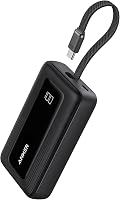
The best magnetic power banks for Android include the Anker 621 MagGo Power Bank for smallest pocket carry, the TORRAS MiniMag Power Bank for all-day Android backup, and the Anker Zolo Magnetic Power Bank (best when a built-in cable matters).
On this page (8 sections)
- How we compared these magnetic power banks for Android
- The best magnetic power banks for Android, ranked by score
- Which magnetic power bank for Android fits your phone and case?
- How much capacity do you need for a magnetic power bank for Android?
- How fast should a magnetic wireless power bank for Android charge?
- Do you need a stand or a built-in cable for Android?
- How do you set up and care for a magnetic power bank?
- Our verdict: the best magnetic power bank for Android
The best magnetic power bank for Android for most people is the TORRAS MiniMag Power Bank, because it gives you 10,000mAh and 22.5W USB-C wired charging in a slim body. If you want the smallest carry, pick the Anker 621 MagGo Power Bank at 5,000mAh.
If you want the most capacity, pick the Eissix at 12,000mAh.
The key point for Android is simple. Most Android phones do not have built-in magnets, so snap-on charging needs a magnetic case or a magnetic ring.
Once you add that case, these packs work as a magnetic wireless power bank for Android, and the USB-C port gives you a faster wired backup.
We compared specs, features and buyer feedback against what Android shoppers need. Our score weighs capacity, charging speed, size, magnetic fit and how well each model works with a magnetic case.
Start with our power bank battery guide if you want the basics first.
Our picks at a glance
-
1

-
2

-
3

- 4
 Check it
Eissix 12000mAh for Magsafe Power Bank
Best for biggest capacity - 5
 Best for a three-in-one setupCheck it
- 6
 Check it
FancyBean 2026 Updated M3 Ultra Slim 0.4''
Best for slim wired backup - 7
 Check it
LYAOAO for MagSafe Power Bank 10000mAh
Best for strong magnetic grip
How we compared these magnetic power banks for Android
We checked capacity, wireless speed, wired speed, size and case needs for each model. We also noted where a maker limits magnetic use on Android.
For context, if you use an iPhone, our best magnetic power bank for iphone guide covers models made for built-in magnets. Android buyers need the extra case check that iPhone buyers can skip.
Most packs here sit near 10,000mAh. That size gives you about one to two phone top-ups after charging losses.
We also compared thickness, because a pack that adds 0.45 inches feels very different from one that adds 0.86 inches. Ports matter too, since some packs charge two devices at once and some charge three.
The best magnetic power banks for Android, ranked by score
The TORRAS MiniMag is the best all-round pick for Android because it balances capacity and wired speed. The Anker 621 wins on size.
The Eissix wins on capacity. The rest win on stands, built-in cables or grip strength.
Anker 621 MagGo Power Bank: Best for smallest pocket carry
- 5,000mAh capacity
- 4.13 x 2.62 x 0.45 inches
- 4.41 oz
- 7.5W max wireless charging
- USB-C to USB-C cable included
The smallest, lightest pick here at 5,000mAh. It suits Android owners who want a slim snap-on top-up and will use a magnetic case.
Pros
- Very small and light
- Strong magnetic snap
- USB-C cable included
Cons
- Only 5,000mAh
- 7.5W wireless is slower than wired charging
The Anker 621 MagGo Power Bank suits Android owners who value small size over capacity. At 5,000mAh, it will not match a 10,000mAh pack for a full day, but it adds about 4.41 oz and 0.45 inches of thickness.
That makes it easy to carry in a pocket or small bag.
Its dimensions are 4.13 x 2.62 x 0.45 inches, close to the phone itself, so it should not hang far past the edges when snapped on. Anker uses MiniCell technology to keep the body smaller while delivering the same charging performance as a larger design.
Anker says it delivers 7.5W max wireless charging. That speed is fine for a top-up while you walk or scroll, but it is slower than a wired USB-C charge.
On Android, you should plan to use a magnetic case so the magnets line up with the charging coil.
Anker also includes a 23.6 in USB-C to USB-C cable in the box. That gives you a wired option when you want a faster or more reliable charge, and avoids buying one separately.
The trade-off is clear. You get the lightest, slimmest carry in this group, but you give up spare capacity.
If your phone often drops below 20 percent by midday, a 10,000mAh model will serve you better.
TORRAS MiniMag Power Bank: Best for all-day Android backup
- 10,000mAh capacity
- 22.5W USB-C fast charging
- 15W wireless for compatible devices
- 4.01 x 2.5 x 0.5 inches
- Android use needs a magnetic case
A slim 10,000mAh pick with fast wired output for Android. It is the balanced choice for travel and workdays with a magnetic case.
Pros
- 10,000mAh in a slim body
- 22.5W USB-C output
- Cable-free wireless option with a case
Cons
- Needs a magnetic case on most Android phones
- Heavier than 5,000mAh models
The TORRAS MiniMag Power Bank suits Android users who want a slim 10,000mAh pack with fast wired charging. It measures 4.01 x 2.5 x 0.5 inches, so it stays easy to hold with one hand.
That slim shape helps when you charge while you check maps or take a call.
At 6.4 ounces, it is heavier than the 5,000mAh Anker 621, but lighter than the thicker 10,000mAh models. The spec list shows 3 A and a 2 hour battery charge time for the pack itself.
That matters if you need to refill it quickly between commutes.
TORRAS says it supports 22.5W USB-C wired charging and 15W wireless charging for compatible devices. For Android, the wired port is the fastest and most reliable path.
The magnetic path works best with a MagSafe-compatible case, since most Android phones lack built-in magnets.
Compared with the 5,000mAh Anker 621, this model gives you much more backup for travel and work. Compared with the Eissix, it gives up 2,000mAh but stays slimmer.
For most Android buyers, that balance is the sweet spot.
Anker Zolo Magnetic Power Bank: Best when a built-in cable matters
- 10,000mAh capacity
- 30W built-in cable
- 7.5W wireless charging
- Adjustable stand
- 4.15 x 2.72 x 0.81 inches
Strong wired speed and a stand, but Anker says Android devices will not support the magnetic feature. It suits Android users who will charge by cable.
Pros
- 30W built-in cable
- 10,000mAh capacity
- Stand for viewing
Cons
- Android magnetic use is not supported
- Thicker at 0.81 inches
The Anker Zolo Magnetic Power Bank suits Android users who care more about wired speed than magnetic snap. Anker says it is optimized for iPhone models and that Android devices will not support the magnetic feature.
That makes this a wired-first pick for Android.
Its built-in USB-C cable delivers 30W fast charging, which is the fastest wired speed in this group. At 10,000mAh, it can give an Android phone about one to two top-ups after losses.
The adjustable stand also helps for video calls and desk viewing.
The pack measures 4.15 x 2.72 x 0.81 inches. At 0.81 inches thick, it is much thicker than the 0.45 inch Anker 621 and the 0.47 inch FancyBean M3.
That extra thickness is the price of the built-in cable, stand and larger battery in one unit.
Anker lists three ports and a 160 minute battery charge time. The right-angle cable design keeps a comfortable grip, and Anker says it is built to withstand over 10,000 bends.
Those details suit daily desk and travel use.
The trade-off is magnetic compatibility. If you buy this mainly for snap-on Android charging, you will be disappointed.
If you want a 10,000mAh pack with a built-in cable and stand, and you will charge by cable, it is a strong choice.
Eissix 12000mAh for Magsafe Power Bank: Best for biggest capacity
- 12,000mAh capacity
- 15W wireless charging
- 22.5W USB-A and 20W USB-C
- 360 degree rotating stand
- 4.13 x 2.76 x 0.79 inches
The largest battery here at 12,000mAh, with a rotating stand and three-device charging. Built for long days when you will use it with a magnetic case.
Pros
- Largest capacity in this group
- Three-device charging
- Rotating stand
Cons
- Largest and heaviest in this group
- Needs a magnetic case for Android snap-on use
The Eissix 12000mAh for Magsafe Power Bank suits Android owners who need the most capacity in this group. At 12,000mAh, it gives you more backup than the 10,000mAh models here.
That extra room helps on long travel days or when you charge more than one device.
Eissix says it offers 15W wireless charging, a 22.5W USB-A port and a 20W USB-C port. It can charge three devices at once, which suits a phone, earbuds and a watch.
The 360 degree rotating stand adds value for video and calls.
The stand tilts up to 60 degrees in landscape or portrait. That range covers streaming and desk viewing without holding the phone.
The LED display shows remaining power at a glance, which helps you plan a recharge before the pack runs flat.
The trade-off is size and weight. At 4.13 x 2.76 x 0.79 inches and 8.8 oz, it is the largest pick here.
Eissix lists a 20N magnetic force, but on Android you will still need a magnetic case for reliable snap-on alignment.
Its safety list includes short-circuit, over-current, over-charge, over-voltage and temperature protection. Eissix also claims temperature control keeps the pack at 90 degrees F compared with 122 degrees F for ordinary packs.
AOGUERBE Magnetic Power Bank: Best for a three-in-one setup
- 10,000mAh capacity
- 15W max wireless charging
- 22.5W USB-A and 20W USB-C
- Foldable stand
- 4.1 x 2.68 x 0.86 inches
A 10,000mAh three-in-one with cable, stand and magnetic charging. It suits Android owners who charge a phone plus other gear in one pack.
Pros
- Three-device charging
- Foldable stand
- 10,000mAh capacity
Cons
- Thicker body at 0.86 inches
- Needs a magnetic case for best Android grip
The AOGUERBE Magnetic Power Bank suits Android users who want magnetic charging, a cable and a stand in one pack. At 10,000mAh, it gives you solid all-day backup without going as large as the 12,000mAh Eissix.
The foldable stand makes it handy for video calls and streaming.
AOGUERBE says it supports 15W max wireless charging, 22.5W USB-A output and 20W USB-C output. It can charge three devices at the same time.
For Android, the USB-C port will usually be your fastest route, while wireless charging adds convenience.
The size is 4.1 x 2.68 x 0.86 inches. At 0.86 inches thick, it is the thickest pack here, so it will feel bulky in a tight pocket.
The foldable kickstand folds away when you do not need it.
AOGUERBE lists 18W USB-C input for recharging the pack and notes use of a power adapter with at least 12W output for best results. That detail matters if you refill the pack overnight over many days.
The trade-off is thickness and case dependence. You also need a magnetic case for the best grip on most Android phones.
If you want three-device charging plus a stand and can accept a thicker body, this pack fits that brief well.
FancyBean 2026 Updated M3 Ultra Slim 0.4'': Best for slim wired backup
- 10,000mAh capacity
- 22.5W wired fast charging
- 15W wireless fast charging
- Built-in USB-C cable
- 0.43 inches thick
Ultra-slim at 0.43 inches with a built-in USB-C cable for Android. It suits people who want slim carry and wired speed as the main method.
Pros
- Very slim 0.43-inch body
- Built-in USB-C cable
- 10,000mAh capacity
Cons
- Android magnetic charging needs a MagSafe-compatible case
- Slim body means less room for heat spread
The FancyBean 2026 Updated M3 Ultra Slim 0.4'' suits Android buyers who want the slimmest 10,000mAh body here. At 0.43 inches thick, it slips into a pocket or bag with less bulk than most packs in this group.
That slim shape is a real plus for daily carry.
The dimensions are 4.17 x 2.68 x 0.47 inches and the weight is listed at 6.74 oz. That makes it close to the TORRAS MiniMag in daily carry, but with a built-in cable added.
The LED digital display shows remaining battery level at a glance.
FancyBean says it offers 22.5W wired fast charging through its built-in USB-C cable and 15W wireless fast charging. For Android, the built-in cable is the useful part, since it removes the need to carry a separate cable.
Wireless magnetic charging needs a MagSafe-compatible case on most Android phones.
The built-in cable also works as an input to recharge the pack and as a lanyard for carrying. FancyBean includes an additional 31cm USB-C to USB-C cable in the box.
With three ports listed, you can charge more than one device at once in some setups.
The trade-off is that a very slim body leaves less room for heat spread during charging. If you charge for long periods, keep the phone in a cool spot and reduce heavy use while it charges.
LYAOAO for MagSafe Power Bank 10000mAh: Best for strong magnetic grip
- 10,000mAh capacity
- 15W wireless charging
- 20W USB-C PD
- 12.8N magnetic holding force
- 4.23 x 2.73 x 0.68 inches
A 10,000mAh slim pick with a 12.8N magnetic hold and 20W USB-C output. It suits Android users who want a firm snap through a magnetic case.
Pros
- Strong 12.8N magnetic grip
- 10,000mAh slim body
- 20W USB-C fast charging
Cons
- Magnetic hold depends on the case
- Two ports only
The LYAOAO for MagSafe Power Bank 10000mAh suits Android owners who want a firm magnetic grip with 10,000mAh capacity. LYAOAO says its N52 magnets give a 12.8N holding force.
That strength helps the pack stay put when you scroll, navigate or take photos.
It offers 15W wireless charging and 20W USB-C PD fast charging. You can charge two devices at once, such as a phone by wireless charging and earbuds by cable.
At 4.23 x 2.73 x 0.68 inches, it stays slim enough for a jacket pocket.
LYAOAO claims 40 percent smaller size in its title and about 1.8 charges for an iPhone. The LED digital display shows charge level, which helps you avoid an unexpected shutdown.
The pack lists two ports, so three-device charging is not an option here.
Its safety system uses dual NTC temperature control chips and insulation materials. LYAOAO says the design monitors heat to prevent overheating and blocks short circuits and overcharging.
The trade-off is case dependence. On Android, the grip is only as good as your magnetic case or ring.
Pick a case with a centered ring, then test the fit before you rely on it for one-hand use.
Which magnetic power bank for Android fits your phone and case?
Answer: your case matters as much as the power bank. Most Android phones need a magnetic case or ring for snap-on charging.
Check that the ring sits over the wireless charging coil and that the pack aligns without sliding.
For Samsung phones, start with our best magnetic power bank for samsung guide. For Google Pixel phones, the same rule applies.
A plain Qi wireless charge will work without a case, but magnetic snap-on use needs a case with magnets. If you do not want a special case, a standard wireless pad or a wired USB-C charge is simpler.
Magnetic case options for Android
- Choose a case with a centered magnetic ring.
- Check that the ring does not block the camera or buttons.
- Test alignment with the phone case on before you buy a pack.
- Remove thick non-magnetic cases before wireless charging.
When a magnetic case is not worth it
Skip magnetic charging if you swap cases often or use a rugged case with no ring. Use the USB-C port for wired charging instead.
Our best wireless power bank for android guide covers wireless charging without snap-on magnets.
How much capacity do you need for a magnetic power bank for Android?
Answer: 10,000mAh fits most people, while 5,000mAh fits light top-ups. A 5,000mAh pack is easy to carry but will run out sooner.
A 10,000mAh pack gives you more backup for travel and long days.
Anker notes that charging losses reduce usable capacity. It estimates that a fully charged 5,000mAh pack may deliver about 2,750mAh to 3,250mAh to a device.
Use this simple estimate: multiply the power bank capacity by 0.5, then divide by your phone battery capacity.
5,000mAh vs 10,000mAh vs 12,000mAh
- 5,000mAh suits a short top-up and very light carry.
- 10,000mAh suits most workdays, travel and emergencies.
- 12,000mAh suits long days and charging more than one device.
If you want the smallest shape, check our best mini magnetic power bank guide. Mini packs trade capacity for easy carry, so make sure the smaller battery still meets your needs.
How to estimate charges for your phone
Use Anker's example as a guide for any pack. Anker shows that charging a 3,000mAh device with a 5,000mAh pack gives about 0.83 charges after losses.
Apply the same maths to a 10,000mAh pack. A phone with a larger battery will get fewer full charges, while a smaller phone battery will get more top-ups.
That is why capacity claims alone do not tell the full story.
How fast should a magnetic wireless power bank for Android charge?
Answer: wired USB-C charging is faster than wireless. Use the USB-C port when you need speed.
Use magnetic wireless charging when you want a cable-free setup and can accept a slower charge.
Wireless charging uses coils and loses more energy than a wired connection. Heat can also slow charging.
Anker notes that its 7.5W wireless charging can warm to 98 to 118 degrees F in a 77 degree F room, which is within its stated safety range.
What the watt numbers mean
- 7.5W wireless is a basic top-up speed.
- 15W wireless is faster for compatible devices.
- 20W to 30W wired USB-C is faster for most Android phones.
If speed matters most, look at the wired output first. Our best magnetic power bank with built-in cables guide covers packs that keep a cable on board.
Do you need a stand or a built-in cable for Android?
Answer: a stand helps for viewing, and a built-in cable helps if you forget cables. Neither one changes charging speed.
Pick the feature you will use daily, not the one that looks best on paper.
A stand is useful for video calls, streaming and desk use. A built-in cable is useful if you often leave cables at home.
On Android, a built-in USB-C cable also gives you a fast wired path without a magnetic case.
Stand vs cable vs plain slim body
- Choose a stand if you watch or call while charging.
- Choose a built-in cable if you travel light.
- Choose a plain slim body if you want the smallest carry.
For stand-first picks, see our best magnetic power bank with stand guide. It focuses on models that hold the phone at a good viewing angle.
How do you set up and care for a magnetic power bank?
Answer: use a magnetic case, align the center, and charge by USB-C when you need speed. Keep the phone in a cool spot while charging.
Reduce heavy use to limit heat and slow charging.
Snap the pack to the center of the phone back. If the pack slides, check the case ring position.
If charging stops, reseat the pack or switch to the USB-C port. A wired charge avoids most alignment problems.
Setup and care tips
- Put on a magnetic case or ring, align the pack, and check the display or light.
- Use USB-C if wireless charging is slow or stops.
- Charge the pack before a trip, keep it out of direct sun, and let it cool if it feels very warm.
- Use a suitable USB-C charger to recharge the pack.
For more on power bank basics, our power bank battery guide explains capacity, charging losses and care in plain terms. If you also charge Samsung gear, our best wireless power bank for samsung guide covers non-magnetic wireless options.
Our verdict: the best magnetic power bank for Android
Answer: pick the TORRAS MiniMag for most Android buyers. It gives you 10,000mAh, 22.5W USB-C wired charging and a slim body.
Use a magnetic case for snap-on charging, and use the USB-C port when you need speed.
Pick the Anker 621 if you want the smallest carry and can live with 5,000mAh. Pick the Eissix if you want 12,000mAh and a stand.
Pick the Anker Zolo only if you will charge Android by its built-in cable, since Anker says Android will not support its magnetic feature.
Before you buy, check your case ring position and your phone's wireless charging support. That one check will decide whether a magnetic power bank for Android gives you snap-on ease or just slower wireless charging.
Our score weighs specs, features and buyer feedback against what you're shopping for.
Our top 3 picks at a glance
-
1
-
2
-
3
Frequently asked questions
Do Android phones charge magnetically without a special case?
Most Android phones do not have built-in magnets for snap-on charging. You need a magnetic case or a magnetic ring that lines up with the power bank's magnets.
Check that the case ring sits in the middle of the phone back before you buy.
Is a magnetic power bank faster than a wired power bank?
No. Wireless charging is less efficient than wired charging and usually slower.
Use the USB-C port when you need speed, and use magnetic wireless for convenience.
On Android, the wired port also avoids case and alignment problems.
How many charges can 10,000mAh give an Android phone?
Expect about one to two top-ups, depending on your phone battery and charging losses. Anker notes that a 5,000mAh pack may deliver about 2,750mAh to 3,250mAh after conversion losses.
Use the formula in this guide to estimate charges for your phone.
Which is better for Samsung, a magnetic or a wireless power bank?
A magnetic power bank suits you if you already use a magnetic case and want cable-free snap-on charging. A non-magnetic wireless power bank is simpler if you want wireless charging without a case.
Our guide to the best wireless power bank for android covers the non-magnetic option.