How to Use a Portable Power Bank
To use a portable power bank, charge the power bank first, connect your device with the right cable or wireless method, and watch the indicator lights to track both charges. Keep the bank topped up when you can, and use wired charging when speed matters.
On this page (10 sections)
- How do you recharge a portable power bank before you use it?
- How do you connect a phone or tablet to a power bank?
- How do you check the charging status on a power bank?
- Can a power bank charge more than one device at once?
- How do you use the extra features on a power bank?
- What is the difference between a power bank and a portable power station?
- How do you get the most charges from a power bank?
- How should you store and carry a power bank safely?
- Which power bank fits common travel needs?
- How do you avoid common mistakes when using a power bank?
To use a portable power bank, charge the power bank first, connect your device with the right cable or wireless method, and watch the indicator lights to track both charges. Keep the bank topped up when you can, and use wired charging when speed matters.
That routine works for most models. The sections below cover recharging the bank, connecting devices, reading status, and avoiding common errors.
How do you recharge a portable power bank before you use it?
Charge a portable power bank with the input cable and charger that match its port, usually USB-C, and wait for the lights to show full. A wall charger is often faster than a laptop port.
Find the input port first. Some small banks use USB-C for input and output, so one cable does both jobs.
Larger units may use a barrel plug or AC adapter, so use only the supplied or approved charger.
Plug the cable into the bank and a wall outlet. Lights should step up as charge rises.
When all lights stay on, or a display reads 100%, the bank is ready.
Charge times vary with capacity. The Anker 621 MagGo Power Bank takes about 2.5 hours, and the BLAVOR Solar Power Bank takes about 4 hours.
Top it up before a trip, since batteries lose charge in storage.
How do you connect a phone or tablet to a power bank?
Connect your device with a cable that fits both the bank's output port and your device's port, or align it for wireless charging if supported. USB-C to USB-C cables suit most current phones.
Check the output ports. Many banks have USB-A for older cables and USB-C for newer phones and tablets.
Plug the cable into the bank first, then into your phone, and press the power button once if nothing happens.
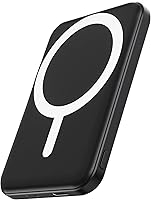
For wireless models, center the phone on the charging surface or snap the bank to its back. The Anker 621 MagGo Power Bank magnetically attaches to an iPhone 15 or 14 and delivers 7.5W max wireless charging.
Wired charging is usually faster, so use a cable for a quick top-up.
How do you check the charging status on a power bank?
Check charging status by reading the LED lights or display on the bank and the battery icon on your device. The two readings will not always match.
Most banks use four LEDs, with each light showing about 25% of charge. Press the button to see remaining charge, and watch the lights blink or step up while charging.
Your phone shows its own level, not the bank's. A phone can show 80% while the bank shows 25% because charging involves energy loss in cables and conversion circuits.
Some banks have a digital display with a percentage or time estimate. Treat those numbers as a guide, since actual output depends on your device, cable quality, and temperature.
If lights do not respond, try a different cable or port. A faulty cable can make a charged bank look empty.
Can a power bank charge more than one device at once?
Many power banks can charge two or three devices at once through multiple output ports, but total speed drops as you add devices. Check total output before you split it.
Count the output ports. A bank with two ports can charge a phone and earbuds together.
A bank with three ports may charge a phone, tablet, and accessory together.
When several devices draw power, each gets less than it would alone. A fast-charging phone may slow if a tablet is also attached.
That trade-off protects the bank's circuits.
Use the right cable in each port. A USB-C port can support faster charging than USB-A on many models.
Give the device that needs fast charging the best port.
The BLAVOR Solar Power Bank supports charging 3 devices at the same time, with USB-C output and wireless charging.
How do you use the extra features on a power bank?
Use extra features only when they match your situation, such as a flashlight outdoors or a magnetic snap for hands-free charging. Ignore add-ons you do not need.
Some banks add a flashlight, compass, carabiner, or kickstand. BLAVOR includes dual flashlights and a compass carabiner, which suit hiking or camping.
Those extras add weight, so weigh them against pure capacity.
Magnetic banks suit people who want to hold the phone while it charges. The Anker 621 weighs 4.41 oz and measures 4.13 x 2.62 x 0.45 inches.
Its magnet holds to compatible iPhones while you take a selfie or make a call.
Solar panels are a backup on most small banks. BLAVOR's solar panel has a maximum charging current of 0.23A, so solar charging is slow.
Use it to add a little charge while hiking, and recharge by cable at a wall outlet.
What is the difference between a power bank and a portable power station?
A power bank and a portable power station differ in size, capacity, and the devices they can run, with power stations handling laptops through AC outlets. A power bank is for phones and small gadgets.
The Anker 621 stores 5,000mAh and charges a phone through USB-C or wireless charging. It fits in a pocket and weighs a few ounces.
It cannot run a laptop through a wall plug.
The Jackery Explorer 300 Portable Power Station stores 292Wh and has 2 AC outlets, a 100W USB-C PD port, 2 USB-A ports, and a 120W car port. It has a 300W rated output and weighs 7.5 lbs.
Choose a power bank for a train or plane, and a station for AC power at a campsite or during a blackout. Our guide to [What Is a Portable UPS?
The Complete Guide](/what-is-a-portable-ups/) explains where backup stations fit for home use.
The Explorer 300 can be charged through USB-C, a car port, or a solar panel. You can charge devices while it recharges, but total output still depends on its 300W rating.
How do you get the most charges from a power bank?
Get the most charges by using wired charging, closing heavy apps, keeping devices cool, and avoiding a full drain on every use. Small habits add up during travel.
Use a cable when you can, because wireless charging loses more energy. The Anker 621 supports Qi wireless charging up to 7.5W, and speed varies by device and temperature.
Keep the bank and phone out of direct sun. Heat makes charging slower and can trigger safety cutoffs.
The Anker 621 can reach 98 to 118°F at 77°F ambient temperature during wireless use, which Anker says meets international safety standards.
Do not expect full rated capacity to reach your phone. Anker notes 30% to 45% energy loss in cells and conversion circuitry.
A fully charged 5,000mAh bank may offer about 2,750mAh to 3,250mAh.
For planning, multiply bank capacity by 0.5, then divide by your device battery capacity.
How should you store and carry a power bank safely?
Store a power bank in a cool, dry place at partial charge, carry it in a case or pouch, and keep it away from heat and metal.
A padded pouch keeps the bank from rubbing against keys and coins. Our guide to the best power bank case covers options for different sizes, and a case also keeps built-in cables from snagging.
Keep the bank out of extreme heat, such as a hot car. If a bank swells, smells, or is damaged, stop using it and follow local rules for battery disposal.
For long storage, charge the bank to about half to three-quarters full, then check it every few months. IPX5 waterproofing on BLAVOR resists water jets, but does not mean you can submerge it.
Dry it fully before charging.
For general safety, read why do power banks explode. If you own an INIU model, check the iniu power bank recall page.
Which power bank fits common travel needs?
Choose a power bank by capacity, charging method, weight, and the devices you carry, not by the biggest number on the box. A smaller bank often wins for daily use.
The Anker 621 MagGo Power Bank suits phone-first users who want magnetic wireless charging and pocket size. It stores 5,000mAh, weighs 4.41 oz, and attaches to iPhone 15 or 14 models.
The BLAVOR Solar Power Bank suits outdoor users who want more capacity and backup solar charging. It stores 10,000mAh, weighs 9.3 ounces, and supports USB-C fast charging.
BLAVOR says it can charge an iPhone 15 to 65% in 30 minutes.
The Jackery Explorer 300 suits campers and remote workers who need AC power. It stores 292Wh, weighs 7.5 lbs, and runs devices under 300W in total.
For INIU models, see how to use iniu power bank. To compare larger phone banks, see the best ugreen power bank.
For battery size, read the power bank battery guide. For home backup, read [What Is a Power Inverter in a UPS?
What Matters Most](/what-is-a-power-inverter-in-a-ups/).
How do you avoid common mistakes when using a power bank?
Avoid common mistakes by using the right cable, charging the bank before you need it, and not trusting one light or percentage as exact.
One mistake is using a weak charger to refill the bank, then blaming the bank for slow output. Match the charger to the input rating, since the BLAVOR takes about 4 hours to charge and the Anker 621 takes about 2.5 hours.
Another mistake is leaving the bank in a hot bag or car. Heat cuts capacity and can stop charging, so keep it in a cool spot and let it rest if it feels warm.
A third mistake is assuming solar charging will refill the bank fast enough for daily use. Solar input on small banks is slow by design, so use a cable for main charging and solar as backup.
Sharing one bank across too many devices also splits output, so charge the most important device first.
Frequently asked questions
How do you charge a portable power bank for the first time?
Plug the bank into a wall charger or computer port with its USB-C or micro-USB cable, then wait until all indicator lights stay on. Many banks reach full charge in a few hours, but the exact time depends on capacity and charger speed.
Check the manual for your model's charge time before a trip.
Can you charge a phone and a power bank at the same time?
Some models support pass-through charging, but many do not. Check your manual first, because charging both at once can be slower or not work at all.
If your bank supports it, use a charger that matches its input needs and watch for heat.
Why does my power bank get warm while charging my phone?
Heat is normal during charging, especially with wireless charging or fast charging. Move the devices to a cool, ventilated spot and remove thick cases if needed.
Stop charging if the bank feels very hot, smells unusual, or shows swelling.