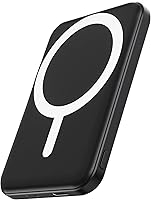
How to Use an INIU Power Bank
To use an INIU power bank, check its charge first, plug your device into the right port, and press the power button if needed. Watch the indicator lights while it charges, and recharge the bank before it runs out.
On this page (11 sections)
- How to use an INIU power bank for the first time
- What ports and cables does an INIU power bank use
- How do the indicator lights work on an INIU power bank
- How do you charge your phone or tablet from an INIU power bank
- Can you charge two devices at the same time
- How do you recharge the INIU power bank itself
- What safety steps matter for every INIU power bank
- How do you store and carry an INIU power bank
- When is a power bank not enough for your needs
- Which products from this guide fit an INIU routine
- How to use an INIU power bank: final checklist
To know how to use an INIU power bank, start with the right cable, the right port, and a charged bank.
Check the charge level, connect your phone or tablet, and confirm that both devices show a clear charging signal.
Most INIU models follow the same basic pattern.
You insert a cable into an output port, give the bank a short press if it does not start on its own, and keep an eye on the lights.
The exact steps change with the model, so use this guide as the general routine and check the labels on your unit for the final word.
How to use an INIU power bank for the first time
Charge it fully, pick the right cable, and test it at home first.
Do not test it at 10 percent charge. Plug it into a wall adapter through its input port until the lights show full.
That first cycle sets a known starting point and shows how the indicator behaves.
Find the output ports on the side or end. USB-C suits newer phones, while USB-A still suits older devices and accessories.
Match the cable to your device, connect it at home, and note the port used and whether you pressed the power button.
Our power bank battery guide explains how ports, capacities, and output ratings affect real charging speed.
What ports and cables does an INIU power bank use
Use USB-C where your device supports it and USB-A when your cable or device calls for it.
Port shape shows which cable fits, and the printed rating shows how fast it can charge.
Many INIU units use one USB-C port to recharge the bank and charge a phone.
Read the text near that port, as input and output ratings can differ.
USB-A still suits phones, earbuds, tablets, and small accessories.
A USB-A to USB-C cable can link a USB-A output to a USB-C phone, with speed set by both parts.
Some models have a built-in cable, so check yours before you pack a spare.
How to use an INIU power bank with a USB-C cable
Push the USB-C plug fully into the port and connect the other end to your device.
A loose plug is a common cause of a charge that keeps stopping and starting.
Check that the plug seats with steady pressure, and if the cable wiggles, try a different cable before you blame the bank.
A worn cable can charge slowly, drop out, or stop at a low percentage.
Press a power button once if the bank has one and charging does not begin.
Some units start as soon as they sense a load, while others need a manual wake-up.
The indicator lights should respond within a few seconds.
How do the indicator lights work on an INIU power bank
The lights show remaining charge and whether the bank is charging in or out.
Light counts differ by model, so learn your pattern before a trip. Four lights often mean about 25 percent each, with one low, two about half, and a full set full.
The last light can take the longest to fill. A slow flash often shows the bank itself recharging, while a steady light with a charging icon on your phone shows normal discharge.
A flash that stops after you plug in a device can point to a cable or port issue. Treat the lights as a guide, not exact numbers, and charge the bank at one light rather than waiting for zero.
How do you charge your phone or tablet from an INIU power bank
Plug in, confirm the phone icon, and leave the pairing undisturbed for the first minute.
Movement can break a loose link and reset the charge session.
Connect the cable, press the power button if needed, and look for a bolt or battery icon on your phone.
If the icon appears, the bank is supplying power. If the phone shows a slow charge warning, check the cable and port.
Close heavy apps and lower screen brightness while the bank tops up your phone.
That step reduces heat and lets more of the bank capacity reach the phone battery, rather than feeding background tasks.
For location pings, camera use, or a bright screen, your phone draws more power.
The bank may still charge it, but at a slower net rate.
Can you charge two devices at the same time
Many INIU models can charge two devices, but shared output lowers speed for each.
Check the total output rating before adding a phone, tablet, or earbuds, and stay under any combined limit. Two phones often work well, while a tablet plus a phone may be slower.
A laptop may not charge at all unless the bank lists suitable wattage. Start with the device that needs power most, confirm it is charging, then add the second.
If the first slows or stops, unplug the second and let the bank focus on one load. Our how to use a portable power bank guide covers shared charging, cable quality, and storage in more detail.
How do you recharge the INIU power bank itself
Plug a wall adapter into the input port and watch the lights until they show full.
Use an adapter close to the input rating printed on the bank, and keep the unit on a hard, cool surface.
Match the cable to the input port, not to an output port that looks similar.
If you plug into the wrong port, the bank may not charge at all.
Expect the last light to take longer than the others.
That slow finish is normal on many lithium banks.
Unplug the cable when the lights are full, instead of leaving the bank on the charger for days.
If the bank has been in storage for months, give it a full charge before a trip.
What safety steps matter for every INIU power bank
Keep the bank dry, cool, and away from damaged cables, and check for a recall on older units.
Heat, water, and physical damage raise risk with any lithium bank. Stop using a bank that is swollen, cracked, very hot, or smells strange.
Move it outside, away from paper and fabric, and contact the maker or a battery recycler for disposal advice. Avoid a hot car, sunny dashboard, or pillow while charging.
Before using a used or long-stored unit, check the iniu power bank recall guide. For the fire risk in plain terms, why do power banks explode explains how damage, heat, and poor habits cause problems.
How do you store and carry an INIU power bank
Store it at about half charge in a cool, dry place, and carry it in a padded pocket or case.
Half charge is a good middle ground. A bank stored empty can drop too low over months, while one stored full under heat can age faster.
Charge it to roughly 50 percent, check it every few months, and keep lint, caps, and bags away from the ports. A damp cloth can clean the case, but do not soak or rinse it under a tap.
Let it dry fully before plugging in a cable. A pouch keeps it from rubbing against keys and coins.
Our best power bank case guide can help you pick a fit that shields the ports without adding bulk.
When is a power bank not enough for your needs
A power bank suits phones and small devices, not laptops, CPAP machines, or household loads for long periods.
Output wattage and total capacity decide what it can run. A phone bank may list a high peak rating but hold only 5,000mAh to 10,000mAh, which suits one or two phone top-ups.
It is not a wall outlet replacement for running a laptop for hours. If you need a laptop, check the best 65w power bank for laptop guide, as higher wattage and larger capacity make a clear difference.
For outdoor solar charging, our best solar power banks roundup compares sun recharging models. For size, power bank vs power station shows which form fits your load.
Which products from this guide fit an INIU routine
Pick the smallest bank that covers your usual phone charge, and step up only for solar, wireless, or longer runtime.
Capacity, weight, and ports matter more than brand for daily use. The Anker 621 MagGo is a 5,000mAh magnetic bank that snaps to a phone, suits a single top-up and pocket carry, but will not fill a large phone battery more than once.
The BLAVOR Solar Power Bank holds 10,000mAh and adds wireless charging, USB-C output, a flashlight, and a compass carabiner. It suits camping and travel, with solar best as emergency backup rather than a fast recharge.
The Jackery Explorer 300 is a 292Wh portable power station, not a pocket bank. At 7.1 lb, it offers AC outlets and USB ports for laptops and small appliances, with far more runtime than a phone bank.
We compared specs and features across these three options, and we weighed capacity, ports, and weight against the jobs in this INIU guide.
Scores reflect how well each one fits those jobs, not a physical test.
How to use an INIU power bank: final checklist
Charge it, use the right cable, watch the lights, and store it cool and dry.
That routine covers most INIU models and daily charging needs. Keep one phone cable in your bag, and add a second only for a tablet or earbuds on the same trip.
Charge the bank before it drops to one light, and unplug it when the lights show full. Check model and batch on older units, stop using a damaged bank, and recycle it through a proper battery program.
Pick the Anker 621 MagGo for a light phone-only top-up, the BLAVOR for outdoor solar backup, or the Jackery Explorer 300 when your load needs AC power. Match the tool to the job, and your INIU power bank will do the rest.
Frequently asked questions
How do I charge a phone with an INIU power bank?
Plug a cable from the correct output port on the bank into your phone, then press the power button if the bank needs a wake-up signal. Confirm that your phone shows a charging icon and that the bank lights stay on.
Use the cable type your phone accepts, such as USB-C or Lightning.
What do the lights on an INIU power bank mean?
Lights usually show how much charge is left and whether the bank is charging or discharging. More lit bars means more charge, while flashing lights often signal a low battery, a charging state, or a fault.
Check your exact model guide because light layouts differ between INIU models.
Can I charge two devices at once with an INIU power bank?
Many INIU models can charge two devices at once, but total speed may drop when both ports are in use. Check the output ratings printed on your unit and split the load only within those limits.
If one device charges slowly, unplug the second device or use a higher rated cable.
How do I recharge an INIU power bank?
Connect a wall adapter to the input port on the bank and leave it until the indicator lights show a full charge. Use an adapter that matches the input rating printed on the device.
Unplug the cable when charging ends to save energy and reduce heat.