How to Size a Large UPS Battery Backup
Size a large UPS by the total watts your equipment draws, the UPS output limit, and the runtime you need. Check the circuit and plug requirements too, since a higher VA rating alone does not guarantee enough watt capacity or backup time.
On this page (7 sections)
- What does a large UPS battery backup need to support?
- How do VA and watts affect UPS size?
- How long should a large UPS run?
- Which large UPS capacity fits common loads?
- What circuit and outlet requirements should you check?
- Can a large UPS run a sump pump or a whole house?
- How should you choose a large UPS battery backup?
A large UPS battery backup should be sized to the combined watt draw of the equipment, the UPS's output limits, and the time you need it to run during an outage. Check the circuit and outlet requirements as well, especially when powering servers, pumps, or several devices together.
Start by listing each device, its running watts, and whether it must stay on. Add the loads, then compare that total with the UPS watt rating and its runtime at that load.
VA is useful, but it is not the whole sizing decision. A 1500VA UPS can have a different watt limit from another 1500VA model, so check both numbers.
What does a large UPS battery backup need to support?
A large UPS needs enough output watt capacity for every connected device at the same time. Include the equipment that must remain on, not just the main computer or appliance.
Write down the equipment and its normal watt draw. Include servers, storage, network switches, routers, monitors and control systems if they need backup power.
| Equipment group | Include in your load? |
|---|---|
| Main equipment | Server, workstation, pump controller or other primary load |
| Network and storage | Router, modem, switch, NAS or external drive needed for operation |
| Displays and controls | Monitor or control panel needed for a safe shutdown or continued use |
| Optional devices | Printers, speakers and chargers only if they truly need battery backup |
Use a watt meter or the equipment label to estimate each device's draw. A power supply's maximum rating is not always the same as its actual use, but do not size around an average if the load can rise sharply during startup or intensive work.
Add the numbers for equipment that may operate simultaneously. If a device has a motor or compressor, account for its startup demand using the maker's guidance, since it may briefly draw more power than it uses while running.
For a practical rundown of what belongs on battery-backed outlets, see What Can You Plug Into a UPS Battery Backup? A Practical Guide.
How do you estimate total watts?
Add the measured or published watt draw for all equipment that must run together. Keep a written load list so you can update it when you add a device or change the setup.
If a label gives amps and volts but not watts, watts are approximately volts multiplied by amps for a simple calculation. For AC equipment, power factor can affect the relationship, so use a published watt figure or a meter reading when available.
Do not count every outlet as a full device load. The number of outlets tells you how many things can connect, not how much total power the UPS can provide.
How much headroom should you leave?
Leave room between your expected load and the UPS's maximum watt rating. Headroom helps avoid running at the limit and gives some flexibility for short peaks or a planned equipment addition.
There is no single percentage that fits every load. Use the equipment's peak demand and the UPS maker's sizing guidance; when those details are unclear, choose a unit with a clearly higher watt limit.
How do VA and watts affect UPS size?
Watts set the real power budget, while VA describes apparent power. Check both ratings because the equipment must remain below the UPS's watt limit and its VA limit.
For example, a UPS rated 1500VA / 900W cannot deliver 1500 watts just because the VA figure is 1500. Its usable watt limit is 900W, so the combined equipment load must remain below that number.
| UPS rating detail | What it tells you |
|---|---|
| VA rating | Apparent power capacity |
| Watt rating | Maximum real power the UPS can supply |
| Runtime at a load | Estimated battery duration for a stated draw |
| Outlet type and count | Which plugs fit and how many devices can connect |
When comparing candidates, start with the watt rating, then confirm the VA rating, output waveform, outlet arrangement and runtime chart. For sensitive electronics or equipment with active power factor correction, check whether the UPS output type suits the power supply.
How long should a large UPS run?
Choose runtime based on what you need to do during an outage: keep a system alive, bridge a short interruption, or save work and shut down safely. Runtime depends on battery capacity and the connected load, so use the maker's runtime chart at a watt draw close to yours.
A published runtime at a light load should not be treated as the expected runtime at full capacity. For instance, the APC 1000VA/600W model lists up to 42 minutes at a 100W load, but that figure does not describe its runtime at 600W.
Decide on the action the UPS must support:
- A few minutes may be enough to save work and shut down.
- A longer window may be needed for network equipment or controlled processes.
- Continuous operation through an extended outage usually calls for a generator or another power source, not just a larger desktop UPS.
A UPS switches to battery automatically when utility power fails, then runs until power returns or its battery reserve is used. Read How Does a UPS Battery Backup Switch to Battery Power? to understand the transition and what connected equipment experiences.
Which large UPS capacity fits common loads?
Choose a UPS by comparing its watt limit with the measured load, then check battery runtime for that same load. These examples show how to evaluate units for different equipment needs.
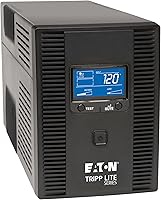
Eaton Tripp Lite OMNI1500LCDT: an 810W ceiling
The Eaton Tripp Lite OMNI1500LCDT provides 810W maximum power and has an LCD that displays wattage load and battery runtime. Its 10 outlets and automatic voltage regulation can suit a computer, workstation, small server or network setup, provided the combined load stays below the rating.
The UPS supports replaceable internal batteries and provides AVR correction for certain low and high voltage conditions without using battery power. Use its displayed load and runtime information to check how your actual setup behaves.
Choose it when your equipment's measured draw fits comfortably below 810W and you need a standard 120V input. Confirm that its outlet layout and circuit fit your installation.
APC BR1000MS: a 600W option for a lighter setup
The APC BR1000MS is rated 1000VA / 600W and has 6 battery backup outlets plus 4 surge-only outlets. Its pure sine wave output and AVR may suit a home office or small network setup whose total load stays within the rating.
APC lists up to 42 minutes of runtime at a 100W load. Treat that as a reference for a light draw, then check the runtime chart for the load you expect to connect.
This unit may be a better fit than a 1500VA model if the equipment load is modest and you do not need more than 600W of output. Keep surge-only devices off the battery outlets if they must remain powered during an outage.
APC Back-UPS Pro Gaming: a 900W option for a high draw
The APC Back-UPS Pro Gaming UPS is rated 1500VA / 900W and has 6 battery backup outlets plus 4 surge-only outlets. Its pure sine wave output and AVR make it a candidate for a gaming PC and related equipment, when their combined draw fits below 900W.
The tilted display shows load and battery status, and customizable RGB lighting is included. Check the total watt draw of the PC, monitor and network gear together, rather than sizing from the computer's power supply label alone.
Choose it if the load needs more than 600W but remains below 900W. Confirm the circuit can support the UPS input and the rest of the equipment connected to it.
What circuit and outlet requirements should you check?
Check the UPS input plug, circuit rating, and other devices sharing that circuit before installation. A UPS cannot safely supply more power than its input circuit and wiring can support.
Read the UPS manual for its input current and plug type. Then identify the branch circuit and other connected loads, including equipment in nearby outlets that may share the same breaker.
Do not use a power strip or extension cord to work around an outlet mismatch unless the UPS maker explicitly allows it. For a fixed installation or a unit with a different plug requirement, ask a qualified electrician to review the circuit.
Also check which outlets provide battery backup and which provide surge protection only. Connect essential loads to battery-backed outlets, and use surge-only outlets for peripherals that can shut off with utility power.
Can a large UPS run a sump pump or a whole house?
A desktop UPS is generally meant for selected equipment, not an entire house. Pumps also have motor startup demands, so check the pump's running and starting requirements against the UPS output and runtime.
A sump pump needs a UPS designed to work with its motor load and expected cycle. Our UPS battery backup for sump pump guide explains the details to check before pairing a battery backup with a pump.
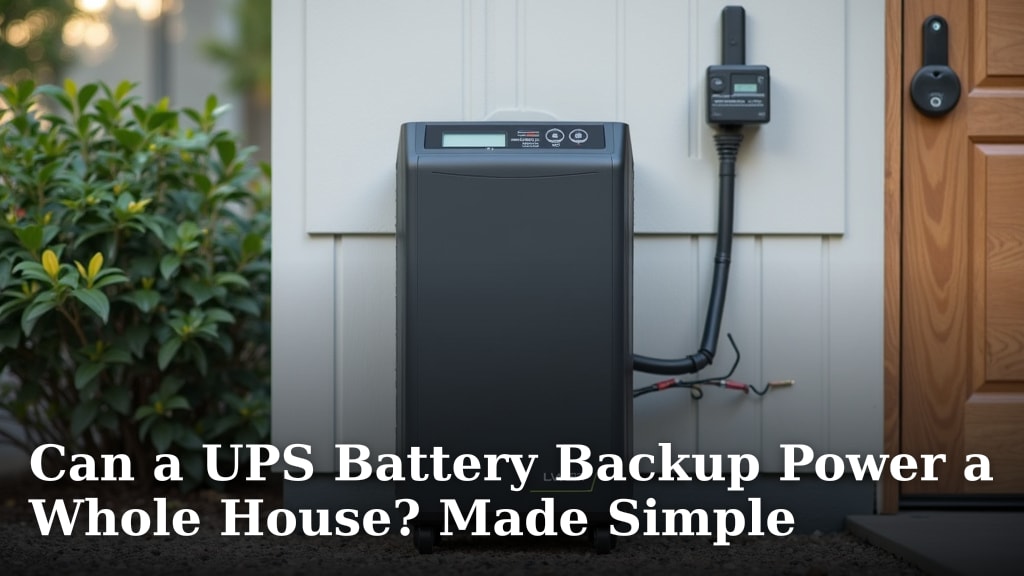
Whole-house backup requires a system designed for the home's service and total demand. A standard UPS with several outlets does not connect to a home's electrical panel or provide whole-house coverage; see [Can a UPS Battery Backup Power a Whole House?
Made Simple](/can-a-ups-battery-backup-power-a-whole-house/) for the practical limits.
How should you choose a large UPS battery backup?
Choose the unit whose watt rating exceeds your measured peak load, whose circuit and plugs fit, and whose runtime covers your planned action. If you need brief time to save and shut down, size around that goal; if you need hours of operation, compare a larger power system.
For a smaller computer or home office load, a 600W unit may be enough. For a larger workstation or network setup, compare 810W and 900W options against the actual load and runtime charts.
When choosing a large UPS battery backup, favor the right watt capacity and runtime for your equipment over the biggest VA number. Then verify the circuit, outlet types and battery-backed outlet count before connecting the load.
Frequently asked questions
How do I size a large UPS battery backup?
Add the running watts of every device you want to keep powered, then choose a UPS with a watt rating above that total. Check startup demand for equipment with motors, confirm the circuit and plug requirements, and compare runtime charts at your expected load before buying.
Is VA or watts more important for UPS sizing?
Watts determine whether the UPS can supply the equipment's real power demand, while VA measures apparent power. Check both ratings and make sure your load stays under each limit; a high VA number alone does not mean the UPS can handle the same number of watts.
How much UPS capacity do I need for a server?
Add the watts for the server, network gear, storage and any monitor that must stay on. Then allow headroom for peak demand and growth, and use the UPS runtime chart to see whether the battery can support the full load for your planned shutdown window.
Can I use a large UPS on a normal outlet?
Some large UPS units use a standard outlet, while higher-capacity models may require a different circuit or plug. Check the UPS input requirements, the branch circuit rating and the other loads on that circuit before connecting equipment.
Will a larger UPS run equipment longer?
A larger UPS may have more battery capacity, but its runtime depends on the specific battery and the load connected. Compare runtime data at your actual watt draw, because runtime falls as the UPS supports more equipment.