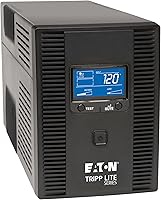
Is a 600VA UPS Battery Backup Enough for Your Equipment?
A 600VA UPS can suit a small load, but VA alone can't tell you if it's enough. Check the UPS's watt limit, add the equipment's actual draw, and use the runtime chart for an estimate.
On this page (7 sections)
A 600VA UPS battery backup can suit a small equipment load, but the VA rating alone doesn't tell you whether it will work. Check its watt limit, add up the equipment's draw and use the model's runtime chart to see how long the battery may last.
A desktop computer, monitor and router might fit some units, while a gaming PC or a laser printer may push the load too high. For motor startup and runtime needs, see choosing a UPS for a sump pump.
Start with the devices you need during an outage, then leave room for the UPS to handle brief power dips and a safe shutdown.
If you're still choosing what should stay connected, our guide to What Can You Plug Into a UPS Battery Backup? A Practical Guide explains how to prioritize the load.
Is a 600VA UPS enough for your equipment?
A 600VA UPS is enough only when both the watt load and expected runtime fit your needs. The exact watt limit varies by model, so look it up rather than treating 600VA as 600 watts.
VA measures apparent power, while watts measure real power used by equipment. A UPS has limits for both, and the watt limit is often the one that decides whether your gear can run safely.
Make a list of everything you want on battery power. Add the watt draw shown on each device or its power supply, then compare the total with the UPS's maximum watt output.
Don't add a device's power supply rating as if it were its constant draw. A supply marked for a high maximum output may use less during normal work, but its actual draw can change with workload.
Leave some capacity unused instead of planning to run at the edge of the UPS limit. That gives you room for changing loads and helps the battery last longer than it would under a heavier load.
How do VA and watts affect UPS sizing?
VA and watts describe related but different parts of electrical load. Use the UPS's watt rating to check power use and its VA rating to check apparent power.
A device can draw fewer watts than its power supply's maximum, but the VA draw may still be higher than its watt draw. This difference depends on the equipment's power factor, so you can't convert VA to watts with one rule that works for every setup.
Use this sequence to check a UPS:
- Find the maximum watt and VA ratings in its manual or on its label.
- Add the running watt draw of the devices you want to protect.
- Check that the total watts stay under the maximum watt rating.
- Check the combined load against the UPS's VA rating if the maker provides that guidance.
- Look at the runtime chart for your load.
A UPS may meet the VA limit but still exceed its watt limit. If either limit is too low, choose a larger UPS or remove equipment from battery-backed outlets.
For a comparison with another compact unit, see Is a 650VA CyberPower UPS Enough for Your Equipment?.
What equipment can fit on a 600VA UPS?
A 600VA UPS can be a reasonable match for a small set of low-draw devices, such as a router, modem or basic office setup, if the combined load fits the model's watt limit. It may be a poor fit for equipment with high startup or peak power needs.
| Equipment group | Sizing points |
|---|---|
| Router and modem | Add both devices' draw; these are often the core load for keeping a small network available |
| Desktop and monitor | Check the computer under your normal workload, then add the monitor |
| Gaming PC and monitor | Check actual draw during demanding use, not only at idle |
| NAS or small server | Include all drives, network gear and any planned shutdown time |
| Laser printer | Check its peak draw during warm-up and printing before connecting it |
| Speakers, lamps or chargers | Count them if they will use battery-backed outlets |
A UPS may have outlets that provide battery backup and other outlets that provide surge protection only. Check the outlet labels and manual so you know which equipment will stay on during an outage.
The goal is to protect the work that matters, not to keep every device running. Our guide to how a UPS battery backup switches to battery power explains what happens when input power drops.
How do you estimate your total load?
Add the watt draw for every device you want to run on battery. If a device shows amps and volts instead of watts, check its manual for its watt use rather than relying on a rough conversion.
If the device has several power modes, measure or check the mode you expect during an outage. A computer running a game, rendering a file or charging connected devices may draw more than it does at rest.
Keep a little room below the UPS limit. If the total is close to the maximum, remove optional equipment or select a larger model.
How long will a 600VA UPS run?
Runtime depends on the UPS model, battery condition and the connected load. A 600VA label cannot tell you how many minutes a particular setup will run.
Use the maker's runtime chart and find the row or graph closest to your expected watt load. If the chart shows several load levels, use the one at or above your estimate.
Runtime usually falls as the load increases. A UPS running a router alone may last longer than the same unit running a computer, monitor and network gear together.
Plan around what you need to do before power returns. Saving work and shutting down may require only a short buffer, while keeping a network or small server available calls for a longer runtime estimate.
Battery age and condition also matter. Follow the UPS manual's battery replacement and maintenance guidance, and don't treat a runtime estimate as a guarantee.
Which UPS size should you choose for rack equipment?
A 600VA UPS may be too small for rack equipment if the total watt draw or runtime needs exceed its limits. Compare your actual load with the UPS capacity before choosing a rack size.
These rack models show how capacity can differ between products. Their stated watt capacities are higher than a typical small UPS, but choose one only after checking your equipment load and runtime needs.
The Eaton Tripp Lite SMART500RT1U is a 1U rack or tower UPS with six UPS-supported outlets and one surge-only outlet. It also has automatic voltage regulation and a controllable outlet for load shedding, which can help you drop a less critical device to extend runtime for priority equipment.
The product description gives runtime figures of 14.6 minutes at half load and 3.2 minutes at full load. Use its runtime chart for your own watt load, since those examples don't predict runtime for every setup.
Choose it for a small rack load that fits its 300W limit. For a larger setup, compare the rack options in our guide to best small rack mount UPS systems.
The Eaton Tripp Lite SMART1500LCD provides 1500VA and 900W capacity, with eight outlets and a rotatable LCD that shows load and runtime. It supports rack mounting in 2U or vertical tower placement.
Its automatic voltage regulation corrects brownouts and overvoltages, and the internal battery is user-replaceable. Check the runtime chart against your actual load before relying on it for a particular outage duration.
Choose it when your load exceeds a small UPS's watt capacity and you have room for a 2U rack unit. Keep your total draw below 900W and confirm the expected runtime.
The APC Smart-UPS 1500VA/900W Rackmount UPS has six battery-backup outlets and a 2U rack design. Its product details describe pure sine wave output and automatic voltage regulation.
Choose it if your equipment needs pure sine wave output and the total load stays within 900W. Verify the expected runtime for your own setup before selecting it.
For larger household circuits or appliances, a UPS is not a whole-house backup system.
See Can a UPS Battery Backup Power a Whole House? Made Simple for the limits.
What should you check before buying?
Check the watt limit, runtime chart, outlet type and physical fit before you choose a UPS. Those details determine whether it can support your equipment and fit where you plan to use it.
- Watt capacity: Compare the limit with your total expected draw.
- Runtime: Find the chart estimate at your load and decide whether it covers saving and shutdown.
- Outlet layout: Confirm you have enough battery-backed outlets for priority gear.
- Output type: Check whether your sensitive equipment needs a specific waveform.
- Connection and shutdown options: Look for USB or network monitoring if your computer needs automatic shutdown.
- Form factor: Measure rack space, depth and clearance if you're installing a rack unit.
The room you have for a UPS matters too. A rack model may use 1U or 2U of rack space, but check its depth and mounting needs before ordering.
How do you decide if a 600VA UPS is enough?
Choose a 600VA UPS only if your total load fits its watt and VA limits and the runtime chart meets your plan. If you need a longer buffer or have a heavy computer load, size up or remove less important equipment.
Start by listing the devices that must stay powered. Add their expected draw, compare it with both UPS limits, then check the model's runtime estimate.
If the load is modest and your goal is a brief window to save work or keep network gear online, a 600VA unit may fit. If you need to run a gaming PC, printer or rack equipment for longer, compare a higher-capacity UPS and its runtime at your actual load.
For help sizing one, see how to size a large UPS battery backup.
Pick the smallest UPS that meets the load and runtime you need with some room to spare. Then check what you can plug into a UPS battery backup to decide which devices belong on battery power.
Frequently asked questions
Is a 600VA UPS enough for a desktop computer?
It may be enough for a desktop computer and a small monitor if their combined watt draw stays below the UPS's watt limit and its runtime chart shows enough backup time. Check the computer's real load during your normal work, then include any router or other equipment you plan to keep running.
How many watts can a 600VA UPS support?
There is no single watt limit for every 600VA UPS, because VA and watts measure different things and each model sets its own watt capacity. Check the UPS label or manual for the maximum watt output, then compare it with the combined draw of the connected equipment.
How long will a 600VA UPS run?
Runtime depends on the UPS model, battery condition and connected watt load. Use the maker's runtime chart for the load you expect, and leave margin for a longer outage or a battery that has aged; the VA number by itself cannot give an accurate runtime.
Can I plug a printer into a 600VA UPS?
A small printer may fit within the watt limit, but laser printers can draw a large amount of power while warming up or printing. Check its peak draw and the UPS maker's guidance before connecting it, and reserve battery outlets for equipment that needs time to save or shut down.
Should I connect a monitor to a UPS?
Connect the monitor if you need to see your work while saving files or shutting down. Include its watt draw in the total load; if the UPS is close to its limit, keep the computer and network gear on battery backup and move less critical devices to surge-only outlets.