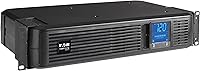
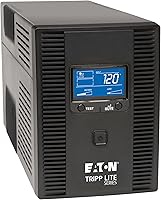
Is a CyberPower 650VA UPS Enough?
A CyberPower 650VA UPS may be enough for a modem, router, or other modest load, but VA alone can't tell you that. Check the UPS's watt limit and the runtime at your actual load before connecting equipment.
On this page (7 sections)
A CyberPower 650VA UPS may be enough for a modem, router, or another modest load, but the watt limit and runtime matter more than the VA number alone. Check the power draw of everything you plan to connect, then compare it with the exact UPS model's limits.
A 650VA rating doesn't tell you how long your equipment will stay on. Runtime depends on the model and the load, so use the maker's runtime information for your expected watt draw.
If you're deciding between nearby capacities, compare the sizing advice in Is a 600VA UPS Battery Backup Enough for Your Equipment?.
For a broader checklist of devices and outlet choices, see What Can You Plug Into a UPS Battery Backup? A Practical Guide.
Is a CyberPower 650VA UPS enough for your equipment?
It can be enough if your equipment's combined watt draw stays below the UPS's watt limit and the runtime suits your needs. Check both numbers for the specific CyberPower model, since a VA rating by itself doesn't guarantee either one.
Add the devices you expect to keep powered during an outage. Include the modem, router, monitor, computer or other equipment that will share the UPS.
Then compare the total load with the UPS's maximum watt output. Leave some room below that maximum so the UPS isn't operating at its limit.
| Equipment plan | What to check |
|---|---|
| Modem and router | Combined watt draw and the runtime you need |
| Computer and one monitor | Total draw for the computer and display together |
| Several office devices | Combined watts for every connected device |
| High-draw equipment | Whether the UPS is rated to support that equipment |
These are planning categories, not a promise that any particular setup will work. The devices' actual draw and the exact UPS model determine whether the combination fits.
How do VA and watts affect UPS sizing?
VA and watts are different ratings, so check the watt limit as well as the VA figure. A 650VA UPS does not necessarily support a 650-watt load.
Watts describe the power the connected equipment uses. VA describes apparent power.
Because the ratings aren't interchangeable, compare your equipment's watt draw with the UPS's stated watt capacity.
Check the labels or manufacturer information for each device. If those sources don't give a clear watt figure, don't assume the device uses its highest possible draw all the time or that its power adapter's maximum equals its typical use.
How long can a 650VA CyberPower UPS run?
Runtime depends on the specific UPS and how much power your equipment draws. A lighter load generally leaves more battery time than a heavier one, but use the maker's runtime information for a useful estimate.
Look for runtime figures at loads close to yours. A runtime estimate at a low load may not apply to a setup with a computer, display and networking equipment connected together.
Also decide what you need the battery time to do. If your goal is to save work and shut equipment down safely, you may need less runtime than someone trying to keep internet service available through an outage.
Batteries age, and actual runtime can change with battery condition. Treat published runtime as a guide, not a guarantee of how long a particular setup will run during a future outage.
What should you connect to a small UPS?
Use a small UPS for equipment that fits within its watt limit and needs brief backup power. Plan the connected devices around the job you need them to do.
A modem and router can be priorities if you need to keep a network available during a short outage. A computer may need a UPS to allow a safe shutdown, but its draw can vary with workload and connected accessories.
Read What Is a Portable UPS? The Complete Guide if you're comparing a stationary battery backup with a portable option.
For network or server equipment that needs a rack format, see Best Small Rack Mount UPS Systems.
Don't connect equipment just because the plugs fit. Check the UPS instructions and watt limit, and avoid treating a backup battery as a way to run every device through a long outage.
How do you check whether the capacity is enough?
Compare the connected load, the watt limit and the expected runtime before choosing. This simple process helps you spot a mismatch before you rely on the UPS.
- List each device you want on battery backup.
- Find the watt draw for each device, then add the figures.
- Check that total against the CyberPower model's maximum watt output.
- Look up runtime at a load close to your total.
- Decide whether that runtime covers your plan, such as saving work or keeping network gear on briefly.
If the total is near the watt limit, choose a UPS with more capacity or reduce the connected load. If the watt capacity works but the runtime is too short, compare a model with a runtime better suited to your needs.
When should you choose more than 650VA?
Choose a larger UPS when your equipment exceeds the model's watt limit or needs more runtime than it can provide. A higher VA rating alone isn't enough; compare watt output and runtime across the specific models.
A computer setup with multiple accessories can add up quickly. Servers, storage devices and other equipment may also need a different capacity or backup plan depending on their power draw and how long they must stay on.
For a small network setup, a 650VA model may be a reasonable starting point if its watt limit and runtime fit your numbers. If either falls short, size up before connecting the equipment.
Is a CyberPower 650VA UPS the right choice?
Choose a CyberPower 650VA UPS if your combined equipment draw fits the model's watt limit and its runtime meets your backup plan. Choose a higher-capacity option if you need more watt headroom or more time on battery.
Start with the equipment's watt draw, then check the exact model's watt rating and runtime at a similar load. That gives you a clearer answer than the 650VA label alone.
Frequently asked questions
Is a 650VA UPS enough for a computer?
It depends on the computer's power draw and the UPS's watt limit. Compare the equipment's measured or labeled watts with the UPS's maximum watt output, then check the runtime at that load.
A computer with a monitor and other accessories can use more power than the computer alone.
Can a 650VA UPS run a modem and router?
A modem and router may fit within a 650VA UPS's capacity, but confirm their combined watt draw against that model's watt limit. Runtime depends on the connected load and battery, so check the runtime information for the setup you plan to use.
Does 650VA mean 650 watts?
No. VA and watts measure different things, and a UPS can have a watt limit lower than its VA rating.
Check the model's stated watt capacity before connecting equipment, and leave room below that limit rather than sizing by VA alone.
How long will a 650VA UPS run?
There is no single runtime for every 650VA UPS. Runtime changes with the model, battery condition and connected load.
Use the manufacturer's runtime information for your expected watt draw, and remember that the UPS is usually meant to give you time to save work or shut down.