How to Choose a UPS Battery Backup for a Sump Pump
A sump pump UPS must handle both the motor’s startup surge and its running watts, with an output waveform the pump accepts. Then compare usable runtime with how long you need the pump to operate during an outage.
On this page (7 sections)
- What should you check before choosing a sump pump UPS?
- Does waveform compatibility matter for a sump pump?
- How much UPS runtime does a sump pump need?
- Which UPS features help with pump backup?
- How should you set up and maintain a UPS for a sump pump?
- How does a UPS switch to battery power?
- How do you choose the right UPS battery backup for a sump pump?
A UPS battery backup for a sump pump needs enough power for motor startup and continuous operation, a waveform the pump accepts, and enough runtime for your outage plan. Check the pump’s electrical requirements first, then match the UPS to those demands.
A pump motor can draw more power at startup than it uses while running. A UPS that looks adequate by its watt rating may still shut down when the motor starts.
This guide covers what to check before connecting a pump. For a broader overview of large UPS battery backup sizing, see our sizing guide.
What should you check before choosing a sump pump UPS?
Check the pump’s voltage, running watts or amps, startup demand, and manufacturer guidance before comparing UPS units. These details determine whether a UPS can start the motor and keep it running.
Find the pump’s nameplate and manual. If the pump’s power is given in amps rather than watts, ask the pump maker or a qualified electrician how to compare it with the UPS’s watt limit; simple conversions may miss motor behavior and startup demand.
The UPS must meet both of these conditions:
- Its continuous output rating must cover the pump’s running load.
- Its short-term surge capacity must handle the motor’s startup demand.
A UPS’s VA rating is not the same as its watt rating. Compare the pump’s demand with the UPS’s watt limit and check surge capability separately.
How do you estimate sump pump startup demand?
Use the pump maker’s stated startup requirement, if available, rather than guessing from its running watts. If the manual does not give startup information, ask the pump maker or an electrician to help verify compatibility.
Motors can briefly draw more power as they start than after they reach normal speed. This startup surge can trigger an overload even when the running load appears to fit under the UPS’s rating.
Do not assume that a UPS with a higher VA number will handle every motor. Check the actual watt and surge specifications, and follow the UPS maker’s rules for motor loads.
Why does continuous output matter?
The UPS’s continuous watt rating must be at least as high as the pump’s operating demand, with room for any additional devices you plan to connect. A rating below that demand can cause overload or shutdown.
Keep the pump’s UPS outlet dedicated to the pump when practical. A router or alarm may seem like a small extra load, but every connected device uses some of the UPS’s limited output and battery capacity.
Does waveform compatibility matter for a sump pump?
Yes. Check that the UPS output waveform is suitable for the pump’s motor and controls, using instructions from both manufacturers.
Pure sine wave output is a useful feature to compare for motor-driven equipment. It does not by itself prove that a particular pump will work with a particular UPS, since startup demand, continuous output and switching behavior also matter.
The APC BR1000MS provides pure sine wave output and has a 600 W maximum power rating. Its stated runtime of up to 42 minutes is at a 100 W load, so it should not be treated as a runtime estimate for a sump pump.
Before buying, confirm the pump maker permits UPS use and the UPS maker permits motor loads. If either maker does not address the pairing, ask them before connecting the pump.
How much UPS runtime does a sump pump need?
Choose runtime based on how long you need the pump to keep working during an outage, not on an estimate for a different device. Pumping frequency, water inflow and battery condition all affect how long the UPS can help.
A UPS runtime chart usually depends on the connected load. The APC BR1000MS figure of up to 42 minutes applies to a 100 W load, while the APC gaming UPS gives no pump-specific runtime in the information available here.
Sump pumps also cycle: they run when water reaches a set level, then stop when it falls. The time spent running can change with rainfall, drainage and groundwater, so an estimate based only on average draw may not match a heavy storm.
How do you compare runtime estimates?
Start with an estimate of the pump’s running demand and how often it may cycle. Then compare that load with the UPS maker’s runtime information, while checking that startup surge is within limits.
Treat runtime as a planning estimate, not a guarantee. Battery age, temperature, load and charging condition can affect the time available during an outage.
Avoid connecting other devices to the same battery outlets unless you have included their load in your runtime estimate. For help deciding what belongs on a backup unit, see what you can plug into a UPS battery backup.
What if the outage may last longer than the UPS runtime?
A UPS can provide a limited window of backup power, so plan for a longer outage before one happens. Consider a backup pumping method suited to your home and keep the pump’s discharge route clear.
Some households may need a second pump or a generator-compatible setup, but those choices depend on the pump, home wiring and local rules. A UPS does not replace a long-term outage plan.
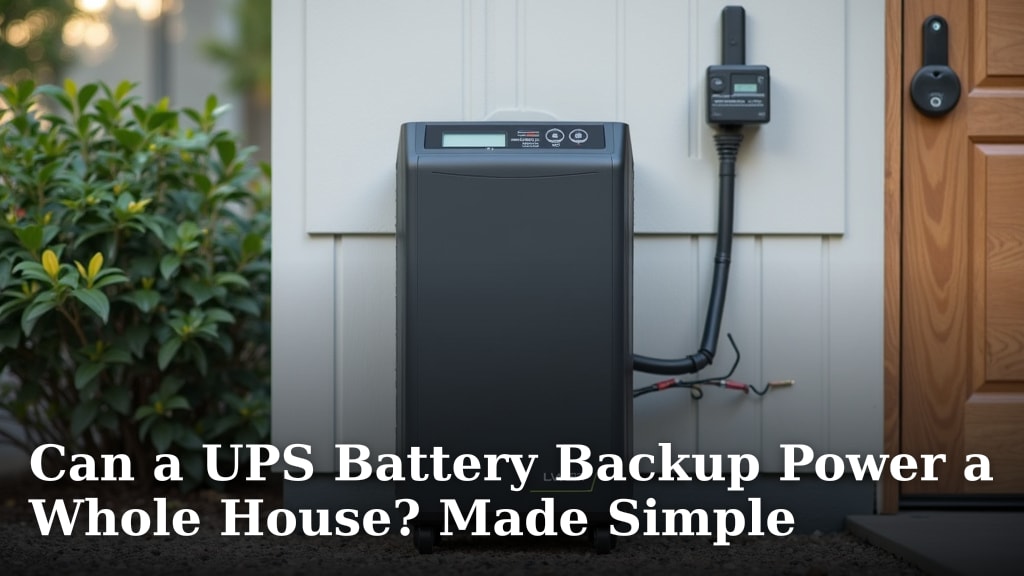
Our guide, Can a UPS Battery Backup Power a Whole House? Made Simple, explains why a UPS’s capacity limits what it can keep running.
Which UPS features help with pump backup?
Look for clear load and runtime information, an appropriate output rating, and battery status details. These features help you understand whether the pump fits and whether the unit is ready to provide backup.
A display that reports watts, runtime and battery status can make it easier to check the UPS under normal conditions. It cannot replace a compatibility check or prove that the unit can handle motor startup.
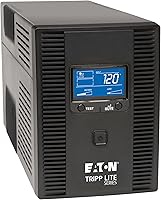
The Eaton Tripp Lite OMNI1500LCDT has an 810 W maximum, an LCD that shows runtime and wattage load, and user-replaceable internal batteries. Its listed battery average life is 7.5 minutes, but that figure is not a sump pump runtime guarantee.
The APC Back-UPS Pro Gaming model has a 900 W maximum, pure sine wave output and a display for runtime and load. Those features make it another model to compare against verified pump requirements, not a confirmed sump pump pairing.
How should you set up and maintain a UPS for a sump pump?
Place the UPS where it stays dry, ventilated and accessible, and follow both manuals for installation and battery care. Keep connections away from water and avoid placing the unit where flooding could reach it.
Before relying on the setup, check the battery status and confirm the pump is connected to a battery-backed outlet. Test only as directed by the manufacturers; don’t disconnect household power or simulate a flood unless the manuals say how to do it safely.
Inspect the battery and UPS regularly according to their care instructions. Replace a battery when the manufacturer’s guidance or UPS alerts indicate it is due, and recheck the setup after replacing it.
A UPS does not correct an unsuitable pump installation or blocked discharge line. Keep the pump maintained and make sure water has a clear path away from the home.
How does a UPS switch to battery power?
A UPS detects a power problem and switches its protected outlets to battery power, but the transition and supported load depend on the model. Check the UPS manual for its behavior and any limits that may affect a pump motor.
A pump may not restart cleanly if the UPS cannot handle its startup surge, even if the unit has enough capacity for the pump’s running load. Test the approved setup under safe conditions so you can spot an overload or compatibility issue before an outage.
For more on the transition process, read how a UPS battery backup switches to battery power.
How do you choose the right UPS battery backup for a sump pump?
Choose a UPS only after confirming startup demand, continuous watts, waveform compatibility and the runtime you need. If a pump maker or UPS maker cannot confirm the pairing, ask before connecting them.
Use a higher watt rating as a screening point, not proof of compatibility. Pick a model only when its output and surge limits suit the pump, and build a separate plan for outages that last longer than the expected battery runtime.
For sizing questions beyond one pump, start with our large UPS battery backup guide and compare the load you need to keep running.
Frequently asked questions
Can a regular UPS run a sump pump?
A regular UPS can run a sump pump only if its continuous watt rating covers the pump’s running draw and its surge capacity can handle motor startup. Check the pump manual and UPS maker’s compatibility guidance, including waveform and transfer behavior.
A UPS that powers a computer may still be unsuitable for a pump.
Does a sump pump need a pure sine wave UPS?
A pure sine wave UPS is a sensible starting point for a sump pump because motor-driven loads can respond differently to modified waveforms. Check the pump maker’s instructions and the UPS specifications before connecting them.
Waveform compatibility alone does not confirm that the UPS can handle startup current.
How long will a UPS run a sump pump?
Runtime depends on the pump’s actual load, how often it cycles, battery capacity, battery condition and other connected devices. Use the UPS runtime estimate at a load near the pump’s demand, then allow for startup surges and battery aging.
A published estimate for a small electronics load does not predict pump runtime.
Can I plug a sump pump into a computer UPS?
Only if both manufacturers allow that use and the UPS can supply the pump’s startup surge, continuous load and required waveform. Many computer UPS units are sized for electronics, and their runtime figures may use a much smaller load.
Check the pump and UPS manuals before connecting them.
What else should I consider during a power outage?
A UPS only helps while its battery can power the pump, so plan for outages longer than the expected runtime. Keep the pump’s discharge path clear, maintain the battery as directed, and consider a backup pumping method suitable for your home.
Never run a fuel-powered generator indoors or in an enclosed space.