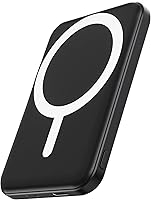
Power Bank vs Power Station: Which Do You Need? (November 2026)
Pick a power bank for pocket charging and a power station for AC and larger backup power. In this power bank vs power station comparison, the right choice depends on the devices you charge, how long you need power, and how much weight you will carry.
On this page (12 sections)
- Power bank vs power station: the quick verdict
- The two side by side
- Capacity: phones versus household devices
- Size and weight: what you will actually carry
- Outlets and devices: USB only or AC too
- Charging speed: how fast each refills
- Solar charging: handy backup or main source
- Battery life and long-term use
- Safety, care and setup in general terms
- Who should buy a power bank
- Who should buy a power station
- The verdict for power bank vs power station
Pick a power bank for pocket charging and a power station for AC and larger backup power. This power bank vs power station guide compares capacity, weight, outlets and charging speed so you can match the device to the job, not just buy the biggest number.
A power bank charges phones, earbuds and tablets through USB or wireless charging. A power station stores far more energy in watt-hours and adds AC outlets for laptops, lights, fridges and other household devices.
We compared the specs, features and buyer feedback for 2 power banks and 2 power stations.


Power bank vs power station: the quick verdict
Power banks win for portability, and power stations win for device range and runtime. The gap is large, since the largest power bank here stores 20,000mAh while the larger power station stores 1,070Wh.
A 20,000mAh power bank weighs 12.45 ounces and fits in a jacket pocket. The Jackery Explorer 1000 v2 weighs 23.8 lb and needs a bag, a car boot or a fixed spot at home.
Choose the BLAVOR Solar Power Bank for solar top-ups and a flashlight in a 9.3 ounce unit. Choose the Anker Zolo Power Bank for more phone charges and 30W fast charging without a panel.
Choose the Jackery Explorer 300 for camping with a laptop, drone or camera at 7.5 lb. Choose the Explorer 1000 v2 to run a fridge or several appliances during an outage.
The two side by side
The table shows a weight and outlet gap, not just a capacity gap. That gap decides what you can charge and where you can carry it.
| Feature | BLAVOR Solar Power Bank | Anker Zolo Power Bank | Jackery Explorer 300 | Jackery Explorer 1000 v2 |
|---|---|---|---|---|
| Capacity | 10,000mAh | 20,000mAh | 292Wh | 1,070Wh |
| Weight | 9.3 ounces | 12.45 ounces | 7.5 lb | 23.8 lb |
| AC outlets | None | None | 2 | 3 |
| Fast charging | 20W USB-C output | 30W output, 20W input | 100W USB-C PD | 100W USB-C PD |
| Solar charging | Built-in panel | None | Panel optional | Jackery panels only |
| Best use | Day hikes and phone top-ups | Travel and long days | Camping and light backup | Home backup and RV use |
The BLAVOR and Anker charge through USB and, for the BLAVOR, wireless charging. Both Jackery models add pure sine wave AC outlets, which power banks do not offer.
If you only charge a phone, a power station is heavier power than you need. If you need AC, a power bank cannot do the job at all.
A power bank battery guide helps you read mAh numbers before you compare them with watt-hours on a station.
Capacity: phones versus household devices
Capacity decides how many charges you get, and the unit decides what you can charge. Power banks use milliamp-hours, while power stations use watt-hours, so do not compare the numbers directly.
The BLAVOR holds 10,000mAh. BLAVOR says that can charge an iPhone 8 about 3.6 times, an iPhone 14 Pro about 2.2 times and an iPad Air once when fully charged.
The Anker Zolo holds 20,000mAh. Anker says it can charge an iPhone 15 up to 4 times or a Samsung S24 about 3.79 times.
Anker also notes efficiency losses, so a fully charged 20,000mAh unit typically delivers about 11,000mAh to 14,000mAh to your device.
The Jackery Explorer 300 holds 292Wh. Jackery gives a useful runtime formula: working time equals 300Wh times 0.85 divided by the device power in watts.
A 60W device would run for about 4.3 hours on that estimate.
The Explorer 1000 v2 holds 1,070Wh. That is more than 3 times the Explorer 300, so the same 60W device would run for well over 12 hours on the same formula, before real-world losses.
How to estimate your own charges
Use Anker's formula for phones: power bank capacity times 0.65, divided by your device battery capacity. An iPhone 15 with a 3,877mAh battery would get about 1.67 charges from a 10,000mAh bank on that basis.
For a power station, add up the watts for every device you plan to run at once, then divide the station capacity by that total. A station that looks large enough for one device can run flat quickly when you add a second load.
Size and weight: what you will actually carry
Power banks are pocket items, and power stations are carry items. Weight hits most buyers before capacity does.
The BLAVOR measures 5.91 x 3.07 x 0.87 inches and weighs 9.3 ounces. Clip it to a pack with its compass carabiner or drop it in a pocket for a day hike.
The Anker Zolo measures 4.72 x 2.89 x 1.24 inches and weighs 12.45 ounces. It is thicker than the BLAVOR but still fits a coat pocket.
The Explorer 300 weighs 7.5 lb at 9.1 x 5.2 x 7.8 inches. Its integrated handle suits car camping, but you will feel it on a long hike.
The Explorer 1000 v2 weighs 23.8 lb at 12.87 x 8.82 x 9.72 inches. Keep it in a car, an RV or a fixed home spot.
If you walk to a campsite, the power banks win. If you drive, the stations give you AC power a pocket bank cannot match.
Our guide to the best power bank for camping lists pocket options that suit weight limits on the trail.
Outlets and devices: USB only or AC too
Outlets decide the device list more than capacity does. A power bank charges USB devices, while a power station also runs AC devices.
The BLAVOR offers USB-C with 20W fast charging, USB-A, built-in cables and 10W wireless charging. BLAVOR says it can charge 3 devices at once, including iPhone, iPad, Samsung, Switch and mini fans.
The Anker Zolo has USB-C with 30W output and a built-in 5.98 inch USB-C cable. Its low-current mode charges earbuds after a double tap on the power button.
The Explorer 300 has 2 AC outlets, a 100W USB-C PD port, 2 USB-A ports and a 120W car port. Jackery rates it at 300W output with a 600W peak surge for laptops, drones and cameras.
The Explorer 1000 v2 has 3 AC outlets, 2 USB-C ports, 1 USB-A port and a DC car port. It gives 1,500W AC output with a 3,000W surge peak for fridges, AC units and electric pots, according to Jackery.
If your list includes a wall plug laptop charger, you need a station.
Charging speed: how fast each refills
Speed matters when you have a short stop to recharge. Check how fast each device charges your phone and how fast you recharge it.
The BLAVOR charges an iPhone 15 to 65% in 30 minutes through its 20W USB-C output, according to BLAVOR. Its solar panel has a maximum of 1.15W, so solar charging is slow, and BLAVOR advises using a cable as the main way to recharge the bank.
The Anker Zolo gives 30W output and 20W input. Anker says it boosts an iPhone 15 from 0% to 57% in 30 minutes and refills the bank in about 5.1 hours with a 20W fast charger.
The Explorer 300 charges in about 3 hours through its 100W USB-C port. Jackery says it reaches 80% in about 2.8 hours with a 100W solar panel, or about 7.5 hours with a 40W panel.
The Explorer 1000 v2 charges from 0% to 100% in 1 hour in emergency mode through the Jackery app. It defaults to 1.7 hours to protect battery health.
A best fast charging power bank guide helps if speed is your top priority for phone charging.
Solar charging: handy backup or main source
Solar is a backup source on these models, not a full replacement for wall charging. That applies to the small BLAVOR panel and the optional Jackery panels.
The BLAVOR has a built-in solar panel with IPX5 waterproof, dustproof and shockproof design. Its dual flashlights and compass carabiner suit hiking and emergency use.
Its panel delivers a maximum of 0.23A, or 1.15W. Treat solar as an emergency top-up, not a way to refill the bank each day.
The Anker Zolo has no solar panel. For solar input, you need a different model or a separate panel and cable setup.
The Explorer 300 works with Jackery solar panels, sold separately. The Explorer 1000 v2 is compatible only with Jackery solar panels for solar charging.
For multi-day off-grid trips, a panel can keep a station topped up during the day. For a single day out, wall charging before you leave is faster and more reliable.
Our roundup of the best solar power banks compares built-in panels for pocket charging.
Battery life and long-term use
Battery chemistry affects how many cycles you get before capacity fades. That matters more for a station you use for years.
The Explorer 300 uses LiFePO4 chemistry. Jackery says it delivers over 4,000 charge cycles before reaching 70% capacity, linked to more than 11 years of service life.
The Explorer 1000 v2 uses an LFP battery. Jackery says it maintains over 70% of its original capacity after 4,000 charge cycles, with a lifespan over 10 years.
The BLAVOR uses a lithium-cobalt battery. BLAVOR says it gives 50% more cycling times than a normal lithium-polymer battery, a maker claim rather than a tested result for this unit.
The Anker Zolo uses lithium polymer. Anker focuses on ActiveShield 2.0, which monitors temperatures 3 million times per day and adjusts output.
A guide explaining what is a power inverter in a UPS helps you understand the AC side of a station.
Safety, care and setup in general terms
Store both types part-charged, keep vents clear and follow the manual for charging limits. Simple care extends battery life on either device.
Charge a power bank with a cable that matches its input rating. The Anker Zolo needs about 5.1 hours on a 20W charger, so a low-watt charger will take longer.
Keep a power station away from heat and moisture, and let it breathe during use. The BLAVOR is IPX5 rated, but that does not mean you should soak any of these devices.
For the Explorer 1000 v2, enable emergency charging in the Jackery app before each fast charge. The default 1.7 hour mode is set to optimize battery health.
Do not run a station beyond its rated watts. The Explorer 300 shuts off if overloaded, and the Explorer 1000 v2 is rated at 1,500W with a 3,000W surge peak.
A fridge or electric pot can use far more power at startup than a phone, so add up the load first.
If you want a light for night use, our best power bank with light guide lists models built for that job.
Who should buy a power bank
Buy a power bank if you charge phones, earbuds or tablets and carry everything in a pocket or small bag. The BLAVOR and Anker suit different parts of that use.
Choose the BLAVOR Solar Power Bank if you hike, camp or work outdoors and want solar backup, wireless charging and a flashlight. It is the lightest of the 4 at 9.3 ounces.
Choose the Anker Zolo Power Bank if you travel, commute or work long days and want more charges. Its 20,000mAh capacity and built-in cable reduce the gear you need to carry.
Skip a power bank if you need AC power for a laptop, a CPAP machine, a fridge or lights. A power bank cannot run those devices, no matter how large its mAh number looks.
Our power bank vs solar charger guide helps if your main question is about solar input versus cable charging.
Who should buy a power station
Buy a power station if you need AC outlets, longer runtime or the ability to run household devices. The 2 Jackery models cover light camping and heavier home backup.
Choose the Jackery Explorer 300 if you camp by car, travel with a camera or drone, or want a light backup unit. At 7.5 lb, it is the station you can move without a trolley.
Choose the Jackery Explorer 1000 v2 if you want to run a fridge, several appliances or medical devices during an outage. Its 1,070Wh capacity and 1,500W output support much larger loads.
Skip a power station if you only charge a phone in your pocket. You would carry 7.5 lb or 23.8 lb for power you could get from a 12 ounce bank.
For laptop-focused backup, our best big power bank for laptop guide covers high-capacity USB options.
The verdict for power bank vs power station
Choose by device list first, then by weight, then by capacity. In this power bank vs power station test of specs, the outlet gap matters more than the headline number.
Pick the BLAVOR Solar Power Bank for outdoor phone charging with solar backup and a flashlight. Pick the Anker Zolo Power Bank for more phone charges and 30W fast charging in a pocket size.
Pick the Jackery Explorer 300 for camping and light backup with AC outlets at 7.5 lb. Pick the Explorer 1000 v2 for home backup, RV use and larger appliances with 1,070Wh and 1,500W output.
If you still feel torn, list every device you charge in a normal week. If that list is phones and earbuds only, buy a power bank.
If it includes anything that plugs into a wall, buy a power station.
About this guide: we compared specs and features for power bank versus power station options, with scores based on capacity, outlets, weight and charging speed.
Frequently asked questions
Is a power bank or a power station better for camping?
A power station is better for camping when you need AC power, lights or a laptop for hours, while a power bank is better for phones and earbuds you carry in a pocket. The Jackery Explorer 300 gives 292Wh and AC outlets, while the Anker Zolo gives 20,000mAh for repeated phone charges.
Can a power bank run a laptop or a fridge?
A power bank charges phones and small USB devices, but it has no AC outlet for a laptop charger or a fridge. A power station such as the Jackery Explorer 1000 v2, with 1,500W output and 3 AC outlets, is built for those larger loads.
How long will a power station run my devices?
Runtime depends on capacity and device draw, and you can estimate it with capacity times 0.85 divided by device watts. For the Explorer 300, a 60W device gives about 4.3 hours, while the 1,070Wh Explorer 1000 v2 will run the same device much longer.
Do I need a solar panel with a power station?
You do not need a panel to use a power station, since you can charge it from wall power, a car port or USB-C depending on the model. A solar panel helps when you stay off-grid for several days, and Jackery states its Explorer 300 reaches 80% in about 2.8 hours with a 100W panel.