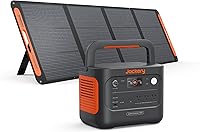
Can You Use an Anker SOLIX Power Station as a UPS?
Some Anker SOLIX power stations can provide UPS-style backup, but model support, switchover time, output limits, and operating rules decide whether they're suitable for your equipment. Check the exact SOLIX manual before connecting a computer, NAS, router, or other sensitive load.
On this page (9 sections)
- How does an Anker SOLIX UPS mode work?
- Which devices can use an Anker SOLIX as a UPS?
- Does the switchover time matter?
- Can a portable power station handle a laptop or router?
- What output limits should you check?
- Is pure sine wave output important?
- Can an Anker SOLIX power a Starlink Mini during an outage?
- Is a UPS battery backup the same as a power strip?
- What should you choose for an Anker SOLIX UPS setup?
Some Anker SOLIX power stations can work as a UPS, but you must confirm the exact model's UPS mode and switchover time before connecting important equipment. Compare portable power stations with UPS functions for other models.
A power station with an AC output is not automatically a computer UPS.
The key difference is what happens when utility power fails. In UPS mode, the station detects the outage and changes to battery output.
That change must happen quickly enough for the connected device to stay on.
How does an Anker SOLIX UPS mode work?
An Anker SOLIX works as a UPS only when its model supports a suitable pass-through or UPS function. In that mode, your equipment receives power while the station monitors incoming utility power and supplies battery power when the input fails.
Check the manual for the exact transfer time. A short transfer may suit many routers, monitors, and power supplies, while a longer interruption can restart a desktop computer, storage device, modem, or network appliance.
The phrase “UPS” also does not describe every protection feature. Some power stations focus on portable energy storage, solar charging, and AC output, while a dedicated UPS adds features such as automatic voltage regulation, battery-backed outlet groups, status monitoring, and a stated transfer design.
For a wider comparison, see our guide to portable power station vs UPS.
Which devices can use an Anker SOLIX as a UPS?
An Anker SOLIX is most useful as UPS-style backup for equipment that can tolerate its transfer behavior and stays below its continuous output limit. Routers, modems, small monitors, chargers, and some laptops are common examples, but the exact setup still needs a wattage check.
Sensitive equipment needs more care. Desktop computers with active power factor correction, NAS units, network switches, medical equipment, and devices with motors may react differently to a portable station's transfer time, waveform, grounding, or operating mode.
Read the equipment label or power adapter before connecting it. Add the running wattage of every device, leave headroom below the station's continuous rating, and allow for startup demand from devices that draw more power briefly.
Our guide to the best portable power station explains the capacity, output, and connector checks that matter before you choose a station.
Does the switchover time matter?
Yes. Switchover time is one of the most important Anker SOLIX UPS details.
A device may remain powered through a very brief change, or it may shut down if its power supply needs uninterrupted input.
Do not assume that a power station's USB charging, AC output, or pass-through feature means it has the same behavior as a computer UPS. Look for a model-specific transfer specification and any warnings about sensitive loads.
A dedicated UPS can be easier to match because its design centers on outage response. The APC UPS 1000VA/600W Pure Sine Wave UPS has 1000VA and 600W capacity, pure sine wave output, automatic voltage regulation, 6 battery backup outlets, and 4 surge-only outlets.
It also has an LCD that shows load and remaining runtime, plus up to 42 minutes of runtime at a 100W load. That runtime figure is tied to the stated load, so a larger load will change the result.
The APC unit is a better fit when you want a purpose-built UPS with a stated outlet layout and pure sine wave output. It is less suitable when you need a lightweight station for outdoor use or portable charging.
Can a portable power station handle a laptop or router?
A portable power station can handle a laptop or router when its output rating and connections match the load. For short outages, the main question is often whether the device stays powered during the change to battery mode.
The Jackery Explorer 300 Portable Power Station has 292Wh capacity, 300W rated output, 2 AC outlets, a 100W USB-C PD port, 2 USB-A ports, and a 120W car port. It weighs 7.5 lb and includes an AC adapter, car charger cable, and user guide.
Its solar panel is optional and not included.
Jackery gives a working-time formula of 300Wh multiplied by 0.85 and divided by device power. Its example for a 60W device is about 4.3 hours, but actual use changes with the device and operating conditions.
This model suits portable backup better than a permanent office UPS. It can charge devices while it recharges, but you still need to confirm whether its power behavior meets the needs of equipment that cannot tolerate an interruption.
For laptop-focused choices, see the best portable power station for laptop. For a compact satellite setup, compare the best portable power station for Starlink Mini.
What output limits should you check?
Check continuous watts, peak or startup demand, battery capacity, outlet type, and operating instructions. A station can have enough watt-hours for long runtime but still fail to start a device that needs more watts at startup.
Keep the total load below the station's rated output. The Jackery Explorer 300 is rated for 300W and can shut off if overloaded, so a group of chargers and small electronics still needs a combined wattage check.
Also check whether the station may be used in pass-through mode for the period you need. Some models may restrict continuous pass-through, charging while loaded, or use in hot, enclosed, wet, or poorly ventilated locations.
Never connect a generator, inverter, or power station to a wall outlet through a male-to-male cable. For home circuits, transfer equipment must be selected and installed correctly.
Our guide to the best Anker SOLIX transfer switch covers the separate issue of connecting backup power to selected circuits.
Is pure sine wave output important?
Pure sine wave output is the safer match for many modern computer power supplies and sensitive electronics. It does not, by itself, guarantee that a power station is a complete UPS, because transfer behavior and operating limits still matter.
The APC Smart-UPS 1500VA/900W Line Interactive UPS with SmartConnect, SMC1500C, provides 1500VA and 900W capacity with pure sine wave output. It has 8 NEMA 5-15R outlets, 6 battery-backed and surge-protected outlets, automatic voltage regulation, and a switchable outlet group.
This APC model suits equipment that needs more capacity than a 600W UPS can provide. Its tower design, 20.1 kg weight, and 17.28 x 6.73 x 8.62 in dimensions make it a fixed equipment choice rather than a carry-around power station.
SmartConnect provides remote monitoring through a secure portal, with automatic notifications, firmware updates, and advanced support services. APC also states a 2-year repair-or-replace warranty excluding the battery, a 2-year battery warranty, and connected-equipment protection.
Use a dedicated UPS when your priority is predictable outage protection for a computer, server, or network closet. A portable station makes more sense when you also need rechargeable off-grid power and carry-friendly connections.
Can an Anker SOLIX power a Starlink Mini during an outage?
An Anker SOLIX can power a Starlink Mini setup if the station provides the required output and the complete setup stays within its limits. The important checks include the Starlink hardware, power adapter, cable path, startup demand, and whether the station's UPS mode keeps the connection alive.
Keep the station ventilated and avoid placing it where rain, heat, or condensation can reach the unit. Estimate runtime from usable watt-hours and the real draw of the complete setup, not just the router or terminal's nominal rating.
A brief outage can still interrupt service if the station's transfer time causes the Starlink equipment to reboot. If connectivity must remain available, consider a dedicated UPS for the network equipment and use a portable station for longer backup only when the complete system supports that arrangement.
Is a UPS battery backup the same as a power strip?
No. A UPS battery backup stores energy and can power selected outlets during an outage.
A power strip mainly adds outlets, and surge protection alone does not keep equipment running when utility power stops.
The difference matters when you are protecting a desktop computer, modem, NAS, or router. See [Is a UPS Battery Backup the Same As a Power Strip?
Explained](/is-a-ups-battery-backup-the-same-as-a-power/) for the functions each device provides.
You should also understand the inverter inside the backup system. Our guide explains what a power inverter in a UPS does and why output quality matters for connected equipment.
What should you choose for an Anker SOLIX UPS setup?
Choose an Anker SOLIX for UPS-style backup when the exact model supports the mode, its transfer time suits your equipment, and its output rating leaves enough headroom. Confirm those points in the model manual before relying on it for a computer or network system.
Choose the APC 1000VA/600W model for a home office that needs pure sine wave output, AVR, a stated battery-backed outlet layout, and an LCD. Choose the APC 1500VA/900W model for larger network or server equipment that needs more capacity and SmartConnect monitoring.
Choose the Jackery Explorer 300 when portability, 292Wh capacity, USB-C charging, and a 300W output matter more than dedicated UPS controls. For sensitive equipment or an outage-critical connection, a purpose-built UPS is usually the clearer match.
The right answer to “anker solix ups” depends on the model and device. Match the transfer behavior first, then check watts, runtime, output type, ventilation, and safe connection methods before you plug in important equipment.
Frequently asked questions
Can an Anker SOLIX power station replace a UPS?
Sometimes, but not automatically. A SOLIX model must support the needed UPS or pass-through mode, and its switchover time must suit the connected equipment.
Check the model manual for transfer behavior, output limits, grounding rules, recharge conditions, and whether the mode is intended for continuous use.
Is Anker SOLIX UPS mode safe for a desktop computer?
It may be suitable if the exact SOLIX model supports UPS operation and produces the waveform your computer power supply accepts. A dedicated pure sine wave UPS remains the clearer choice when you need known transfer behavior, automatic voltage regulation, and battery-backed outlets designed for computer equipment.
Can I use an Anker SOLIX as a UPS for Starlink Mini?
You can use it as backup power if the SOLIX output supports the Starlink Mini setup's voltage and wattage needs. Check the station's continuous output, any startup demand, cable or adapter requirements, and UPS mode behavior before relying on it during an outage.
What is the main weakness of a portable power station used as a UPS?
The main weakness is uncertainty between models. A portable station may have a longer transfer time, limited pass-through rules, cooling or recharge limits, or an output mode that does not suit every sensitive device.
A dedicated UPS gives you a more specific protection design for short power interruptions.