How to Use an EcoFlow DELTA 3
To use an EcoFlow DELTA 3, charge it first, connect devices within its output limits, and use the display or app to monitor power. Start with a simple load before relying on it during an outage.
On this page (8 sections)
- How do you set up an EcoFlow DELTA 3?
- How do you charge an EcoFlow DELTA 3?
- How do you control the DELTA 3 outputs?
- How do you choose devices for the DELTA 3?
- How do you use the DELTA 3 during a power outage?
- What should you check after connecting a load?
- How do you store and care for an EcoFlow DELTA 3?
- What is the simplest way to use an EcoFlow DELTA 3?
To use an EcoFlow DELTA 3, charge the station, turn on the output you need, connect devices within the rated limits, and monitor the display or app. Begin with low-power electronics, then add other devices one at a time after confirming that the station stays within its limits.
The DELTA 3 is a portable power station, so it stores energy before you need it. Your setup may use wall charging, solar charging, or another supported input method.
Always match the cable, source, and settings to the instructions for your exact model.
How do you set up an EcoFlow DELTA 3?
Set up the DELTA 3 in a dry, ventilated place with clear access to its ports and controls. Keep it away from water, blocked vents, direct heat, and areas where the unit could be knocked over.
Before connecting anything, inspect the power station, charging cable, and device cords. Read the safety section of the manual, then place the station where you can see its display and reach the controls.
A simple first setup looks like this:
- Put the DELTA 3 on a stable surface.
- Connect an approved charging source.
- Turn the station on and check the battery indicator.
- Charge it before depending on it for backup power.
- Turn on only the output group you need.
- Connect one device and check the output reading.
- Add more devices only after checking their combined demand.
If you are comparing models before buying, our portable power station buying guide explains capacity, output, charging, and portability in plain terms.
How do you charge an EcoFlow DELTA 3?
Choose a charging method that matches the DELTA 3 manual, then confirm that the display shows incoming power. Wall charging is useful for preparation, while solar charging can help when grid power is unavailable.
Keep the station turned off or in the charging mode recommended by the manual. Do not force a plug into a port, use damaged cables, or connect an unknown power source.
For solar charging, place the panels where they receive direct, unobstructed light. Shade, clouds, panel angle, and cable connections can change the input shown on the display.
Keep the panels and connections arranged as the manufacturer directs.
Solar panels are not automatically interchangeable. Check voltage, current, connector type, and the DELTA 3 input range before connecting a panel or panel kit.
Can a 200-watt solar kit help with portable power?
A 200-watt solar kit can help charge compatible 12-volt or 24-volt systems when its voltage and connector requirements match the power station or charge controller. It is more suited to planned solar setups than to a quick plug-in charge.
The ECO-WORTHY 200 Watts 12 Volt/24 Volt Solar includes 2 100-watt monocrystalline panels, a 30A PWM charge controller, mounting brackets, solar cables, 2-in-1 connectors, and a tray cable. Its aluminum frame, MC4 connector, 200-watt maximum power, and 12-volt output describe the kit's intended setup.
The panels measure 35.2 x 23.1 x 1.3 in and weigh 31.6 lb. ECO-WORTHY gives the kit applications including RVs, campers, vehicles, caravans, cabins, sheds, and other off-grid uses.
Check the DELTA 3's solar input requirements before using this kit. The charge controller and panel wiring do not remove the need to match the station's allowed input range.
For another EcoFlow-focused comparison, see our guide to the best EcoFlow power station.
How do you control the DELTA 3 outputs?
Turn on only the output type your device needs, then watch the station's output reading. AC outlets, USB ports, and DC outputs serve different device plugs, so use the correct port instead of relying on adapters whenever possible.
Connect phones, tablets, lights, cameras, and similar electronics to the matching USB or low-power output when available. Use AC outlets for devices that require a standard wall-style plug, but check their running and startup wattage first.
Add devices one at a time. If the station warns about overload, disconnect the newest or highest-draw device and check the appliance requirements before trying again.
The display can help you track battery level, input, output, and warnings. If the model supports app control, use the app settings described in the manual and keep the station close enough to maintain its connection.
Our guide to how to use an EcoFlow DELTA 2 covers a similar setup process for the previous model. For a model comparison, see EcoFlow DELTA vs DELTA 2.
How do you choose devices for the DELTA 3?
Choose devices by total running wattage and startup demand, not by the plug shape alone. A device can fit the outlet and still exceed the station's output limit.
Make a short load list before an outage. Write down each device's wattage, decide which ones must run together, and leave capacity for startup surges.
Motors, compressors, heaters, and kitchen appliances may need more power when they start.
Use the station for priority loads first. Phones, internet equipment, lamps, small electronics, and medical equipment should be considered separately, with any health-related equipment checked against its own instructions and backup plan.
Never connect a power strip loaded with unknown devices just to increase the number of appliances. A strip adds outlets, not available power.
Can a smaller power station handle basic electronics?
A smaller station can suit light electronics when its capacity and output match the planned load. It may be easier to carry, but it gives you less stored energy and less room for high-draw appliances.
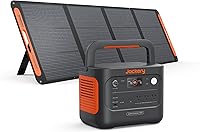
The Jackery Explorer 300 Portable Power Station,292Wh has 292Wh capacity, 300W rated output, and 600W peak surge. It includes 2 AC outlets, a 100W USB-C PD port, 2 USB-A ports, and a 120W car port.
The Explorer 300 weighs 7.5 lb in the product title and has an integrated handle. Its included items are the power station, AC adapter, car charger cable, and user guide.
The solar panel is not included.
Jackery describes solar charging with a 100W panel or a 40W panel, both sold separately. Check the DELTA 3's requirements before treating a smaller station or panel as part of the same setup.
How do you use the DELTA 3 during a power outage?
Keep the outage setup simple: power essential devices first, monitor the load, and recharge when an approved source is available. Avoid connecting every appliance at once.
Before an outage, charge the station and test the cords you plan to use. Label priority devices, keep charging cables together, and note which equipment cannot run from the station.
During the outage, connect essential electronics first. Check the battery percentage and output watts after each connection.
Turn off devices that are not needed so stored energy lasts longer.
A larger solar generator may suit longer backup periods, but its size and weight can make it harder to move. The EF ECOFLOW Solar Generator 3.6KWh DELTA Pro with 400W Portable Solar Panel includes a 3600Wh power station, a 400W portable solar panel, and a solar charge cable.
The DELTA Pro has 15 outlets and ports, including 5 AC outlets, 4 USB-A ports, 2 USB-C ports, 2 DC ports, a car power output, and an Anderson port. Its listed output wattage is 3600W, and the unit weighs 99 lb.
The 400W panel is foldable, weighs 35.3 lb, and has an IP68 rating. EF ECOFLOW states that the panel has a 22.4% conversion rate, but real charging time varies with sunlight, placement, and the connected equipment.
The DELTA Pro and panel arrive in separate packages. Its size and weight make it a different choice from a smaller station, so compare the EcoFlow DELTA Pro Ultra review before choosing a larger backup setup.
What should you check after connecting a load?
Check the battery level, input, output, temperature, and warning messages after every major connection. A stable reading is more useful than assuming that a device will draw the same amount of power all day.
If output rises sharply, turn off the device and review its requirements. If the station becomes hot, shows a warning, or stops supplying power, disconnect the load and follow the manual's troubleshooting steps.
Keep charging and output cables separated enough to avoid trips and strain on the ports. Do not cover vents or place the station where spilled water could reach it.
For a different portable EcoFlow format, our EcoFlow RIVER 2 Max review may help you compare smaller power needs.
How do you store and care for an EcoFlow DELTA 3?
Store the DELTA 3 clean, dry, protected from extreme heat, and at the charge level recommended in its manual. Check it from time to time instead of leaving it forgotten for months.
Disconnect all devices before storage and keep the cables together. Inspect the ports and cords before the next use, especially after moving the station outdoors.
Follow the manual for maintenance, firmware updates, battery storage, and safe transport. Do not open the battery housing or attempt an internal repair yourself.
A useful care routine is simple:
- Charge the station before planned emergencies.
- Test a low-power device before a major outage.
- Keep approved cables with the station.
- Check the display for warnings.
- Keep vents and ports clear.
- Store the unit away from moisture and direct heat.
What is the simplest way to use an EcoFlow DELTA 3?
Charge it first, connect essential devices one at a time, and use the display to keep the combined load within the station's limits. Solar charging can extend your options, but only when the panel and wiring match the DELTA 3 input requirements.
Choose a small solar kit for a compatible planned setup, a compact power station for light electronics, or a larger EcoFlow system when you need more stored energy and output. For larger backup planning, see how to use an EcoFlow DELTA Pro.
Treat the manual's voltage, current, output, temperature, and safety limits as the final authority for your exact DELTA 3 model. That keeps setup practical and reduces the chance of an overload or unsafe connection.
Frequently asked questions
How do you use an EcoFlow DELTA 3 for the first time?
Place the DELTA 3 on a stable, dry surface, connect it to a suitable charging source, and let it charge according to the manual. Turn on the needed output group, connect one device, and check the screen for input, output, battery level, and warnings before adding more equipment.
Can you charge an EcoFlow DELTA 3 with solar panels?
You can use solar charging only with panels and cables that match the DELTA 3's input requirements. Put panels in unobstructed sunlight, connect them with the correct polarity, and confirm that the station shows solar input before leaving the setup unattended.
Can an EcoFlow DELTA 3 charge devices while it is charging?
It may support charging devices while receiving power, but the exact behavior depends on the input source, output group, load, and the DELTA 3 model settings. Check the manual and watch the display for battery drain, overload warnings, or temperature alerts.
How do you know if a device is safe to connect?
Check the device's running wattage and startup demand against the DELTA 3 output limits in its manual. Add the total load of devices on the same output group, and leave room for startup surges from motors, compressors, and other appliances.