What Is an Anker SOLIX Power Dock?
An Anker SOLIX Power Dock is the home connection point that helps integrate compatible SOLIX batteries with household backup circuits. It supports automatic backup by connecting the battery system, home wiring, and transfer equipment.
On this page (9 sections)
- What does an Anker SOLIX Power Dock do?
- How does the Power Dock support automatic whole home backup?
- Is the Power Dock a battery, inverter, or transfer switch?
- What is the difference between a Power Dock and a portable power station?
- Which portable power stations are useful alternatives?
- Can a portable power station replace a Power Dock?
- How should you plan an automatic backup installation?
- What should you ask about Power Dock compatibility?
- Is a Power Dock worth considering?
An Anker SOLIX Power Dock is the home connection point that helps integrate compatible SOLIX batteries with household backup circuits. It supports automatic whole home backup by coordinating the battery system, home wiring, and transfer equipment.
The dock is not the battery itself. Think of it as the part that helps a compatible SOLIX system work as installed home backup instead of functioning only as a portable power source.
What does an Anker SOLIX Power Dock do?
The Power Dock helps connect a compatible Anker SOLIX battery system to a home's electrical setup. Its job is to support the transfer of power between the grid, the battery system, and the circuits that need backup.
That distinction matters because a battery can hold energy without being ready to power a house automatically. Home backup also needs an inverter, transfer equipment, wiring, controls, and an installation that matches the system requirements.
The dock may be part of a larger SOLIX setup that includes battery storage and home power controls. Check Anker's current SOLIX Power Dock information for compatibility and installation details before planning a system.
How does the Power Dock support automatic whole home backup?
Automatic backup needs a way to detect a grid outage and move the home to battery power. The Power Dock helps provide that connection between compatible SOLIX equipment and the home's backup installation.
In a working setup, the grid normally supplies the home. When the grid fails, the system can transfer supported household loads to stored battery power without requiring you to move extension cords or manually start a portable unit.
The exact result depends on the connected SOLIX products and the home's electrical design. A dock does not create more battery capacity or output power than the battery and inverter system can supply.
For a broader explanation of storage, transfer equipment, and backed-up circuits, see our guide to a whole home battery backup system.
Is the Power Dock a battery, inverter, or transfer switch?
The Power Dock is best understood as home integration equipment, not a standalone battery. The battery stores energy, the inverter changes battery power into usable household power, and transfer equipment manages the connection between sources.
Those functions can be packaged together or split across different components. That is why you should compare the complete system rather than judging the dock by itself.
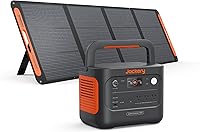
A portable power station usually combines a battery, inverter, outlets, charging controls, and protection in one movable unit. Our portable power stations complete buying guide explains how those systems differ from installed home backup equipment.
What is the difference between a Power Dock and a portable power station?
A Power Dock is designed around fixed home integration, while a portable power station is designed around flexible use in a home, vehicle, campsite, or work area. The right choice depends on whether you want automatic household backup or movable power.
A portable unit can be useful when you need to power selected devices directly. You can carry it, charge it in different ways, and connect equipment to its built-in outlets.
A dock-based system is more suitable when you want the battery system connected to household circuits. It normally requires planning around electrical loads, placement, wiring, and professional installation.
What should you compare before choosing?
Compare battery capacity, inverter output, transfer behavior, supported circuits, charging options, installation needs, and expansion plans. A large battery is not enough if the inverter cannot handle the appliances you want to run.
Also consider whether you need movable power. A portable system can support camping or emergency device charging, while a home-integrated system is built around keeping household circuits available during an outage.
Which portable power stations are useful alternatives?
Portable power stations can serve as alternatives when you want backup for selected devices rather than automatic whole home integration. They do not replace a compatible Power Dock installation, but they can reduce the need to connect every essential device to a wall outlet during an outage.
The EF ECOFLOW Solar Generator 3.6KWh DELTA Pro includes a 3600Wh power station and a 400W portable solar panel. Its 15 outlets and ports suit readers who want one movable system for residential backup, camping, or several small devices.
The solar panel has a 22.4% conversion rate, weighs 16 kg, and has an IP68 waterproof rating. The power station has five AC outlets, four USB-A ports, two USB-C ports, two DC ports, a car power output, and an Anderson port.
The EF ECOFLOW DELTA Pro Ultra 6144Wh Power Station is aimed at readers who need a larger residential backup platform. It combines a 6144Wh battery with an inverter, supports 120V and 240V output, and has a stated 7200W AC output.
The system can expand from one 6144Wh battery to as many as 15 batteries, reaching 90kWh according to its stated specifications. It also supports a 20 ms online UPS transfer time and can charge through electric vehicle charging stations, solar, wall outlets, or outdoor generators.
The EF ECOFLOW Portable Power Station 3600Wh DELTA Pro provides a 3600Wh LFP battery and 120V 3600W AC output. It suits readers who want a standalone power station with expansion options rather than a fixed Power Dock installation.
This DELTA Pro can expand from 3.6kWh to 25kWh with compatible extra batteries or smart generators. It offers five charging methods, app control through Wi-Fi or Bluetooth, and 15 output methods for connecting several devices.
Can a portable power station replace a Power Dock?
A portable power station can replace some manual backup tasks, but it does not provide the same automatic home integration as a Power Dock. For device-level backup, see whether Anker SOLIX works as a UPS.
You may need to connect devices directly, move plugs, or use a separately designed transfer setup.
Never connect a portable power station to a home's wiring through an improvised cable. Household backup wiring must follow the equipment instructions and local electrical requirements.
The DELTA Pro Ultra is closer to a residential backup platform than a small travel power station because its battery and inverter are designed together. Even so, its home integration needs should be checked separately from its battery capacity.
For another large battery system comparison, read our EcoFlow DELTA Pro Ultra review.
How should you plan an automatic backup installation?
Start by writing down the circuits and appliances you want to keep running. Separate essential loads, such as refrigeration, lighting, communications, and selected outlets, from high-demand loads that may require more inverter power.
Next, check the system's voltage, output, battery capacity, charging options, and expansion limits. A 120V setup and a 120V/240V setup may support different household loads.
Have the electrical work assessed by a qualified professional. The correct location, disconnects, transfer equipment, grounding, ventilation, and local requirements depend on the home and the selected system.
The Anker SOLIX E10 review and Anker SOLIX X1 review can help you compare related Anker battery systems before choosing a dock-based setup.
What should you ask about Power Dock compatibility?
Ask whether the dock supports the exact battery, inverter, home panel, and transfer equipment you plan to use. Compatibility is a system question, not just a question about the dock's connector.
Confirm the supported voltage, maximum output, expansion path, installation method, and which circuits can receive backup power. Also ask how the system behaves when the battery is empty or charging.
If you are comparing EcoFlow options, our guide to Anker SOLIX F3800 vs F3800 Plus covers another home backup decision. You can also compare the best Anker solar generator options by use case.
Is a Power Dock worth considering?
A Power Dock is worth considering when you want automatic backup through a compatible SOLIX home system and are prepared for a fixed electrical installation. It is less useful if your main goal is a portable battery for camping, travel, or occasional device charging.
Choose a dock-based setup when automatic transfer and household circuit integration matter most. Choose a portable power station when direct outlet access, movable power, and simpler placement matter more.
Before deciding, compare the complete battery and inverter system, not the dock alone. For another DELTA Pro option, see the Anker SOLIX F3000 review.
In short, an Anker SOLIX Power Dock helps connect compatible SOLIX battery equipment to a home's backup system. For what is an Anker SOLIX Power Dock, the key rule is simple: choose it for automatic home integration, and choose a portable power station when you need flexible, movable backup power.
Frequently asked questions
What is an Anker SOLIX Power Dock?
An Anker SOLIX Power Dock is a connection and control point for integrating compatible SOLIX batteries with a home's backup circuits. Its role is broader than storing energy because it helps coordinate the battery system with household wiring and automatic backup equipment.
Does an Anker SOLIX Power Dock store electricity?
No. The Power Dock is part of the home integration equipment, while the SOLIX battery stores energy.
The battery capacity, inverter output, transfer behavior, and supported circuits depend on the complete SOLIX system connected to the dock.
Does the Power Dock provide whole home backup?
The Power Dock can support an automatic whole home backup setup when it is used with compatible SOLIX batteries, the required transfer equipment, and a correctly installed home connection. It does not turn an incompatible battery into a whole home system.
Is an Anker SOLIX Power Dock the same as a portable power station?
No. A portable power station is a self-contained battery and inverter unit designed for movable power.
A Power Dock is a home integration component that helps connect a compatible battery system to selected household circuits or a whole home backup installation.