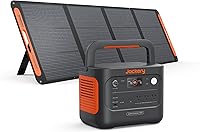
How to Choose a Whole Home Battery Backup System
Choose a whole home battery backup system by the circuits you need, their startup demands, and the runtime you want. Then confirm voltage, transfer equipment, charging options, placement and expansion before you buy.
On this page (11 sections)
- What should a whole home battery backup system power?
- How do you calculate battery size for a house?
- Which battery backup system fits essential household circuits?
- Do you need 120V or 240V backup power?
- How does a battery connect to household circuits?
- How quickly should a whole home battery switch to backup power?
- How much expansion should you plan for?
- How should you charge a house battery?
- What should you check before installation?
- How do you use and care for a home battery?
- Which whole home battery backup system should you choose?
A whole home battery backup system should be sized around essential circuits, startup demand and the number of hours you want power, not simply the number of rooms in your house. Start with refrigeration, lights, internet equipment, medical equipment and other loads that matter during an outage.
Then decide whether you want a portable power station for selected devices, a connected system for dedicated circuits, or an expandable setup that can support more of the house over time. Our portable power station buying guide explains the broader differences between capacity, output and charging options.
What should a whole home battery backup system power?
A home battery should first cover the circuits that protect safety, food, communication and basic comfort. Essential backup usually includes refrigeration, a few lights, Wi-Fi equipment, phone charging and selected outlets.
Make a list of the loads you want during a blackout. Separate them into three groups:
| Load group | Common examples | Why it matters |
|---|---|---|
| Essential | Refrigerator, freezer, lights, modem, router, phone chargers | Keeps food, communication and basic lighting available |
| Useful | Television, fans, computer, small kitchen appliances | Adds comfort and flexibility |
| Heavy | Central air conditioning, well pump, electric water heater, range | Can require high output, 240V support or more stored energy |
The exact appliance list varies by home. A refrigerator may cycle instead of drawing its full operating power all day, while a pump or compressor can need a higher surge when it starts.
Avoid assuming that a system can run every household circuit just because its battery capacity looks large. Output power and stored energy solve different problems.
Output determines what can run at one time, while capacity affects how long the system can keep running.
For a deeper explanation of whole-house limits, read Can a UPS Battery Backup Power a Whole House? Made Simple.
A UPS-style system may protect selected equipment, but whole-home coverage also depends on wiring, circuit control and transfer equipment.
How do you calculate battery size for a house?
Estimate battery size by multiplying the power used by each essential load by the hours you want it to run. The simple relationship is:
Watt-hours needed = watts × hours
For example, a 100W combined load running for 10 hours needs about 1,000Wh before allowing for conversion losses or extra demand. Actual use changes as appliances cycle on and off, so treat the result as a planning estimate rather than a promise of exact runtime.
List the running wattage for each device, then identify the appliance with the highest starting demand. A refrigerator, freezer, sump pump or well pump may need more power at startup than while operating.
What is the difference between watts and watt-hours?
Watts describe the rate of power a system can deliver. Watt-hours describe how much energy the battery stores.
A system with high watt output may run a demanding appliance but still provide limited runtime if its battery is small. A large battery may last for many hours with light loads but fail to start a motor if the inverter cannot handle its surge.
This distinction helps explain why a 3,600Wh system and a 6,144Wh system suit different backup plans. The first may work well for essential circuits and selected appliances.
The second offers more stored energy and a higher output ceiling for a broader home backup design.
How much surge capacity does a home battery need?
Choose enough output for the largest startup demand among the loads that may run together. Motors, pumps, compressors and air-conditioning equipment can create a short surge above their normal operating draw.
Do not add every possible appliance's startup demand unless you expect them to start at the same time. Instead, make a realistic operating schedule.
You might run refrigeration continuously, use lights and networking equipment as needed, and turn off heavy loads before starting another one.
The EcoFlow DELTA Pro review covers a 3,600Wh platform with 3,600W AC output and expansion options described below. Its X-Boost feature is presented as supporting output up to 4,500W, but your appliance requirements still need to be checked individually.
Which battery backup system fits essential household circuits?
The best match depends on whether you need a portable unit, a 120V backup source or a higher-output system with 120V and 240V capability. These 3 options cover different planning levels.
EF ECOFLOW Solar Generator 3.6KWh DELTA Pro with 400W Portable Solar Panel
The EF ECOFLOW Solar Generator 3.6KWh DELTA Pro suits households that want a 3,600Wh battery system with a 400W portable solar panel for flexible charging. It has 3,600W output and 15 outlets and ports, including 5 AC outlets, 4 USB-A ports, 2 USB-C ports, 2 DC ports, 1 car power output and 1 Anderson port.
The foldable 400W panel weighs 16 kg and has an IP68 waterproof rating. Its stated conversion rate is 22.4%, and one panel can fully recharge the power station in 11 hours under the stated conditions.
Three 400W panels are described as taking 3.5 hours.
The power station and panel arrive in separate packages. The system includes the 400W solar panel, DELTA Pro 3,600Wh power station and solar charge cable.
Its dimensions are 11.2 in L x 16.4 in W x 25 in H, and its listed weight is 99 lb. That size and weight make it better for a planned location or careful moving than for frequent carrying around the house.
Choose this option when solar charging and many device connections matter. It can suit essential circuits and selected appliances, but confirm that your largest startup demand fits its output plan.
EF ECOFLOW DELTA Pro Ultra 6144Wh Power Station
The EF ECOFLOW DELTA Pro Ultra 6144Wh Power Station is the strongest match here for a connected whole-home backup design. One inverter supports 120V and 240V with 7,200W output, while up to 3 inverters are described as reaching 21.6kW AC output.
The system is scalable from one 6,144Wh battery to 15 batteries, with a stated maximum of 90kWh. It also supports charging through electric vehicle piles, solar, wall outlets or outdoor generators.
EcoFlow describes the system as an online UPS with a 20 ms transfer time. The app can prioritize specific home circuits, and charging times can be set.
The inverter and battery arrive in separate packages, and the included components are the DELTA Pro Ultra Battery and DELTA Pro Ultra Inverter.
The unit measures 27.2 in L x 18.9 in W x 8.4 in H and weighs 70.9 lb. The battery needs to connect to the EcoFlow DELTA Pro Ultra Inverter to charge, and it is not compatible with third-party inverters.
Read the EcoFlow DELTA Pro Ultra review for a closer look at this system. Choose it when 240V support, higher output and expansion are central to your plan.
EF ECOFLOW Portable Power Station 3600Wh DELTA Pro
The EF ECOFLOW Portable Power Station 3600Wh DELTA suits households that want a 3,600Wh LFP battery with 120V and 3,600W AC output. It can expand from 3.6kWh to 25kWh with DELTA Pro Extra Batteries or Smart Generators.
The system has 15 output methods, including 5 AC outlets, USB-A ports, USB-C ports, DC outlets, a car power output and an Anderson port. Its X-Boost technology is described as supporting output up to 4,500W, while 2 units can be paired for 7,200W.
Charging options include an EV station, solar, wall outlets, a smart outdoor generator or a car outlet. The stated recharge times are 1.8 hours with a 240V outlet at 3,000W, 2.7 hours with an 1,800W wall outlet and 2.8 hours with 4 x 400W solar panels.
The unit measures 25 in L x 11.2 in W x 16.4 in H and weighs 99 lb. Included components are the 3,600Wh power station, AC charging cable, car charging cable and DC5521 to DC5525 cable.
Choose it for 120V essential circuits and a clear path to more battery capacity. Compare it with the EcoFlow DELTA Pro vs DELTA Pro 3 guide if you are deciding between related EcoFlow platforms.
Do you need 120V or 240V backup power?
Choose 120V backup for standard household circuits and selected appliances. Choose a system with 240V support when your plan includes equipment that requires both legs of household power or heavier appliances designed for 240V service.
The DELTA Pro Ultra supports 120V and 240V through one inverter. The DELTA Pro models described above are 120V systems, so they fit a different backup plan unless their expansion or connection method matches your home's requirements.
Check the voltage of every circuit you plan to back up. A high watt rating does not automatically mean a system can supply the voltage your appliance needs.
Some buyers compare portable power stations with transfer-switch solutions. The best Anker SOLIX transfer switch options explain why the connection equipment matters as much as the battery itself.
How does a battery connect to household circuits?
A battery can power household devices through its own outlets, or it can connect to selected circuits through compatible transfer equipment or a home energy panel. The safe connection method depends on the battery, the home's wiring and local electrical requirements.
A portable setup may mean plugging individual appliances directly into the power station. This is simple for a refrigerator, lamp, router or charger, but it may require extension cords and careful load management.
A circuit-based setup routes selected home circuits through compatible equipment. That can make essential loads easier to use during an outage, but the installation needs a qualified professional.
The EcoFlow Smart Home Panel 2 review and EcoFlow Smart Home Panel 3 review are useful next reads if you are comparing home circuit control options. Confirm compatibility before planning a connected installation.
Never connect a power station to a household outlet in a way that could send power back into utility wiring. Use the connection equipment and installation method approved for the system and your home.
How quickly should a whole home battery switch to backup power?
A system with automatic transfer can move to battery power without requiring you to plug appliances in manually. The exact transfer behavior depends on the system and the circuits it controls.
The DELTA Pro Ultra is described as an online UPS with a 20 ms transfer time. That may suit sensitive electrical devices, but it does not replace checking whether a particular appliance or circuit needs a different backup arrangement.
For the basic sequence, read how a UPS battery backup switches to battery power. The key questions are whether the system detects an outage automatically, which circuits it controls and whether the connected loads can tolerate the transfer.
If your home includes medical equipment, networking hardware or a computer that cannot tolerate interruption, check the equipment requirements before choosing a transfer method.
How much expansion should you plan for?
Plan expansion around a specific future load, such as refrigeration plus more circuits, rather than buying the largest possible system without a use case. Expansion is most useful when your first backup plan is clear.
The DELTA Pro can expand from 3.6kWh to 25kWh with DELTA Pro Extra Batteries or Smart Generators. The DELTA Pro Ultra can scale from one 6,144Wh battery to 15 batteries, with a stated maximum of 90kWh.
Expansion may help in 3 ways:
- Add runtime for the same essential circuits.
- Add circuits while keeping the same runtime target.
- Support heavier loads when the inverter arrangement allows it.
Battery capacity does not automatically increase available output. Check whether expansion adds energy, inverter capacity or both.
The EcoFlow DELTA 3 Ultra review and EcoFlow DELTA 3 Ultra Plus review can help you compare other EcoFlow directions before committing to a system family.
How should you charge a house battery?
Choose charging options that match the outages and conditions you expect. Wall charging is convenient before a storm, solar charging can help during a longer outage and other input methods may matter when grid power is unavailable.
The 3 systems here offer different charging details:
| System | Charging details |
|---|---|
| DELTA Pro with 400W panel | Battery powered and solar powered; includes a 400W portable solar panel |
| DELTA Pro Ultra | Electric vehicle piles, solar, wall outlets or outdoor generators |
| DELTA Pro 3600Wh | EV station, solar, wall outlets, smart outdoor generator or car outlet |
Solar output changes with panel count, weather, placement and available sunlight. Treat stated recharge times as conditions-based figures, not guaranteed times for every location.
Keep the battery charged before severe weather if the manufacturer allows that use. Store cables where you can reach them, and keep the charging area dry and clear.
What should you check before installation?
Check the battery location, cable route, ventilation needs, outlet access and the weight you may need to move. Measure the route before delivery, including doors, turns and the final placement.
Confirm these points before choosing:
- Which circuits need backup first?
- What are the running and startup watts of those loads?
- Do any appliances require 240V?
- Do you need automatic transfer?
- Will the battery sit near the circuits it serves?
- Can the floor and route handle the unit's size and weight?
- Which charging methods will remain available during a long outage?
- Can the system expand in the direction you expect?
The DELTA Pro units listed here weigh 99 lb each. The DELTA Pro Ultra weighs 70.9 lb, while its inverter and battery arrive separately.
Plan placement and moving help around those weights rather than treating a power station like a small phone battery.
The Anker SOLIX E10 review and Anker SOLIX X1 review are additional comparisons for readers considering other home backup designs. If you are specifically comparing a power dock, see what an Anker SOLIX Power Dock is.
How do you use and care for a home battery?
Use a home battery by keeping its load within the system's output, monitoring charge status and leaving a clear plan for recharging. Regularly check cables, outlets and the intended backup circuits.
Avoid running every available appliance at once. Start the most important loads first, then add lower-priority devices while watching the system's output.
A battery backup is easier to manage when each circuit has a priority:
- Priority 1: refrigeration, medical equipment and communication.
- Priority 2: essential lighting, fans and selected outlets.
- Priority 3: entertainment, computers and small appliances.
- Priority 4: high-demand heating, cooling or cooking loads.
Follow the manufacturer's instructions for charging, storage, firmware or app controls. The EcoFlow DELTA Pro how-to guide can help if you are learning the controls of that platform.
Which whole home battery backup system should you choose?
Choose the DELTA Pro Ultra if your plan needs 120V and 240V support, 7,200W output from one inverter or expansion from 6,144Wh toward a larger home backup system.
Choose the DELTA Pro 3600Wh if you want 120V essential-circuit coverage, 3,600W output and a path from 3.6kWh toward 25kWh.
Choose the DELTA Pro with 400W portable solar panel if a 3,600Wh system, 15 output options and a foldable solar panel fit your backup plan.
The right whole home battery backup system is the one that matches your highest-priority circuits, starting demand, voltage and outage length. Size the system around the loads you can name today, then choose expansion only when it supports a clear future need.
Frequently asked questions
What is the best whole home battery backup system?
The best whole home battery backup system depends on your circuits and runtime goal. A smaller system can cover essential loads such as lights, communications and refrigeration, while a higher-output expandable system suits homes that need 120V and 240V support, heavier loads or longer backup periods.
Can a battery backup power an entire house?
A battery backup can power an entire house only when its output, voltage, transfer equipment and stored energy match the home's circuits and loads. Many households get a better result by backing up essential circuits first, then adding capacity or circuits as their needs become clear.
How many watts do I need for a house battery backup?
Add the running watts of the circuits you want to power, then account for the highest startup demand from motors, pumps, compressors and other appliances. Leave operating headroom instead of sizing the battery to run continuously at its maximum output.
How long will a whole home battery backup last?
Runtime depends on stored watt-hours and the load being used. A 6,144Wh battery can last much longer with lights, internet equipment and a refrigerator than with electric heating, central air conditioning or several high-wattage appliances running together.
Do I need a transfer switch for a home battery backup?
You may need transfer equipment to connect a battery system safely to selected household circuits. The exact setup depends on the system, home wiring and local requirements, so have a qualified professional confirm the connection before installation.