How to Use an Anker SOLIX Power Station Outdoors
Anker SOLIX outdoor use requires a dry, shaded, well-ventilated setup on a stable surface. Protect the station from rain, standing water, heat, dust, and blocked air vents.
On this page (9 sections)
- Can you use an Anker SOLIX power station outdoors?
- How should you protect an Anker SOLIX station from rain?
- Where should you place the power station outdoors?
- How do ventilation and load affect outdoor use?
- How do you set up an Anker SOLIX power station outside?
- How do you charge a power station outside?
- How do you use higher-power equipment outdoors?
- What should you do after outdoor use?
- What is the safest Anker SOLIX outdoor use setup?
Anker SOLIX outdoor use is safest in a dry, shaded, open, and stable location. Keep the power station protected from rain and standing water, leave its air vents clear, and place it where cables, heat, dust, and foot traffic won't create extra hazards.
A portable power station can be useful at a campsite, beside an RV, in a vehicle, or during outdoor work. Compare portable power stations for outdoor use for more options.
For longer RV stays, compare solar generators for RVs by capacity and charging options.
The setup still needs care because a power station contains a battery, electrical outlets, charging circuits, and heat-producing components.
Can you use an Anker SOLIX power station outdoors?
Yes, you can use an Anker SOLIX power station outdoors when the location is dry, ventilated, and protected from weather. Outdoor use does not mean leaving the unit exposed to rain, dew, puddles, direct sun, or blowing dust.
Check the instructions for your exact SOLIX model before using it outside. Model-specific limits can differ, so follow the stated temperature, charging, storage, and moisture guidance.
For broader buying advice, start with our guide to the best portable power station. If your main use is camping, compare the planning points in best portable power station for camping.
How should you protect an Anker SOLIX station from rain?
Use overhead cover that blocks rain without trapping heat. A canopy, awning, tent vestibule, or covered outdoor work area can help, but the cover must not press against the station or block its vents.
Keep the station away from:
- Rain, snow, and dripping branches
- Puddles, wet grass, and damp soil
- Sprinklers, hoses, and splashing water
- Condensation inside a cold vehicle or tent
- Wet charging cables and exposed plugs
A waterproof cover is not a reason to seal the station inside a bag. Enclosing the unit can restrict airflow and allow heat to build up during charging or high-power use.
Raise the station on a dry, stable platform when the ground may become wet. A platform should not cover the bottom vents or make the station easy to tip.
What does Anker SOLIX outdoor use require in wet weather?
Stop using the station if water reaches the case, ports, controls, or cables. Disconnect power only when you can do so safely, and do not touch wet plugs with wet hands.
Don't continue charging a wet station. Move it to a dry area if that can be done without dragging cables through water, then follow the model's instructions or contact Anker support before using it again.
Don't assume a light drizzle is harmless. Water can enter through an open outlet cover, a charging port, or a cable connection even when the top of the case looks mostly dry.
Where should you place the power station outdoors?
Place the unit on a level, hard, dry surface with clear space around its vents. A table, clean vehicle cargo area, or firm campsite surface is usually easier to manage than loose dirt, sand, or grass.
Keep the power station away from direct sun whenever possible. Sunlight can heat the case, while a dark enclosure, vehicle interior, or small tent can make the surrounding air much warmer.
Leave enough room to connect cables without sharp bends. Don't place the station where someone may step on a cord, knock it over, or pull it from a table.
For vehicle trips, our guide to the best portable power station for car covers placement and power planning around a vehicle. Never place a power station where it can interfere with pedals, steering, visibility, airbags, or safe entry and exit.
How do ventilation and load affect outdoor use?
Keep every cooling vent open while the station is charging or powering equipment. Do not cover the unit with clothing, bedding, towels, equipment bags, or a sealed weather cover.
High electrical loads can create more heat than small devices. Check the station's output limits before connecting heaters, cooking appliances, pumps, tools, or other high-draw equipment.
Keep the total connected load within the model's stated output. A power station may shut down when overloaded, but you should not rely on a shutdown as a normal operating method.
Dust and sand can also affect outdoor equipment. Keep the station away from blowing grit, clean the outside with the method allowed by the instructions, and never push debris into a vent or port.
How do you set up an Anker SOLIX power station outside?
Set up the station before connecting appliances, then check the location, cables, and load. This short sequence reduces mistakes when the campsite is dark, crowded, or changing weather is approaching.
- Choose a shaded, dry, level surface.
- Check that the vents and controls are clear.
- Place the station away from water, flames, exhaust, and heat.
- Inspect charging and appliance cables for cuts, crushed sections, or wet plugs.
- Connect the charger or solar input according to the instructions.
- Turn on the needed output, then connect appliances one at a time.
- Check for heat, warning messages, unusual sounds, or loose connections.
Keep spare cable length off the ground where possible. Secure long cables so they don't become trip hazards, but don't tightly coil a cable while it is carrying a high load.
Which smaller station suits light outdoor loads?
A smaller station can suit readers who need portable power for low-wattage electronics and want less weight to carry. The Jackery Explorer 300 Portable Power Station has a 292Wh capacity, 300W rated output, 600W peak surge, 2 AC outlets, a 100W USB-C PD port, 2 USB-A ports, and a 120W car port.
It weighs 7.1 lb and measures 15.43 x 9.92 x 11.89 in. The included items are the power station, AC adapter, car charger cable, and user guide.
A solar panel is optional rather than included.
Use the Explorer 300 only for equipment within its 300W total output. It can be a practical fit for phones, cameras, laptops, and similar loads, but check each device's power needs before connecting it.
For more compact options, see our guide to the best small power station for camping.
How do you charge a power station outside?
Charge only in a dry, open location with the correct cable and input method. Keep solar panels stable and positioned so their cables do not cross walkways, vehicle tires, or wet ground.
Solar charging can change with clouds, shade, panel angle, and cable placement. Treat the panel area as part of the electrical setup, not as a loose accessory that can be left where wind or people may move it.
Car charging also needs care. Keep the vehicle running only as allowed by the vehicle and charger instructions, route the cable away from hot surfaces and moving parts, and disconnect it before driving if the setup could interfere with vehicle operation.
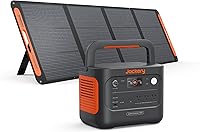
The Jackery Solar Generator 1000 v2 and 200W includes a 1,070Wh power station, a 200W solar panel, an AC charging cable, and a user manual. It has 1,500W AC output, 3 pure sine wave AC ports, 2 USB-C ports, 1 USB-A port, and 1 DC car port.
The power station weighs 23.8 lb and has a foldable handle. Jackery states that its 200W panel can charge the unit to 80% in 6 hours under its stated conditions, so real outdoor charging time can vary with sunlight and setup.
The Jackery app offers charging modes, including emergency charging, quiet overnight charging, and energy efficiency mode. Use the mode that fits your situation, while keeping the station dry and ventilated.
How do you use higher-power equipment outdoors?
Match the appliance's running and starting demand to the power station before plugging it in. Motors, pumps, compressors, and heating elements may need more power at startup or during operation.
The BLUETTI Portable Power Station AC180 has a 1,152Wh LiFePO4 battery, 1,800W output, 2,700W peak output, and 8 outlets. BLUETTI states that its app can enable the higher output mode for suitable needs.
The AC180 weighs 37.4 lb and measures 13.39 x 9.72 x 12.48 in. Its included items are the station, AC charging cable, car charging cable, solar charging cable, and user manual.
BLUETTI states that the AC180 can charge from 0% to 80% in 45 minutes and can accept up to 500W of solar input. Those charging claims depend on the input source, conditions, and the correct connection.
If you need to charge an electric vehicle, read can you use a portable power station for EV charging? before planning the setup. A portable station's output and stored energy may not match an EV's charging requirements.
What should you do after outdoor use?
Disconnect appliances, stop charging, inspect the case and cables, and move the station to a dry storage area. Let the station cool before placing it in a bag or storage compartment.
Wipe away surface moisture with a method allowed by the instructions. Never store the unit while it is damp, and don't connect a charger until the ports and plugs are dry.
Store cables without sharp bends or heavy pressure on the connectors. Keep the station away from heat, direct sunlight, water, and places where dust or metal objects can enter the ports.
If you use a vehicle-based charging setup, what is an Anker SOLIX alternator charger? explains how that type of charging fits into an outdoor power plan.
What is the safest Anker SOLIX outdoor use setup?
The safest setup is covered overhead, open at the sides, dry underneath, shaded, and well ventilated. Keep the power station away from rain, puddles, flames, exhaust, direct heat, loose dirt, and trip hazards.
Choose the Jackery Explorer 300 when portability and lower-power devices matter. Choose the Jackery Solar Generator 1000 v2 and 200W when you want more stored energy with a solar panel included, or choose the BLUETTI AC180 when your equipment needs higher output.
Before each use, check the exact model instructions, inspect the cables, confirm the load, and bring the station indoors when weather or moisture becomes uncertain.
Frequently asked questions
Can you use an Anker SOLIX power station in the rain?
Keep an Anker SOLIX power station dry unless the exact model instructions clearly allow outdoor moisture exposure. Use a covered, ventilated location away from rain, splashes, puddles, and condensation, and never place the station where water can reach its outlets, charging ports, controls, or vents.
Where should you place an Anker SOLIX power station outdoors?
Place it on a firm, level, dry surface in shade with open space around the vents and cables. Keep it away from standing water, loose soil, direct sun, vehicle exhaust, flames, heaters, and enclosed spaces where heat can build up.
Can an Anker SOLIX power station stay outside overnight?
It is safer to bring the station indoors after outdoor use unless the model's instructions specifically allow the planned conditions. Overnight dew, rain, temperature changes, insects, dust, and accidental cable damage can affect a station even when the weather looks calm.
How do you protect a portable power station outdoors?
Use a roof or canopy that blocks rain while leaving the station's vents open. Keep the unit raised from wet ground, route cables so they cannot be pulled or pinched, and check the station for moisture before connecting a charger or appliance.